6540 Series Operations Manual Rev_I 1/12/2016 47
Door Switch Configuration
The integral safety door switch allows the user to set the chamber so the lights automatically turn off
whenever the door is open. This protects the operator from internal bright lights. For purposes such as
chamber mapping, it may be beneficial to have the lights on while the door is open.
Warning: Whenever using the chamber with the door safety switch not activated (lights on when door is
opened) the operator should always use eye protection.
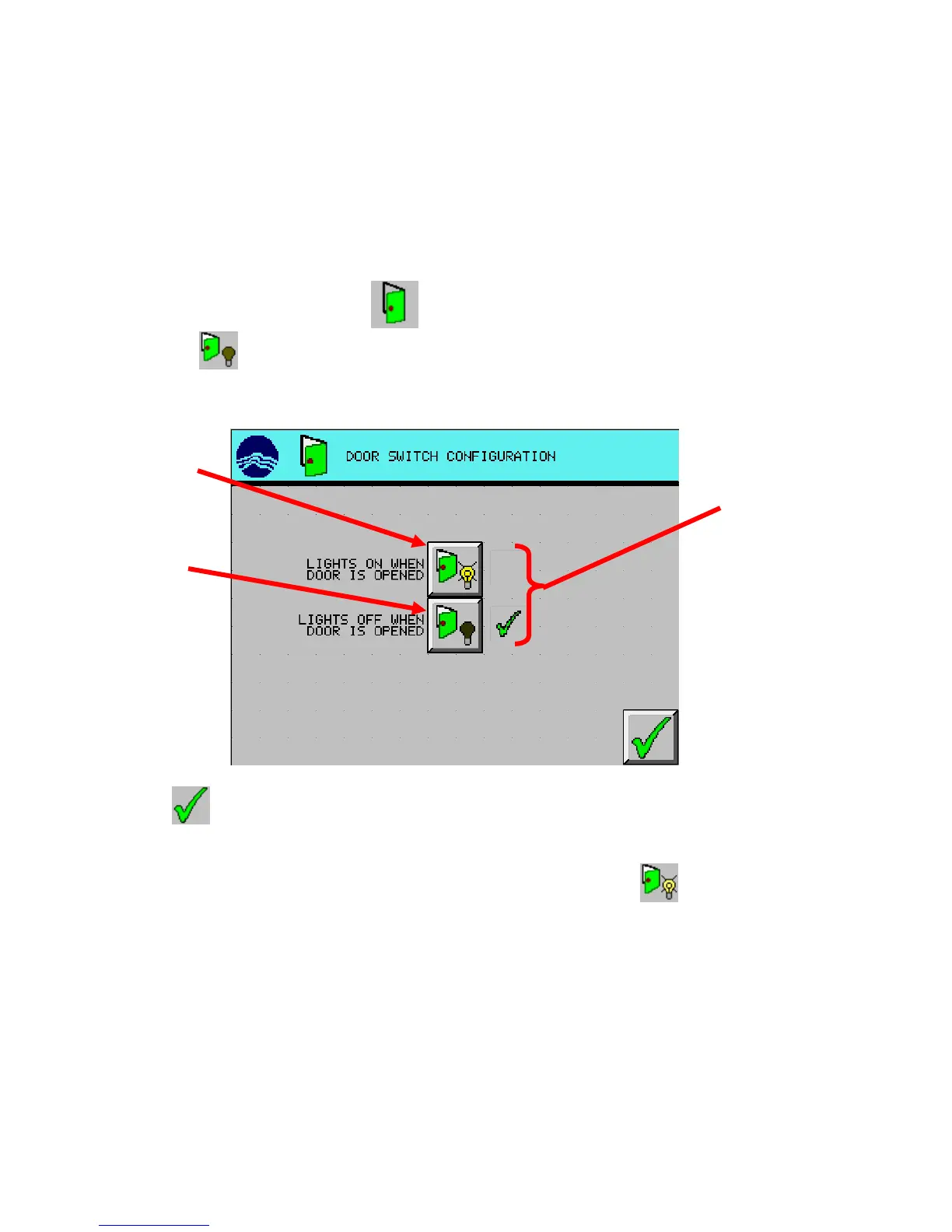
1. From the Setup Menu, press the (DOOR SWITCH CONFIGURATION) button.
2. Press the (LIGHTS OFF WHEN DOOR IS OPENED) button.
3. Press (EXIT) button to return to the setup menu screen.
To disable the door switch safety, repeat the above steps except pressing the (LIGHTS ON WHEN
DOOR IS OPENED) button in step 2.
door switch status
disable
enable



 To Next Page