6540 Series Operations Manual Rev_I 1/12/2016 21
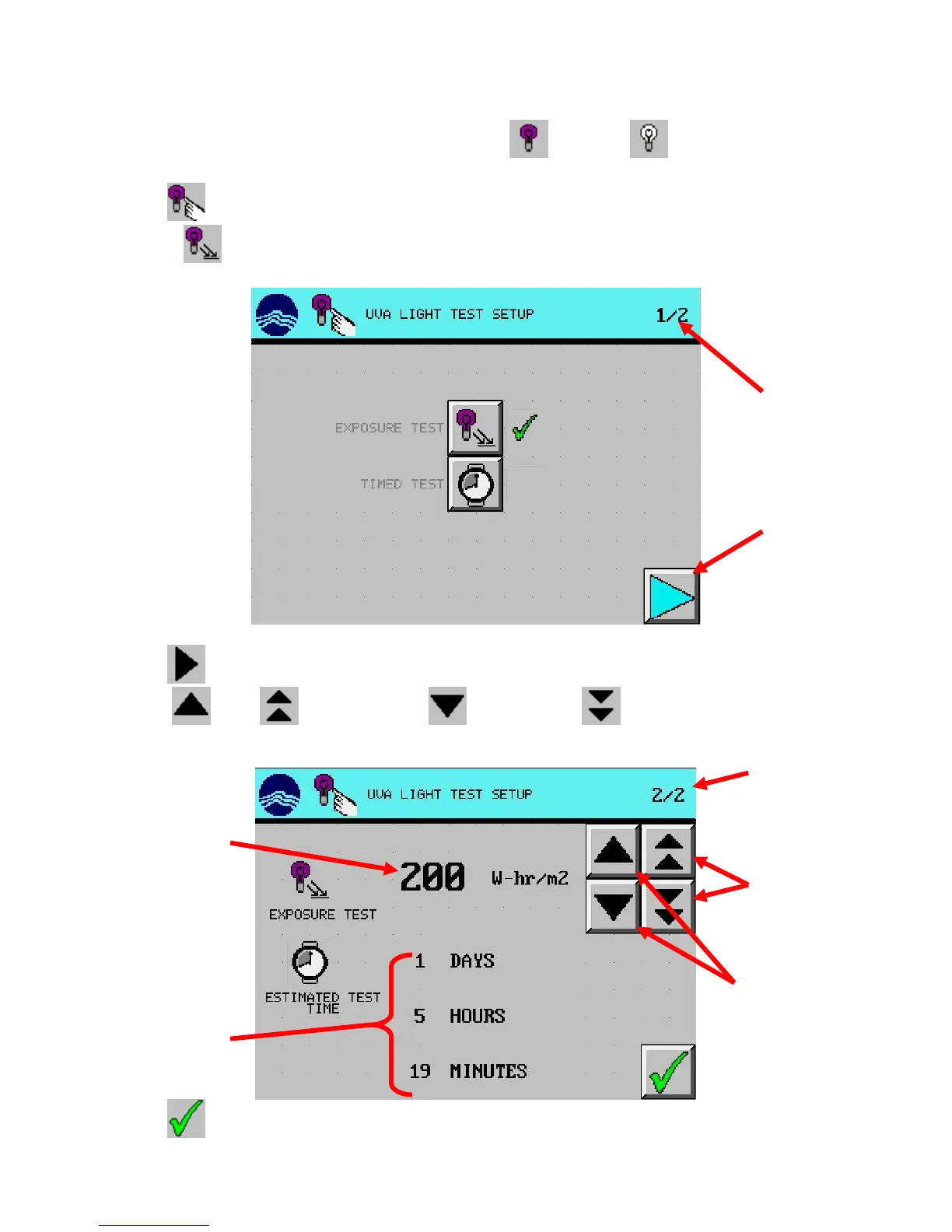
Test Setup: Exposure Test
1. From the main screen, press desired light test setup (UVA) or (VIS) button. (UVA used
in example)
2. Press (TEST SETUP) button.
3. Choose (EXPOSURE TEST).
4. Press (NEXT) button.
5. Using (UP), (DOUBLE UP), (DOWN), and (DOUBLE DOWN) arrow
buttons, set the desired test conditions.
6. Press (EXIT) button
set point
remaining based on
decrease in exposure
decrease in exposure



 To Next Page