6540 Series Operations Manual Rev_I 1/12/2016 27
Test Details
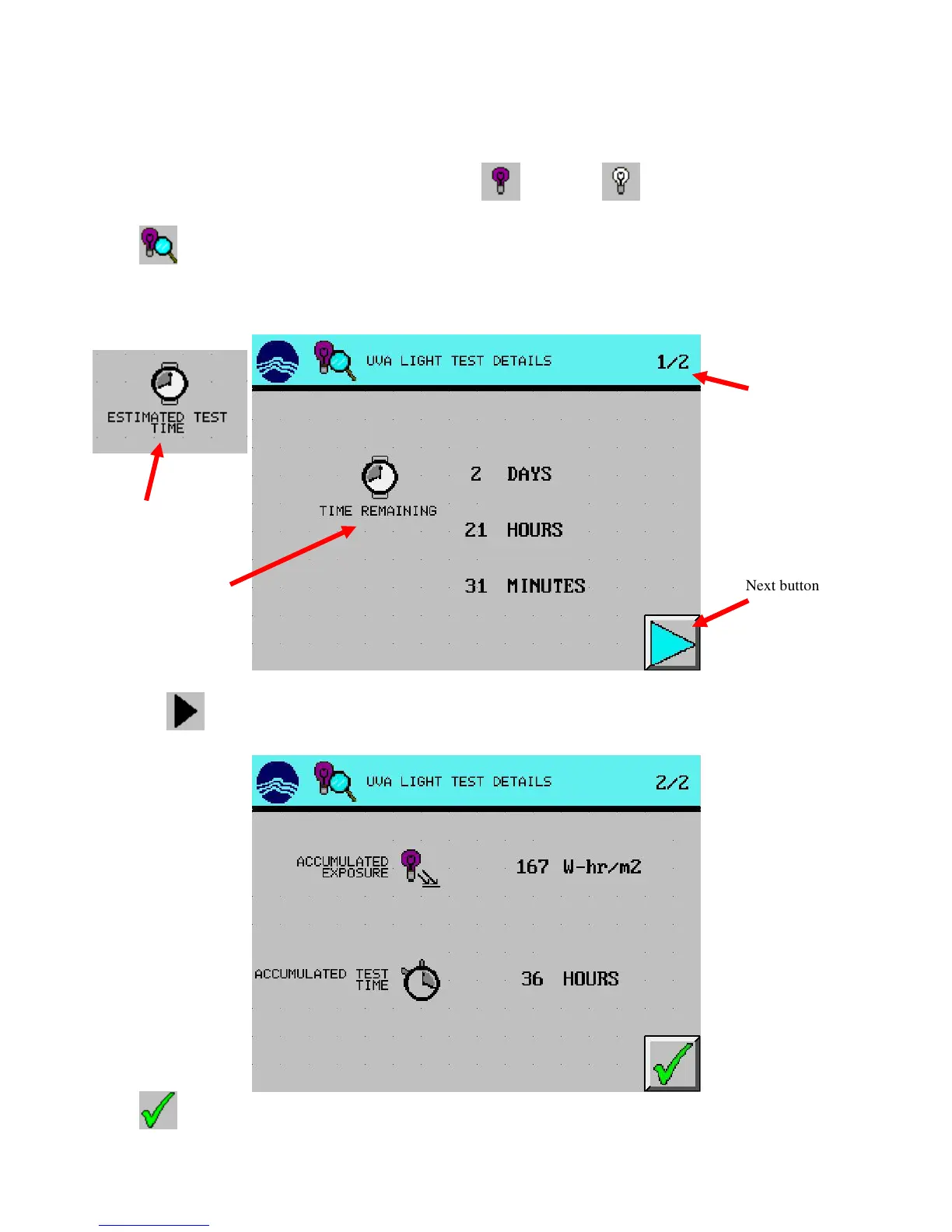
The following steps are how to view the testing progress and details during a test or before a completed test
is acknowledged.
1. From the main screen, press desired light test setup (UVA) or (VIS) button. (UVA used in
example)
2. Press (TEST DETAILS) button. The time remaining will be displayed.
If an exposure test is running, the time remaining is estimated based on current light intensity levels
If a timed test is running, the time remaining is actual
3. Press the (NEXT) button. The accumulated exposure and accumulated test time will be displayed.
4. Press (EXIT) button twice to return to the main screen.
“estimated” time
remaining
Timed test “actual”



 To Next Page