6540 Series Operations Manual Rev_I 1/12/2016 19
Light Control
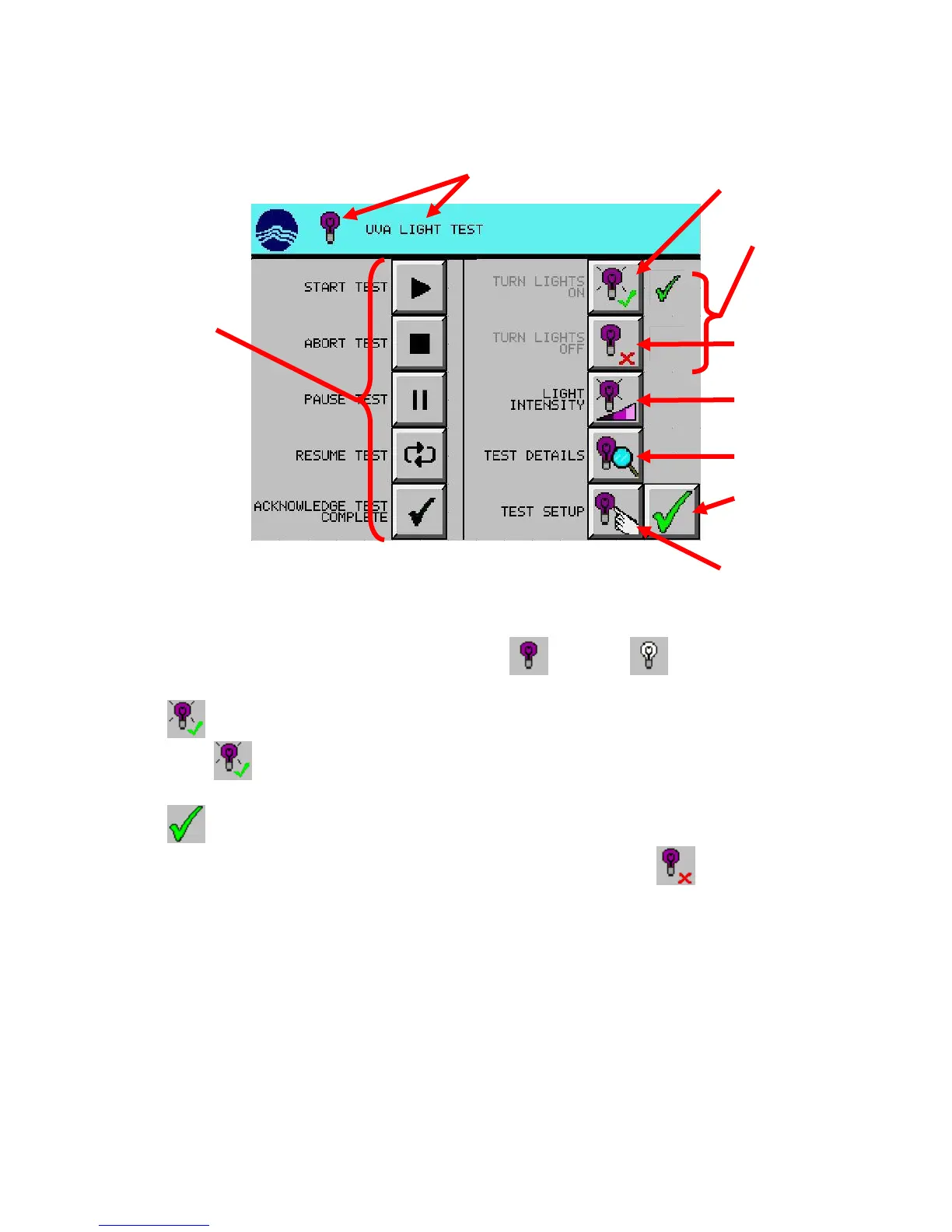
Control Lights Manually
1. From the main screen, press desired light test setup (UVA) or (VIS) button. (UVA used
in example)
2. Press (TURN LIGHTS ON) button. Lights should come on.
Note: If the (TURN LIGHTS ON) icon is not a button and the corresponding description is
grey, then a test is running. The lights can’t be controlled manually during a test.
3. Press (EXIT) button.
To manually turn lights off, repeat the same procedure except in step #2, press (TURN LIGHTS OFF).
(manual) button
& screen description
(manual) button
lights status
button (optional)
details button



 To Next Page