6540 Series Operations Manual Rev_I 1/12/2016 25
Test Status
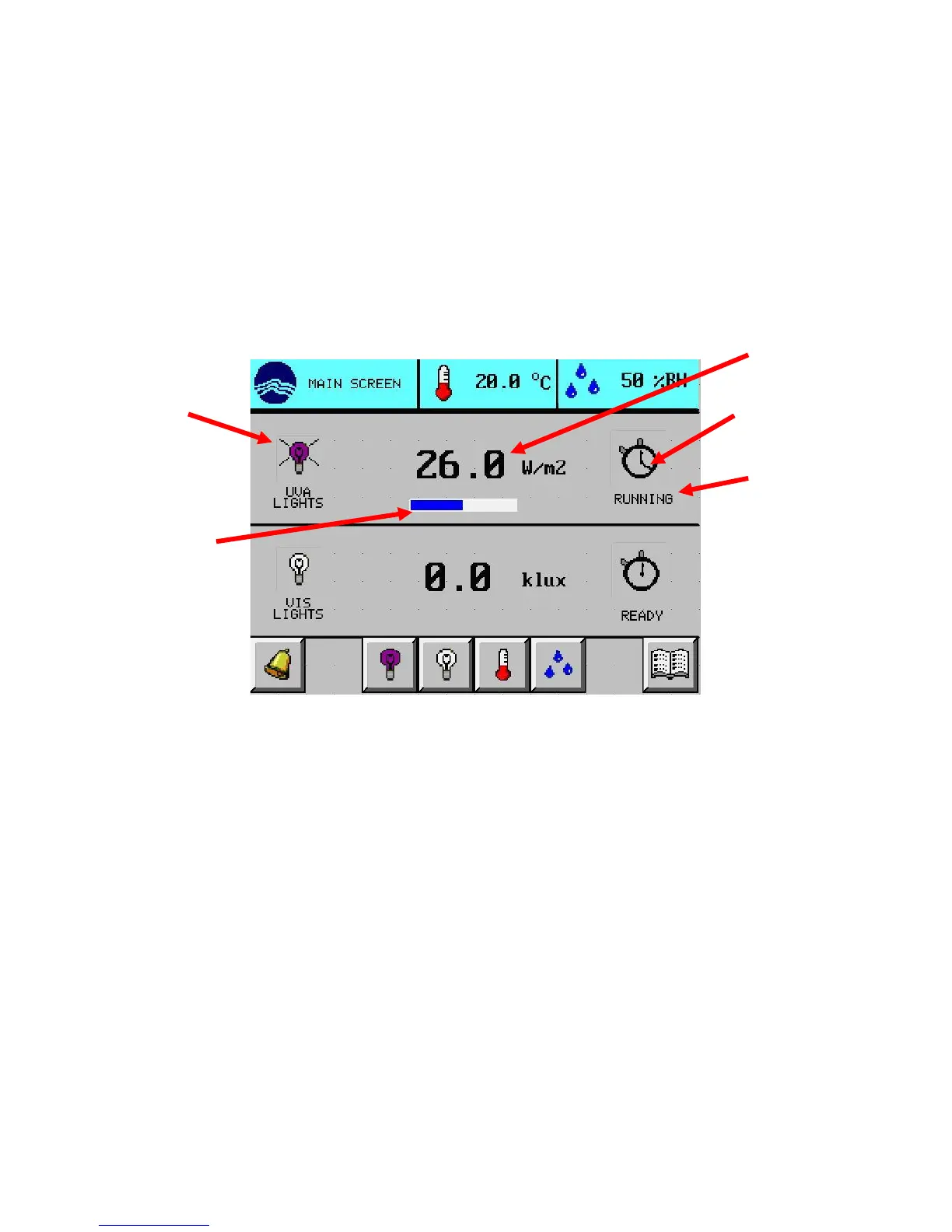
While a test is running, the main screen will indicate basic testing information. In this example, the UVA
lights are running a test. The VIS lights are not.
Test running
The status icon is a stopwatch with a revolving hand
The testing status description displays “RUNNING”
The % test complete bar shows the percent of testing that has been completed
The light icon shows lights are on (rays coming from lamp)
The light intensity is greater than zero
Test paused
The status icon stopwatch flashes; the revolving hand stops
The testing status description displays “PAUSED”
The % test complete bar shows the percent of testing that has been completed
The light icon shows lights are off (no lamp rays)
The light intensity is zero
revolving hand
complete bar
description
intensity



 To Next Page