6540 Series Operations Manual Rev_I 1/12/2016 36
Clear Alarms
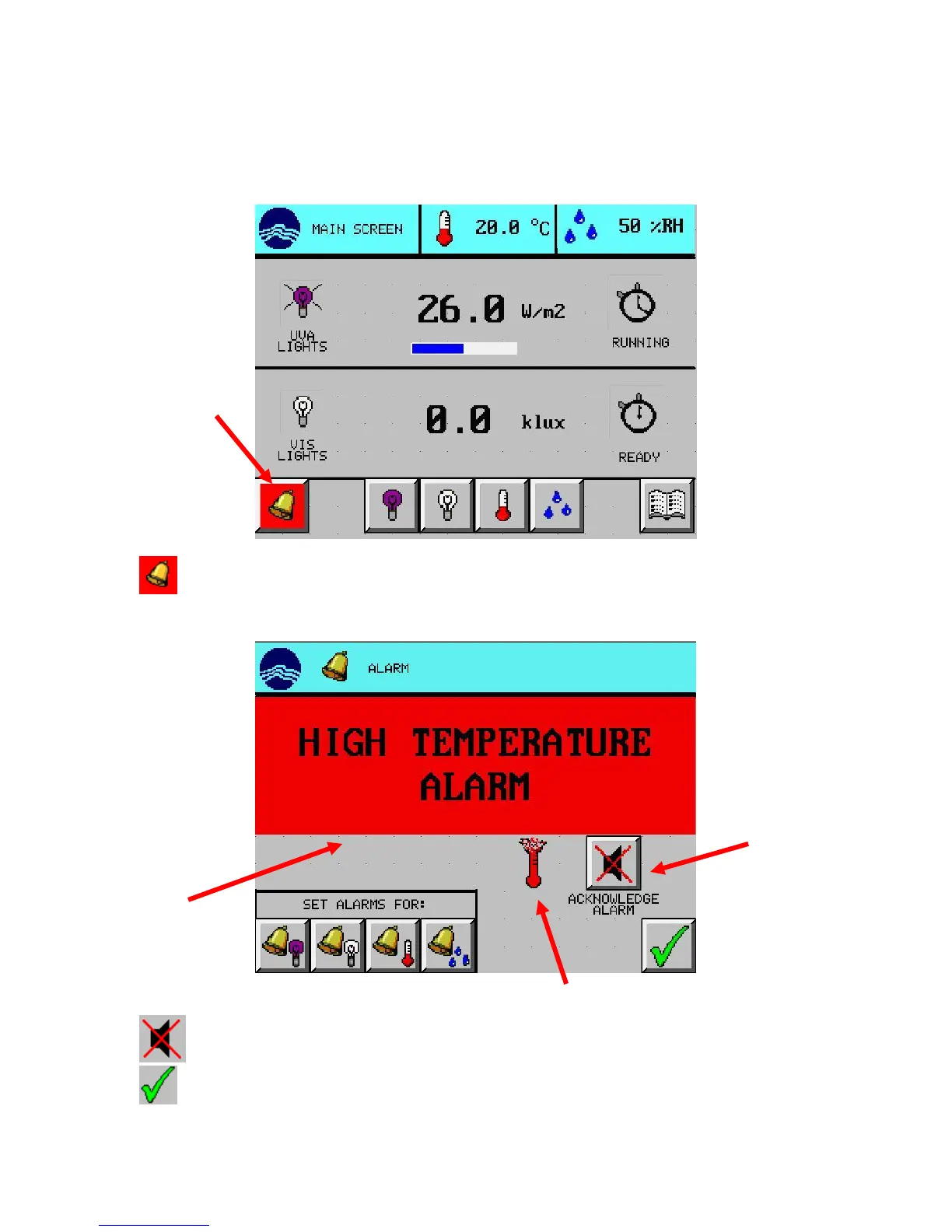
When an alarm occurs:
The alarm button on the main screen turns red
The audible buzzer pulses
1. Press (ALARM) button from the main screen. The alarm description will appear with a red
background in the alarm message area. The example shown is a high temperature alarm.
2. Press (SILENCE ALARM) button to acknowledge the alarm. Alarm should clear and buzzer stop.
3. Press (EXIT) button to return to the main screen.
Alarm



 To Next Page