6540 Series Operations Manual Rev_I 1/12/2016 42
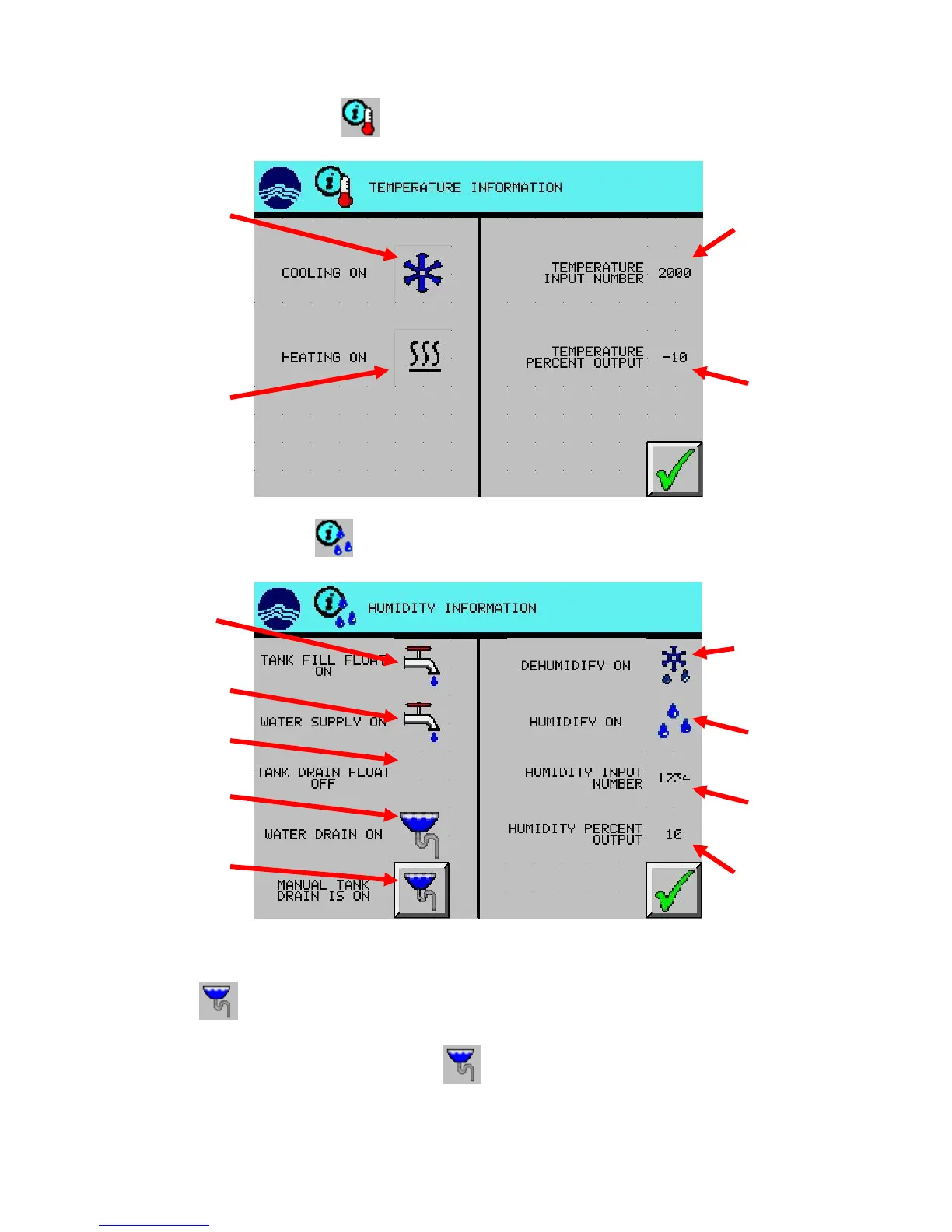
For temperature information, press (TEMPERATURE INFORMATION) button from main screen.
For humidity information, press (HUMIDITY INFORMATION) button from main screen (optional).
To drain the internal water reservoir (used for humidification):
1. Turn off or remove the water supply to the chamber. If water level is low, alarm may sound.
2. Press the (MANUAL TANK DRAIN) button. Water should flow out the water drain located
in the chamber rear. It may take several minutes for it to drain completely.
3. Turn off the manual drain by pressing the (MANUAL TANK DRAIN). If water supply to the
chamber is still on, the internal water reservoir will re-fill. If not pressed, the manual drain will
automatically shut-off after 15 minutes.
(instantaneous)
output: negative
input number
(instantaneous)
negative indicates
solenoid status
status
solenoid status
float status
input number
(instantaneous)
status (instantaneous)
drain button



 To Next Page