11
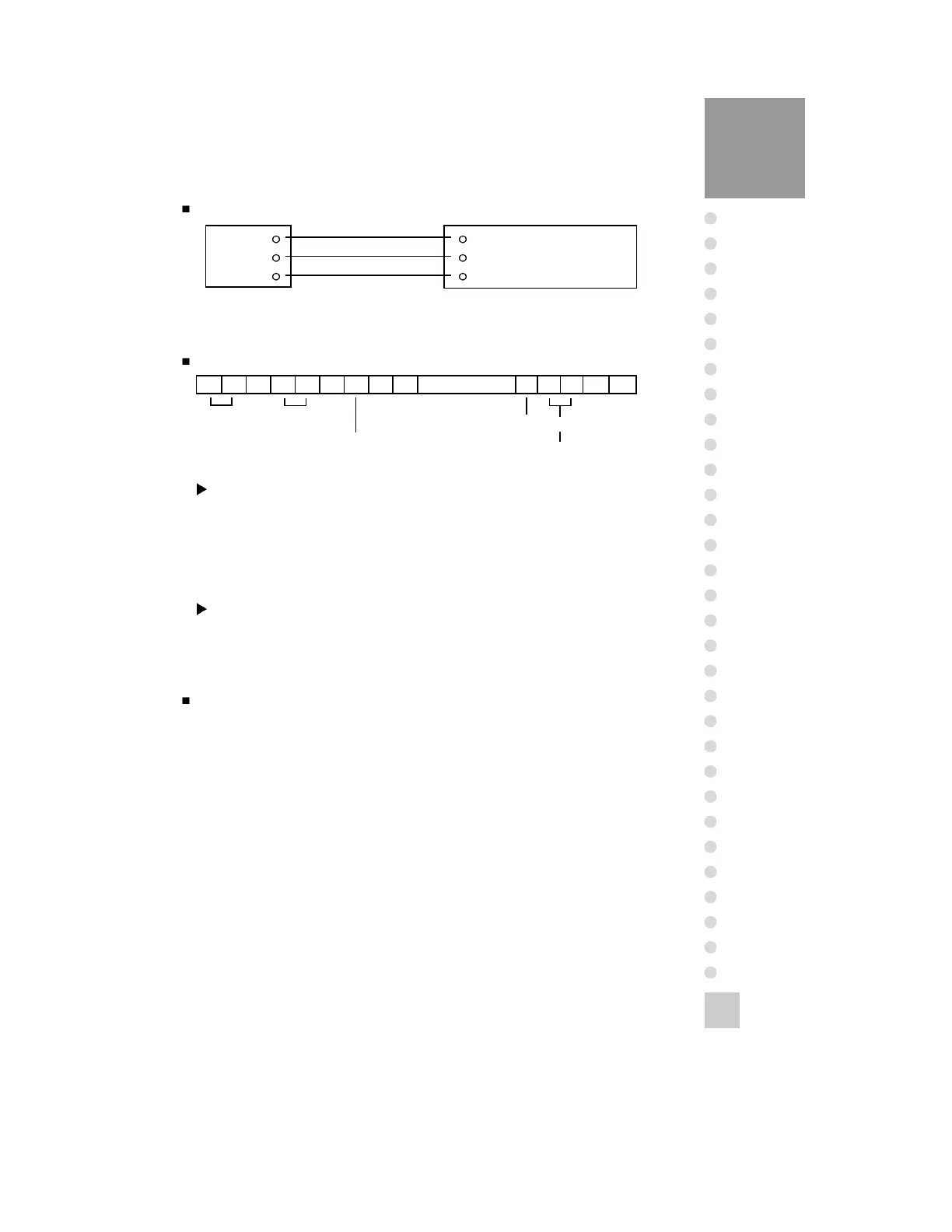
Connect Sub-display
RXD
TXD
GND
2 Transmit Data
3 Receive Data
7 Signal Ground
9pin port(Male)
RS-232C port of Sub-display
RS-232C port of CI-2400BS
Transmit Data Format(22 bytes)
,
,
,
CR LF
Data(8 bytes)
US(Unstable)
ST(Stable)
OL(Over load)
GS(Gross)
NT(Net)
UNIT
kg
Device ID
Space
Device ID
1 byte device ID is output to allow the receiver side to selectively receive
information supplied from the indicator.
Example : When host transmit device ID 01(ASCII code), the indicator of
device 01 answers.
(Device ID is able to set at F10.)
Data(8 bytes) : Weight data with decimal point
1. 13.5 kg : ‘0’, ‘0’, ‘0’, ‘0’, ‘1’, ‘3’, ‘.’, ‘5’
2. 135 kg : ‘0’, ‘0’, ‘0’, ‘0’, ‘1’, ‘3’, ‘5’, ‘0’
3. -135 kg : ‘-’, ‘0’, ‘0’, ‘0’, ‘1’, ‘3’, ‘5’, ‘0’
Simple Transmit/Receive Program(Language : BASIC)
10 OPEN “COM1:9600,N,8,1” As #1
20 IF LOC(1) = 0 THEN 60
30 A$ = INPUT$(1,1)
40 PRINT A$ ; “ ”;
50 GOTO 20
60 B$=INKEY$ : IF B$ =“ ” THEN 20
70 PRINT B$ ; “ ”;
80 PRINT #1,B$;
90 GOTO 20



 To Next Page