14
Resolution to load cell output rate
5V impression to Load cell Max. Load cell output Recommended resolution
2mV 1 / 1,000 (Max)
4mV 1 / 2,000 (Max)
10mV 1/5,000(Max)
Relay Output(COM, OUT1, OUT2, OUT3, OUT4) : Refer to option
COM : Connect to external ground.
OUT1,2,3,4 : The output circuit is an open collector type. If you hook up
this line to TTL level & logic, please add a pull-up resistor.
SEALING METHOD
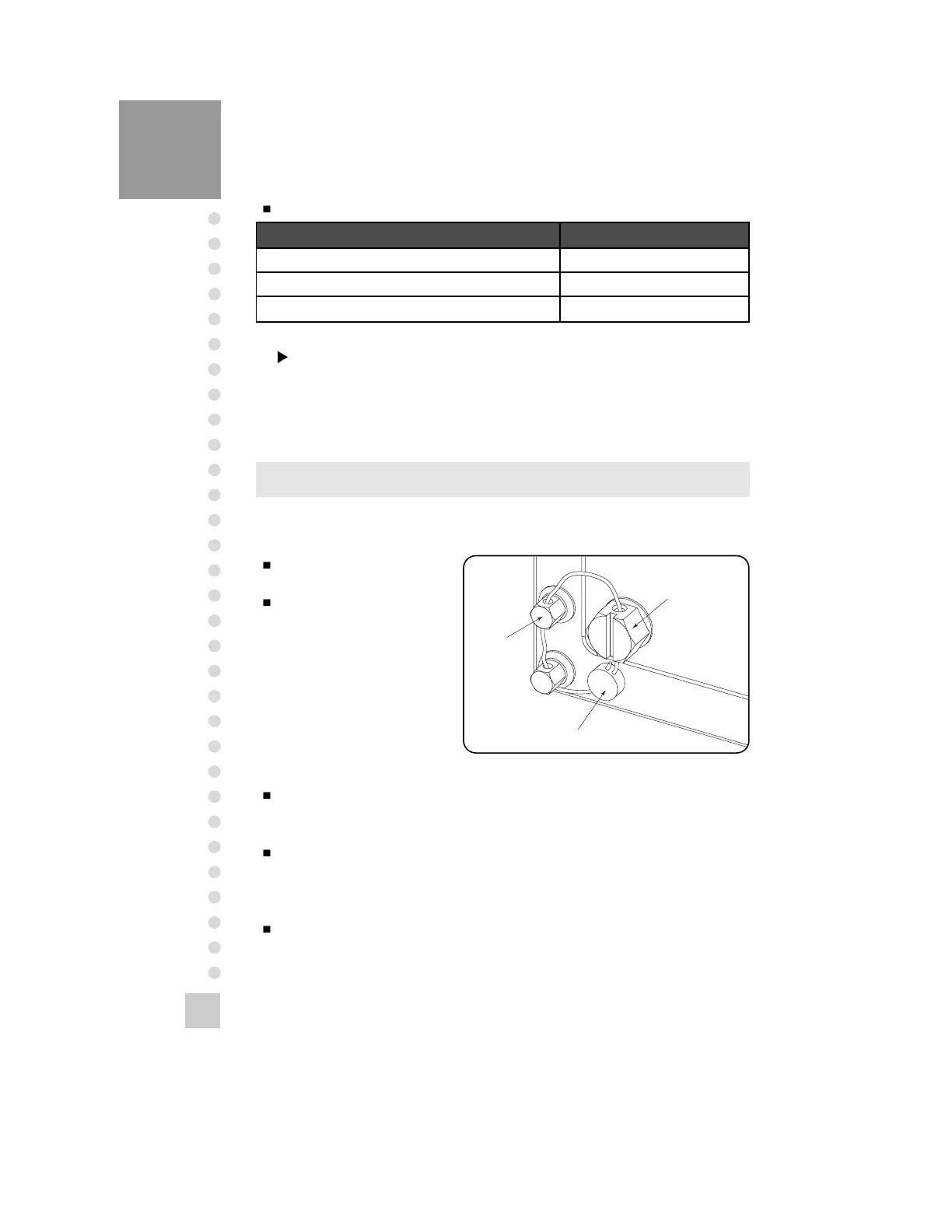
Perform the sealing as shown in the below figure after the calibration is completed.
Screw CAL switch sealing
bolt.
Connect to the sealing wire
as the follows and compress
the sealing lead.
How to Enter CAL Mode/TEST Mode
: Turn on the power while pressing the “CAL” switch on the back side.
How to Enter SET Mode
: Turn on the power while pressing the “LIGHT/PRINT” key.
Also press “LIGHT/PRINT” key for 5 sec in the weighing mode.
How to Enter SYSTEM Mode
: Press “ZERO/MODE” key for 3 sec in the weighing mode.


 To Next Page