39
CAL 4
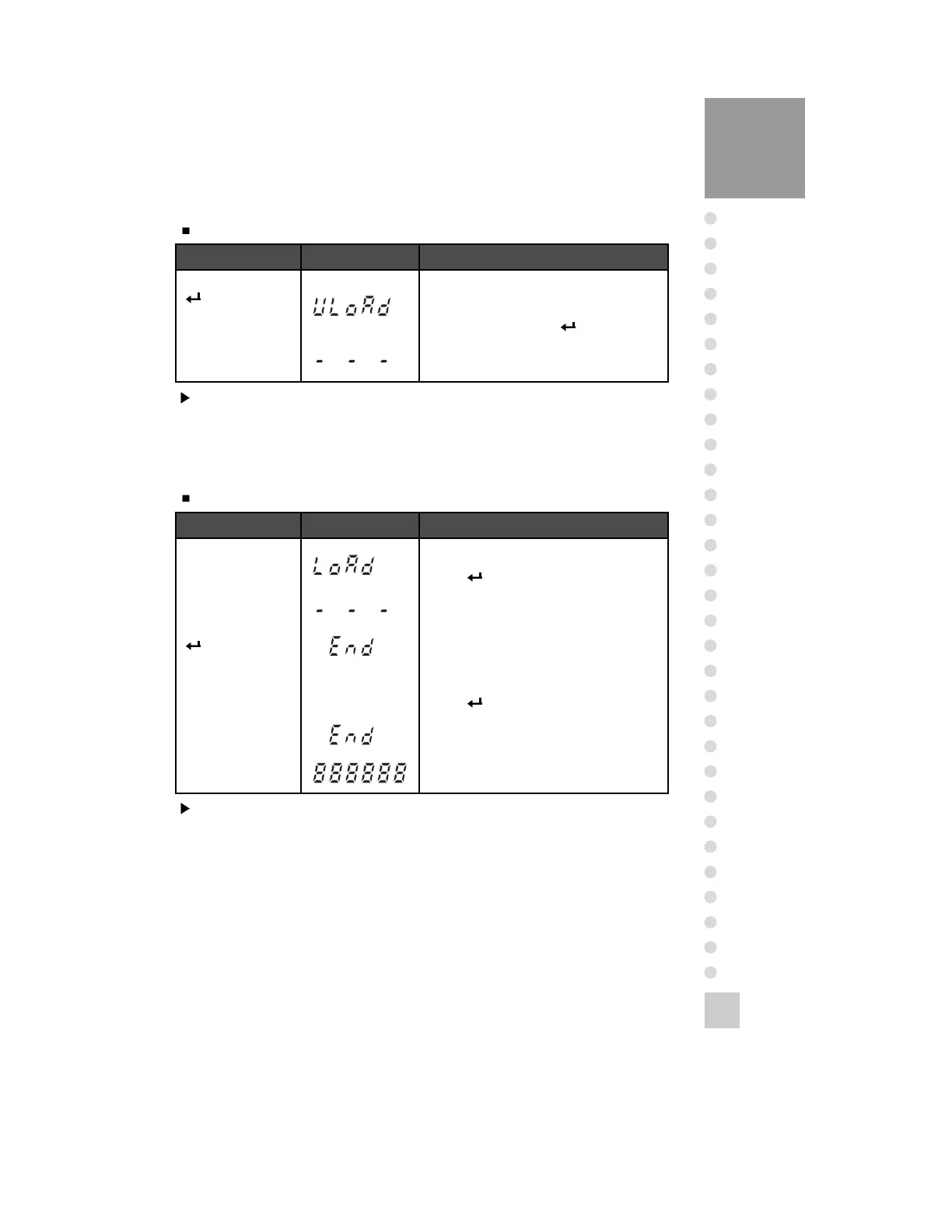
Function: Zero Calibration
Key Display Description
Key :
Move to the next
menu after
completing zero
calibration.
Not being displayed CAL 4.
Empty the platform and when LCD screen
shows “ULOAD”, Press key.
Under zero calibration.
Key Display Description
Key :
Move to the initial
menu
Load the weight which was set in CAL 3 and
Press key.
Under span calibration.
Span calibration is terminated.
It is automatically escaped from CAL mode.
Press key.
CAL mode is completed.
Move to the initial menu automatically.
Note 1. After completing zero calibration, it will be automatically moved to CAL 5.
Note 2. If the zero value is too low or high, “CH 13” will occur.
You lower the resolution and reset the zero calibration.
CAL 5
Function: Span Calibration
Note 1. “END” message is displayed and move to the initial menu when span
calibration is completed.
Note 2. If the span value is too low or high, “CH 14” will occur.
You lower the resolution and reset the span calibration.
Note 3. After completing CAL mode, it will be moved to initial menu.
ZERO=tESt
Tare=Cal



 To Next Page