`
21
(2) Calibration Menu (CAL 1 ~ CAL 7)
P 1 : Multi-calibration range set-up
CAL 1 : Maximum Capacity Set-up
CAL 2 : Minimum Division Set-up
CAL 3 : Zero Calibration
CAL 4 : Setting the Balance Weight (Setting Weight) during Span Calibration
CAL 5 : Span Calibration
CAL 6 : Weigh Constant Calibration
CAL 7 : Equivalence input mode(DIRECT Loadcell input mode)
P 1 : Designate the Number of Calibration
Function: Multi-calibration range set-up
Display Sub-Display Description
Set Value
(1~4)
P 1
MuLtI CAL
__ ___ ___1-4
Calibrate the maximum weight to
1~4 value range
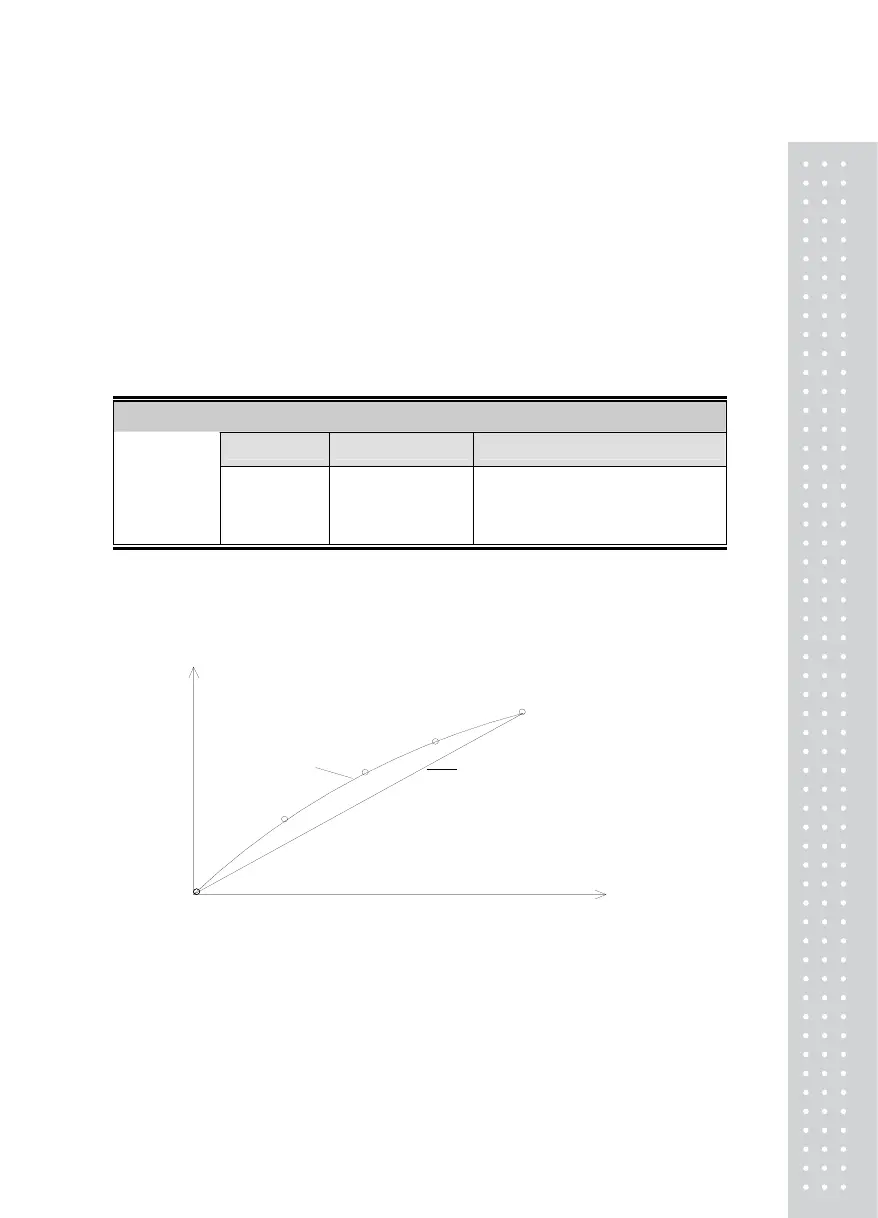
* If the load cell’s actual curve is a straight line, set the value to 1.
* If the load cell’s actual curve is not a straight line as shown in the figure below,
this function is used to set multi-points to compensate for the load cell’s output.
* How to enter the Calibration mode
Upon specifying the number of calibration steps, the display for entry into calibration will
be displayed.
* Screen Display: 1-7 displayed
You can select and designate according to steps.
(zero span)
Zero and Span points to interpolate weight from Load Cell
Multi-point
Multi-point
mV/V
Real curve
weight
(full span)
Multi-point
Ideal
Multi-point
Multi-point



 To Next Page