CAL 7(Corner Cal)
Function Choose the method of adjustment
Display Part Meaning
ᆷ 1 _ Corner
Adjustment
Select the corner adjustment
Set Range
(1 ~ 2)
ᆷ 2 _Axle
Adjustment
Select the axle adjustment
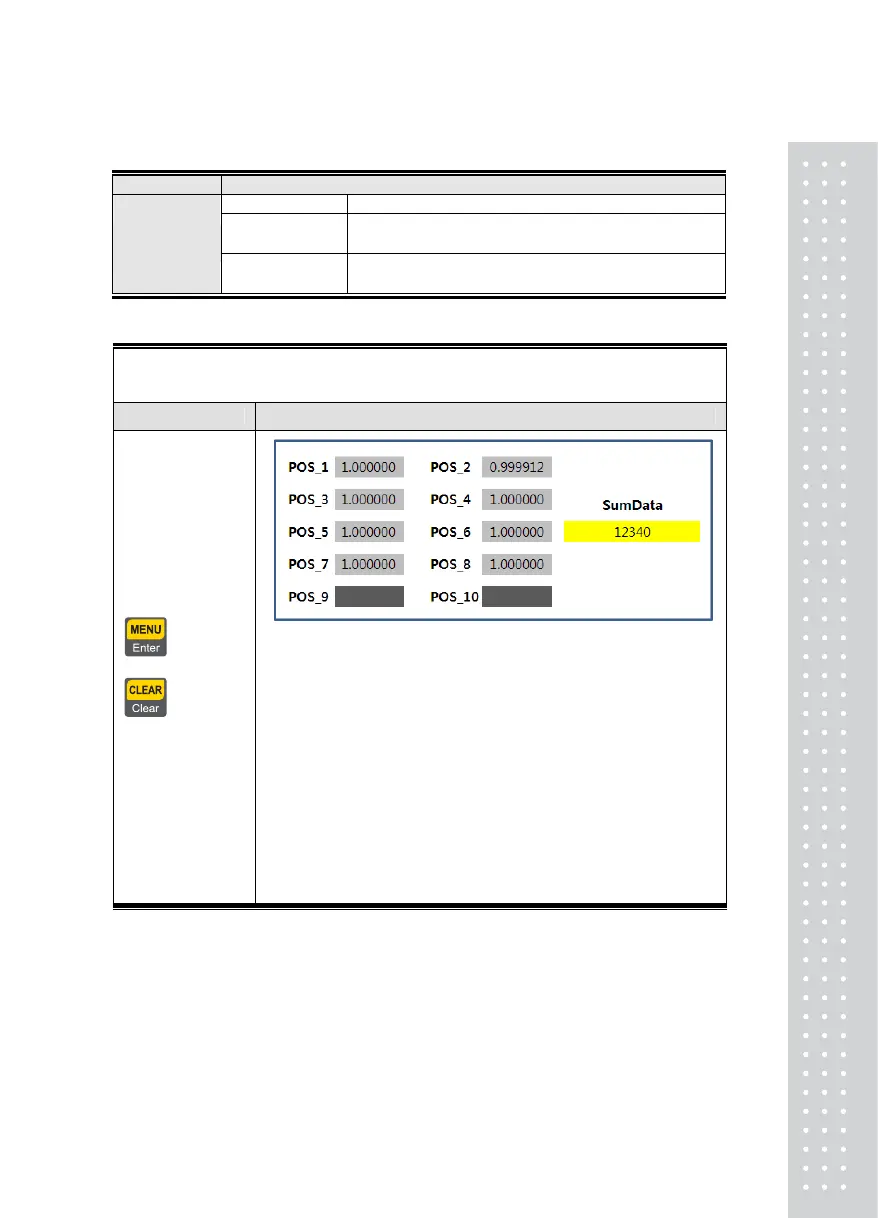
CAL 7-1
Function : Corner Adjustment
Set Range : 3 ~ 10
Use Keys Display Part & Description(Example 8 Loadcell)
= Enter,
= Cancel
Corner adjustments should perform the number of corners
4. Place the load on the 1
st
corner. Check stable and push” Enter”
key
5. Place the load on the 2nd corner. Check stable and push”
Enter” key
6. ..
7. ..
8. ..
9. ..
10. ..
11. Place the load on the 8th corner. Check stable and push”
Enter” key
Note 1. The weight to be used should be at least 10% of nominal weight and the indentical
weight should be used for all four conrners
.
Note 2. Place the weight on any of corners, wait until the value displayed on the screen is
stabilized, and the press the 'Enter; key . Repeat this process N times on the remaining corners
33



 To Next Page