— 17 —
Restore
Execute Restore after repairing.
1. Turn on the user’s A-10/A-11 and then Welcome wizard appears.
2. Execute touch panel calibration and then skip other setups after calibration.
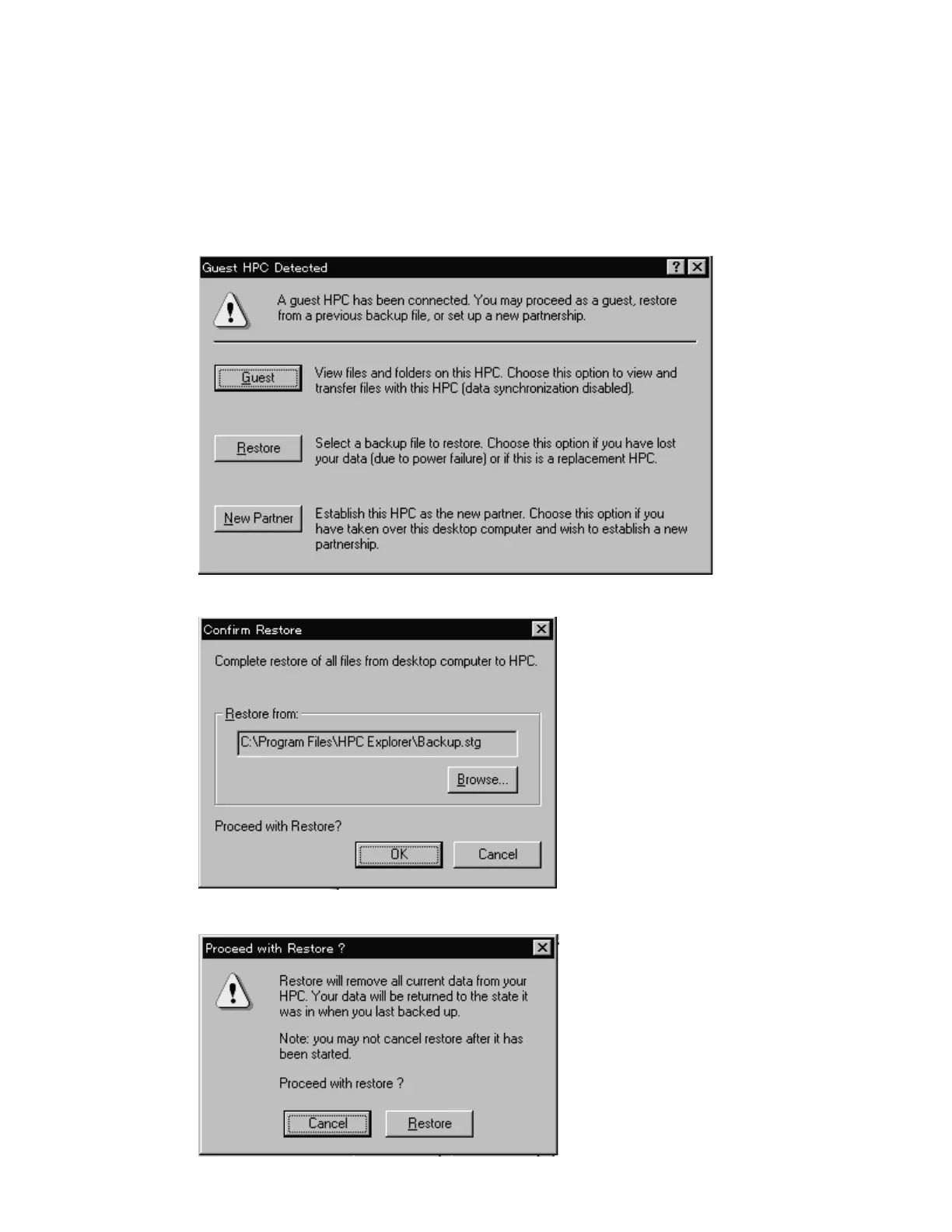
3. Connect repaired A-10/A-11 to your PC with RS-232C cable.
4. Start HPC Explorer on your PC.
5. Click “Restore” and confirm the file name backuped. Then click “OK”.
6. Click “Restore”.



 To Next Page