— 13 —
REPLACING MEMORY SLOT
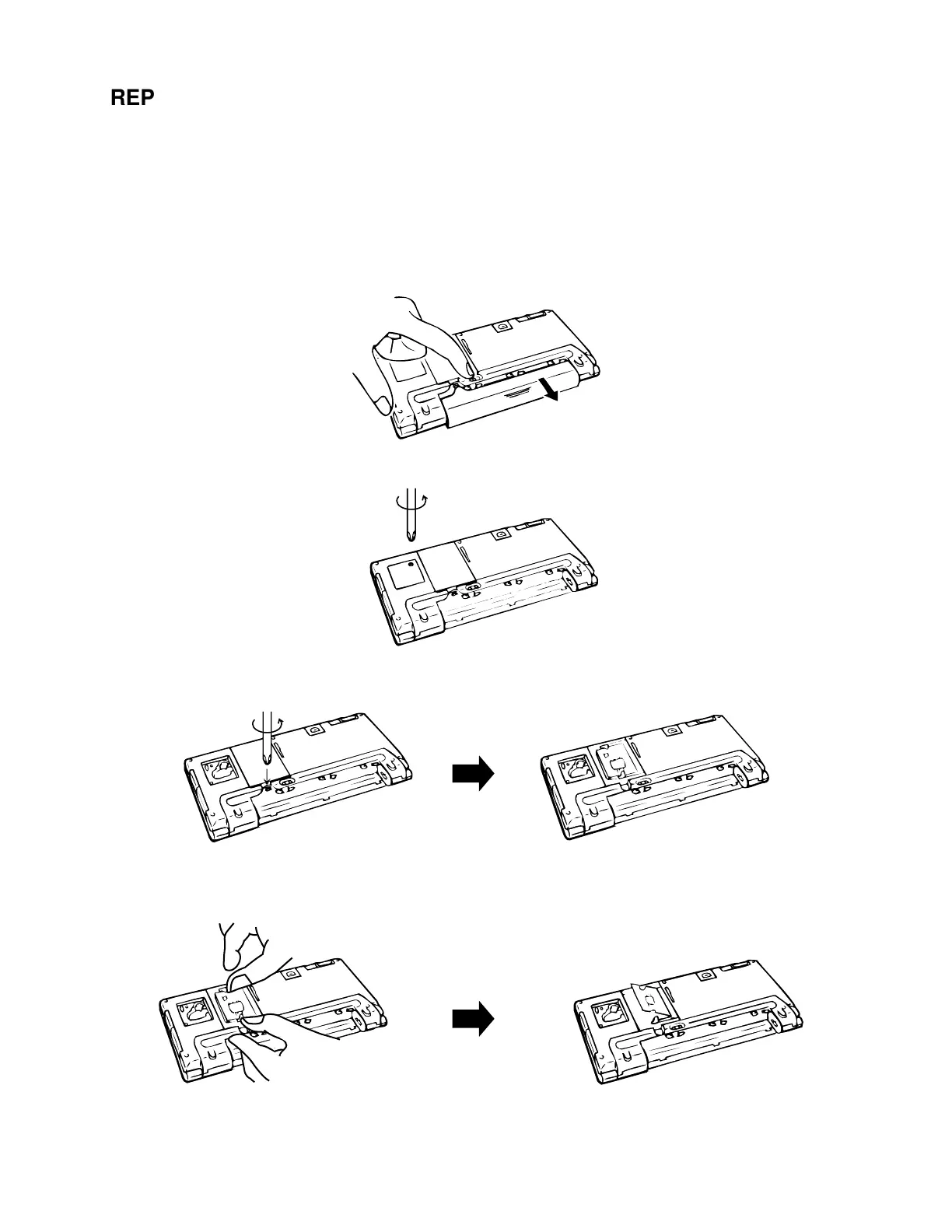
The memory slot of A-10/A-11 carries system ROM. When you replace it, the following steps must be
followed.
Note: Be sure to remove main and back-up batteries first and then replace the memory slot.
Replacement of the memory slot remaining batteries makes the electrical parts inside A-10/
A-11 be defective.
1. Make sure the A-10/A-11 is turned off.
2. Remove the main batteries according to the chapter “REPLACING THE BATTERIES”.
3. Remove the back-up batteries according to the chapter “REPLACING THE BATTERIES”.
4. Remove a screw and then remove the memory slot cover.
5. Put the slot guide to outside, the memory slot goes up. Then remove the memory slot and insert new
one.
«



 To Next Page