— 52 —
Finishing
Remove Back-up battery.
Remove Main bateries.
Press RESET button.
Re-load main batteries.
ON (Welcome wizard)
For 10 seconds.
ENTER, ENTER
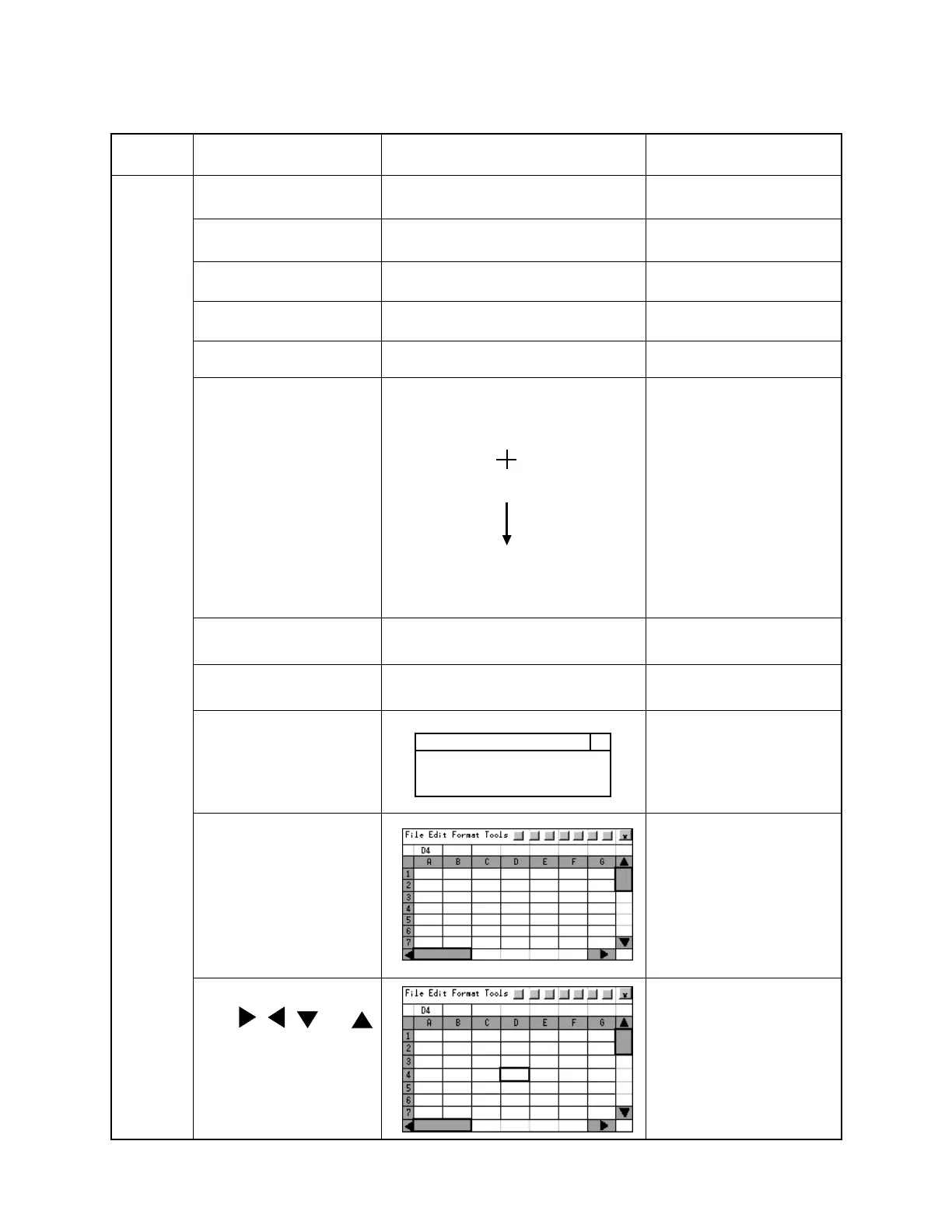
Carefully press and briefly hold stylus on the center of the target.
Repeat as the target moves around the screen.
Press the Esc key to cancel.
Tap the center of 5 tar-
gets.
ENTER
New calibration settings have been measured.
Press the Enter key to accept the new settings.
Press the Esc key to keep the old settings.
(Home time setting)
Tap NEXT
(Date and Time setting)
Make sure the clock
works.
Tap NEXT four times and
Done.
Tap close button.(X)
Backup battery very low
X
Tap START, PROGRAM
and double click Pocket
Excel.
Select cell D4.
Click , , and
Tap File and Close.
Open Pocket Excel.
Make sure the table
scrolls.
Close Pocket Excel.
Finishing
Step Operation Display (Wiring) Note



 To Next Page