— 15 —
MEMORY BACKUP / RESTORE
Make the backup copy by HPC Explorer to your PC before repairing A-10/A-11, and restore the data from
PC to user’s A-10/A-11 after repairing.
For the details of Backup/Restore, refer to the operation manual of HPC Explorer.
Notes: 1* Backup program of HPC Explorer back up only files and databases. Setup data including
Owner, World Clock and so on, can not be backed up to PC.
2* Use AC adaptor when making backup copy and restoring.
Backup
1. Connect user’s A-10/A-11 to your PC with RS-232C cable.
2. Start HPC Explorer on your PC.
3. HPC Explorer detects A-10/A-11 is connected automatically.
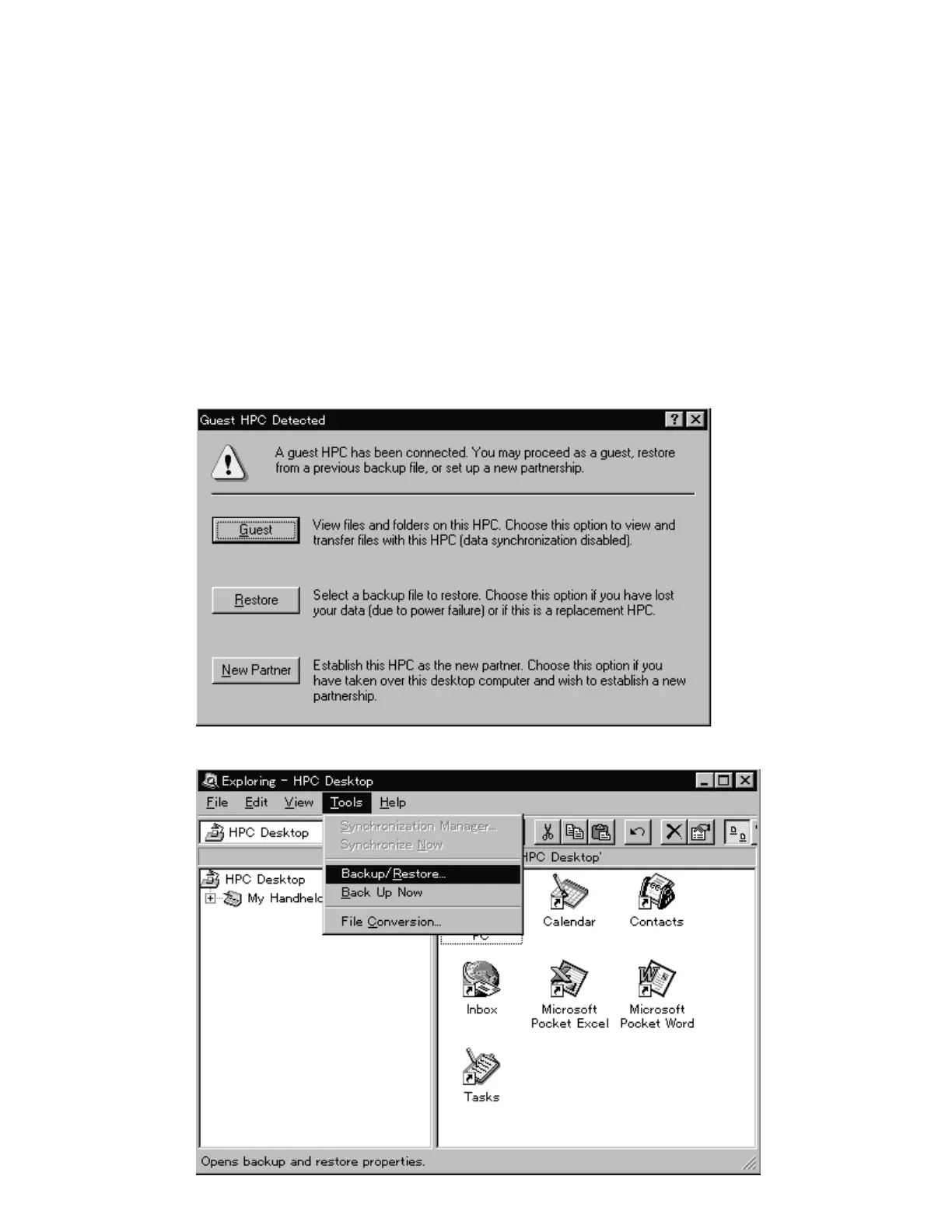
4. PC shows the following dialog and click “Guest”.
5. Click “Tool” menu and “Backup/Restore...”.



 To Next Page