— 44 —
ON OFF EL ESC 1 2 3 4 5 6 7
8 9 0 -BS ` q w e r t y
u i o p = ¥ TAB a s d f
g h j k l ; ' Enter Shift
z x c v b n m , . / PgUp
Caps Ctrl St Alt SP [ ]
Home PgDown End
Key ------> OK
Keyboard ENTER, 6
** Keyboard Serial **
"ON", "OFF", "EL",
"ESC", "1",-------------
"DEL", "`", "Q", --------------
----"=", "\", "TAB", "A",-----
""", "ENTER", "Shift",----
"UP", "CapsShift", "Ctrl",--
--------"PgDn", "End"
Make sure the display
shows OK.
ENTER, ENTER, 2
** Touch Panel **
1 Calibration
2 Case
3 Points
4 Cross
Touch panel
1
Tap on the left end of a
cross as each one ap-
pears.
This mode checks calibra-
tion state of touch panel.
A cross is indicated on the
LCD.
If a next cross does not
appear when you tap the
center of a cross, it is NG.
When you tap the fourth
cross, Touch Panel menu
appears.
** Touch Panel **
1 Calibration
2 Case
3 Points
4 Cross
2
** Case **
Case ----> OK
Make sure the display
shows OK.
ENTER, 3
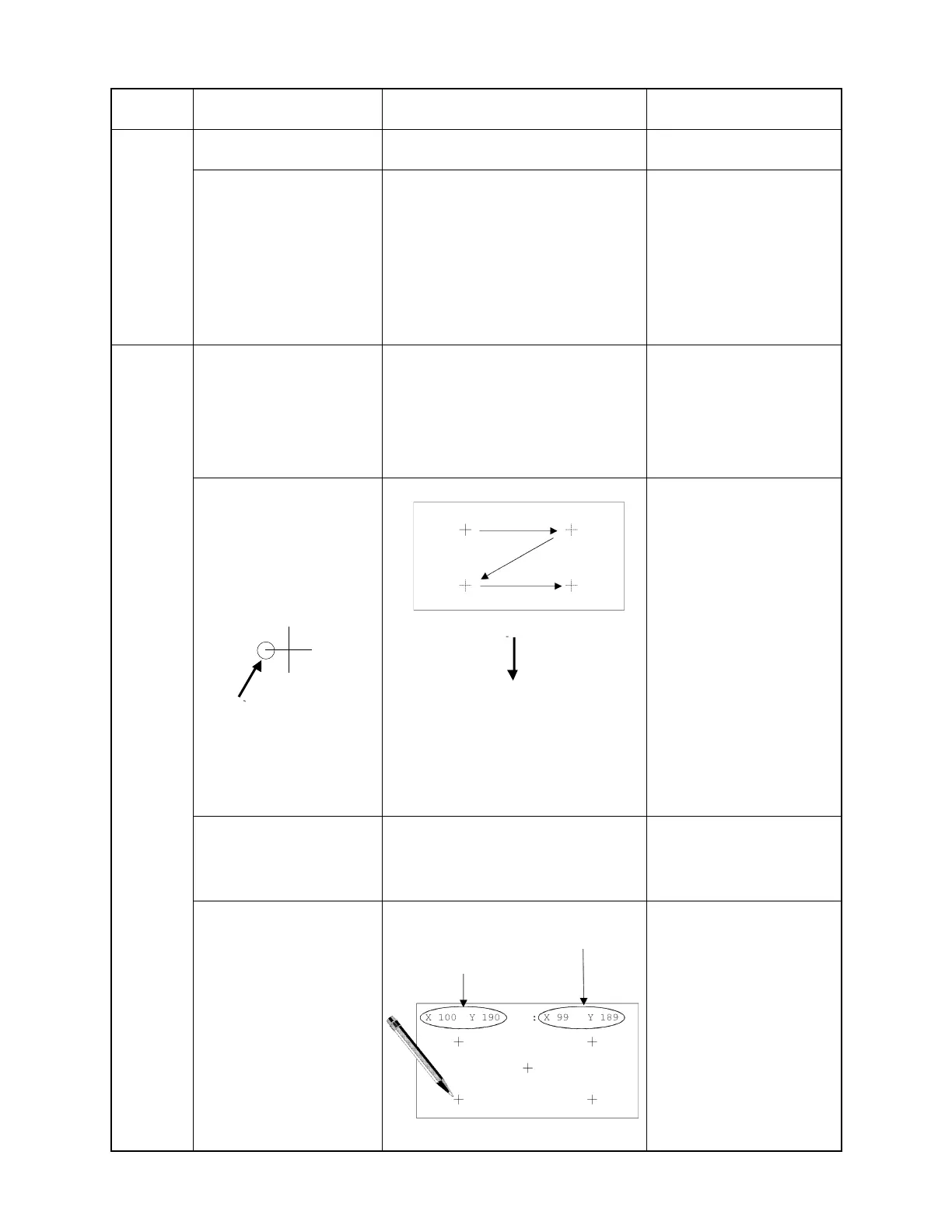
1:Tap center of +(1).
2:Tap center of +(2).
3:Tap center of +(3).
4:Tap center of +(4).
5:Tap center of +(5).
Standard
Coordinates of point taped with a stylus.
(1)
(2)
(3)
(4)
(5)
1:X 100 Y 50 : X xx Y xx
2:X 380 Y 50 : X xx Y xx
3:X 236 Y 116 :X xx Y xx
4:X 100 Y 190 X xx Y xx
5:X 380 Y 190 :X xx Y xx
The remainder of value X
and Y is under ±4 dots, it
is OK.
If no input, it is NG.
Tap here
Step
Operation Display Note



 To Next Page