22
CHAPTER
2
Manual
Operations
In addition
to
the
calculations
as
shown above, algebraic calculations using varia-
bles are possible with this
computer.
These calculations are convenient when a
certain value
is
used repeatedly.
For example:
3x+5=
4x+6=
5x+7=
If
the
value
of
x in
the
above calculations
is
123.456,
it
is
troublesome
to
press
the
same numeral keys repeatedly. A labor-saving
method
for such calculations
is
algebraic calculation using a variable. Use variable X.
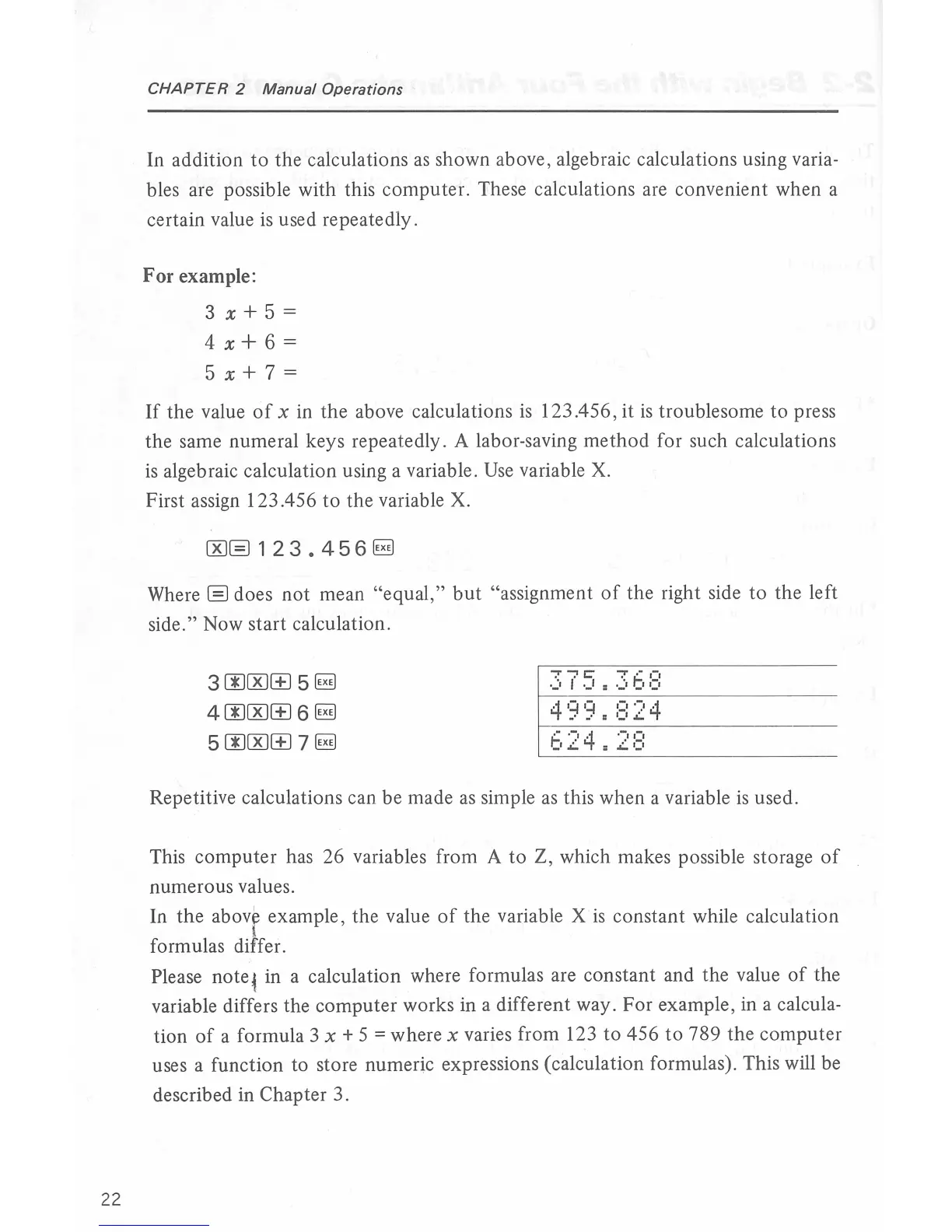
First assign 123 .456
to
the
variable X.
CKJ@)
1 2 3 • 4 5 6
~
Where@) does
not
mean
"equa
l
,"
but
"assignment
of
the
right side
to
the
left
side." Now
start
calculation.
300CKIGJ
5
~
400CKIGJ
6
~
5
OOCKIGJ
7
~
375
~
.36B
Repetitive calculations can
be
made
as
simple
as
this when a variable
is
used.
This
computer
has 26 variables from A
to
Z, which makes possible storage
of
numerous values.
In
the
above
examp
le,
th
e value
of
the
variable X
is
constant
while calculation
I
formulas differ.
Please
note~
in a calculation where formulas are
constant
and
the
value
of
the
variable differs the
computer
works in a different way.
For
example, in a calcula-
tion
of
a formula 3 x + 5
=where
x varies from 123
to
456
to
789
the
computer
uses a function
to
store numeric expressions (calculation formulas). This will be
described in
Cha
pter
3.



 To Next Page