EN-86
The state of various settings such as tone selection, Layers, Splits, and effects can be registered as a
performance setup. Registered settings can also be recalled
*
together simultaneously. This function is
called “Registration”.
* By using it with the Freeze function (page EN-90), it is possible to recall only a portion of the
registered settings.
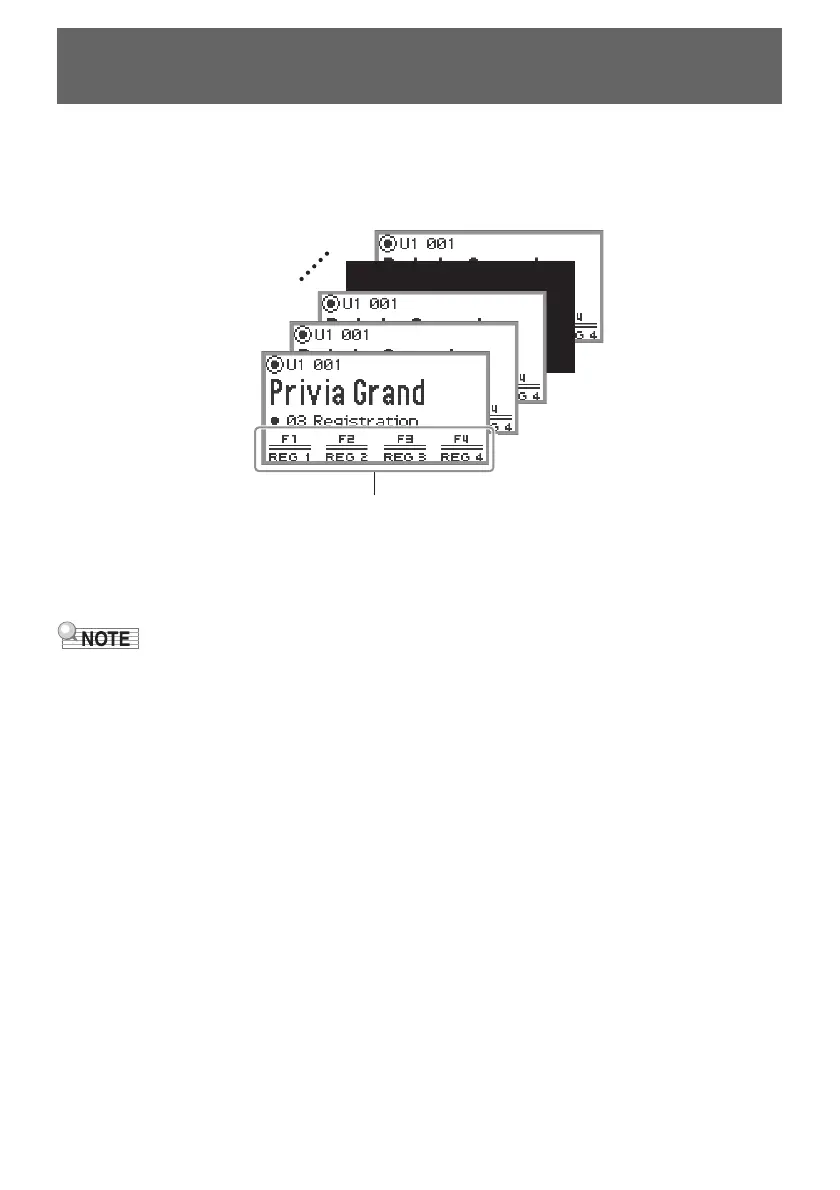
There are four registration areas, REG 1 to REG 4, corresponding to the F1 (REG 1) to F4 (REG 4)
buttons, respectively. A set of REG 1 to REG 4 is called a “bank”, and there are 24 banks in total,
meaning you can register up to 96 setting states.
• Registration is not available during demo song playback (page EN-39), SONG mode (page EN-106),
or during various setting operations.
Saving and Recalling Performance Setups
(Registration)
Storage area (REG 1 to REG 4)
BANK1
BANK2
BANK3
BANK24


 To Next Page
 Loading...