Reference
EN-226
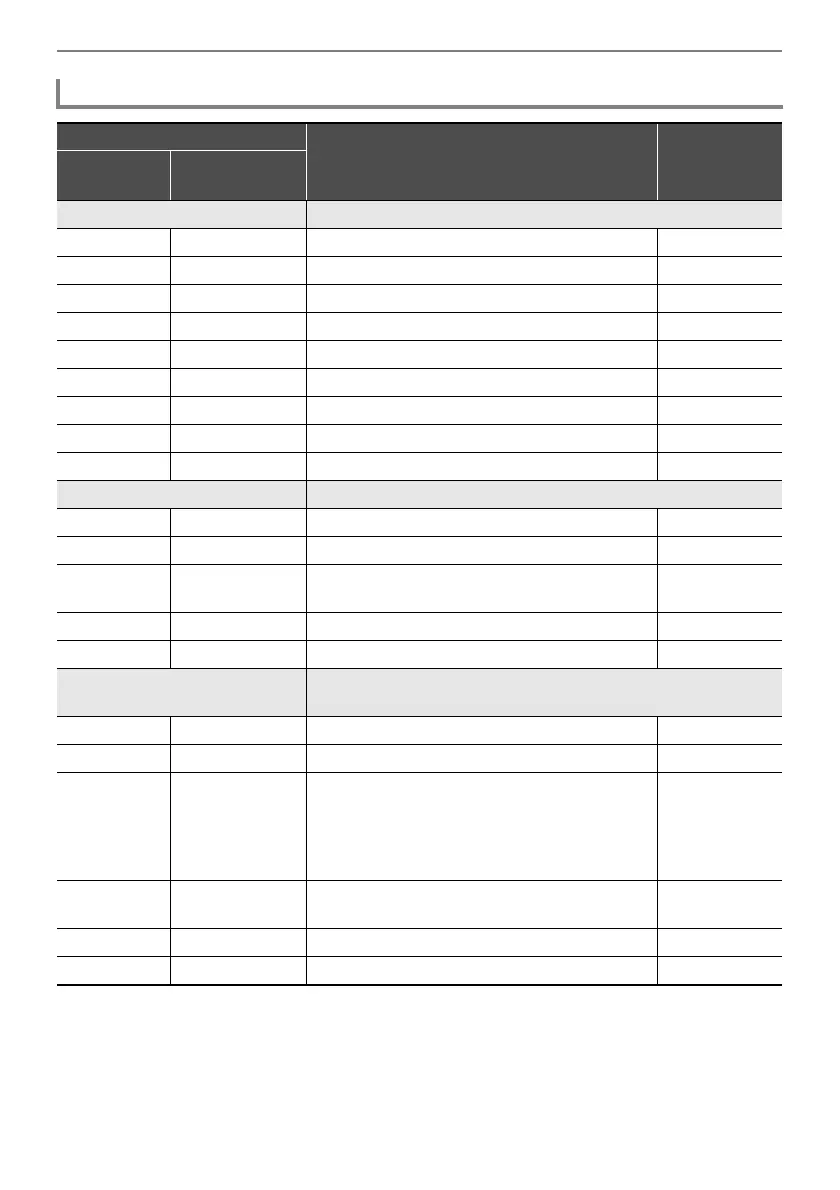
Parameter List of Module Effects
Effect
Description Settings
Display
Parameter
Name
Mono 3-Band EQ This is a three-band monaural equalizer.
EQ1 Freq EQ1 Frequency Adjusts the center frequency of Equalizer 1.
*1
EQ1 Gain EQ1 Gain Adjusts the gain of Equalizer 1. –12 - 00 - 12
EQ2 Freq EQ2 Frequency Adjusts the center frequency of Equalizer 2.
*1
EQ2 Gain EQ2 Gain Adjusts the gain of Equalizer 2. –12 - 00 - 12
EQ3 Freq EQ3 Frequency Adjusts the center frequency of Equalizer 3.
*1
EQ3 Gain EQ3 Gain Adjusts the gain of Equalizer 3. –12 - 00 - 12
Input Level Input Level Adjusts the input level. 000 - 127
Wet Level Wet Level Adjusts the level of the effect sound. 000 - 127
Dry Level Dry Level Adjusts the level of the direct sound. 000 - 127
Tremolo Shifts the volume of the input signal using an LFO.
Rate LFO Rate Adjusts the LFO rate. 000 - 127
Depth LFO Depth Adjusts the LFO depth. 000 - 127
Waveform LFO Waveform Selects the LFO waveform. Sine, Triangle,
Trapezoid
Wet Level Wet Level Adjusts the level of the effect sound. 000 - 127
Dry Level Dry Level Adjusts the level of the direct sound. 000 - 127
Auto Pan Shifts the continual left-right panning of the input signal using an
LFO.
Rate LFO Rate Adjusts the LFO rate. 000 - 127
Depth LFO Depth Adjusts the LFO depth. 000 - 127
Waveform LFO Waveform Selects the LFO waveform. Sine, Triangle,
Trapezoid 1,
Trapezoid 2,
Trapezoid 3,
Trapezoid 4
Manual Manual Adjusts the pan (stereo position). –64 is full left,
0 is center, and +63 is full right.
–64 - 00 - 63
Wet Level Wet Level Adjusts the level of the effect sound. 000 - 127
Dry Level Dry Level Adjusts the level of the direct sound. 000 - 127


 To Next Page
 Loading...