5.2 Unclogging the Clamp Solenoid 21.10
1. Disconnect power from the machine.
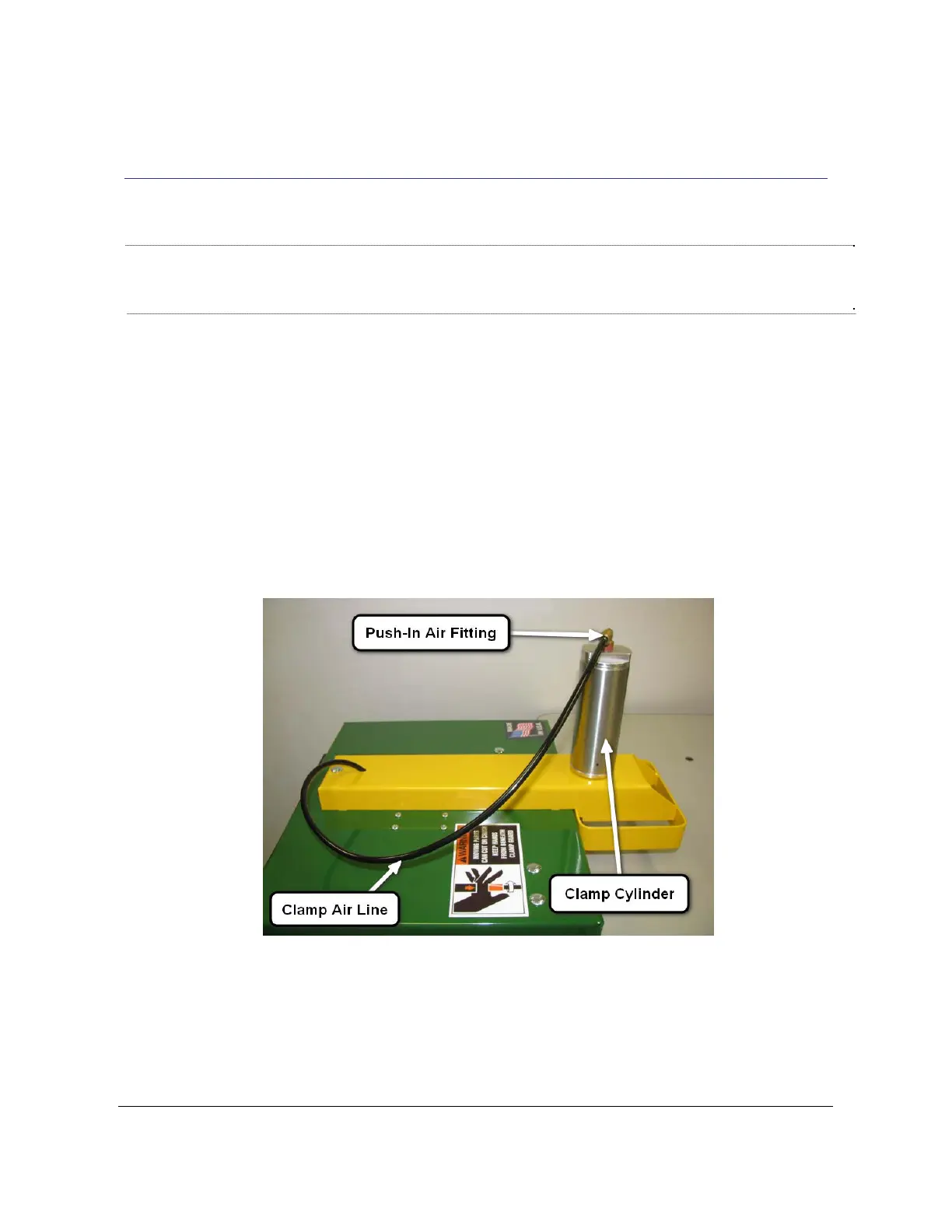
2. Remove the air line from the clamp cylinder Push-In fitting (see Fig 3a). From the rear access
door, locate the clamp solenoid. Remove the exhaust muffler from the clamp solenoid (See Fig 3b)
and press the override button for several seconds to flush the solenoid. Air should flow through the
air line. Press the override switch several more times for several seconds to throughly flush the
solenoid. See Fig 3c
Fig 3a
Note: To remove the air line from the clamp cylinder, push in the plastic or metal rim of
the fitting and pull the air line out. To re-install, push the air line in until it meets
resistance and then push in another 1/2'”.
Note: All Solenoid Air Fittings are "Push In" connections. To remove an air line, push in the
plastic or metal rim of the fitting and pull the air line out. To re-install, push the air line in until
it meets resistance and then push in another 1/2".
TSM-21 Diagnostic Manual Parker/Humphrey Solenoids


 To Next Page