5.11 Router Solenoid Check
21.31
The Router Solenoid controls air pressure to the Drive Cylinder, which provides the forward
motion of the router’s cutting stroke. If the Router Solenoid has failed open, the Router will
extend as soon as the air is attached to the machine, regardless of whether the power is turned
on. If the Router Solenoid is clogged, the Router may not start or complete the pocket.
5.11.1 TROUBLESHOOTING STEPS:
1. Connect the shop air supply to the machine.
2. If the router automatically extends, then the Router Solenoid is stuck open.
3. If the router does not extend, ffrom the rear door, locate the manual override
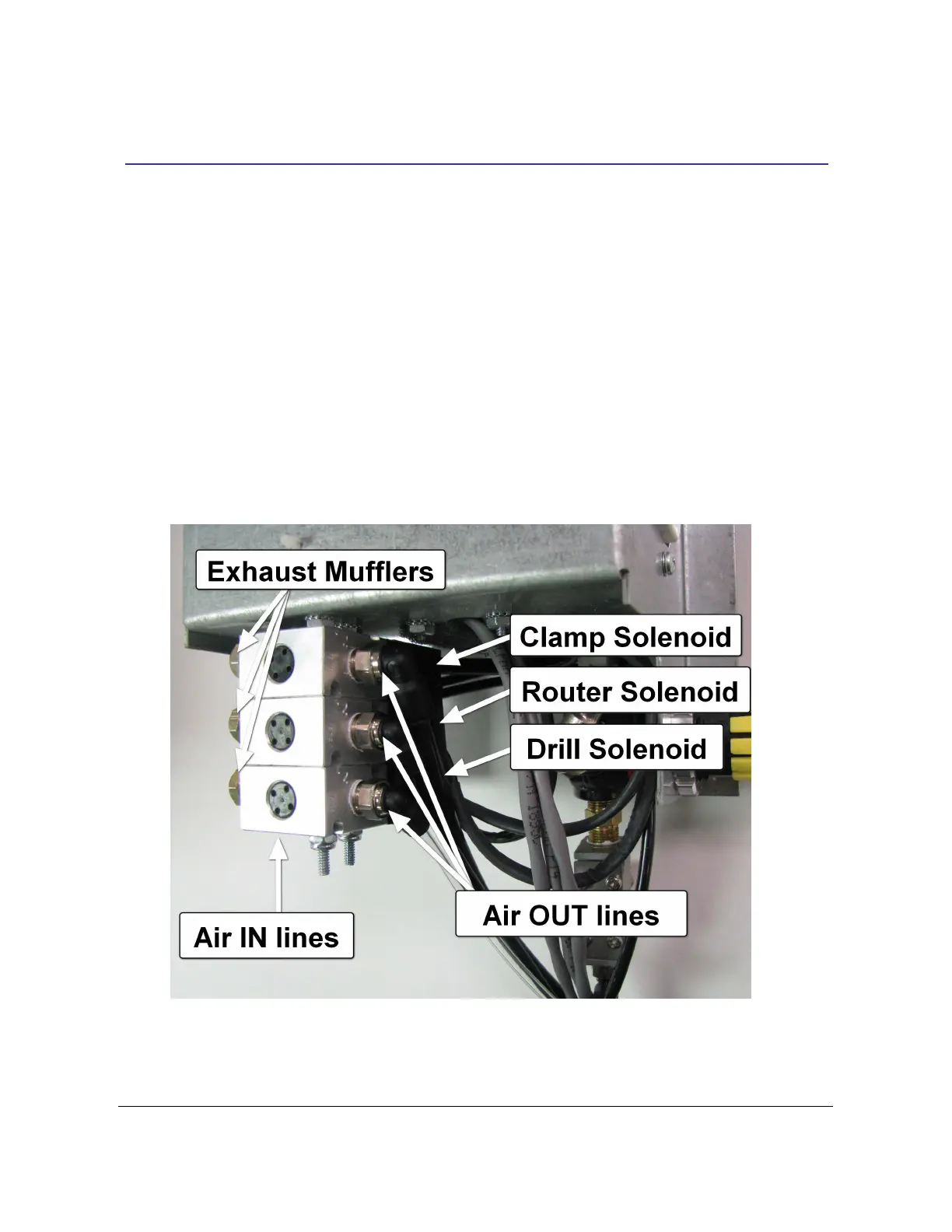
button on the router solenoid. See Fig 12a and Fig 12b
FIG. 12a
TSM-21 Diagnostic Manual Parker/Humphrey Solenoids


 To Next Page