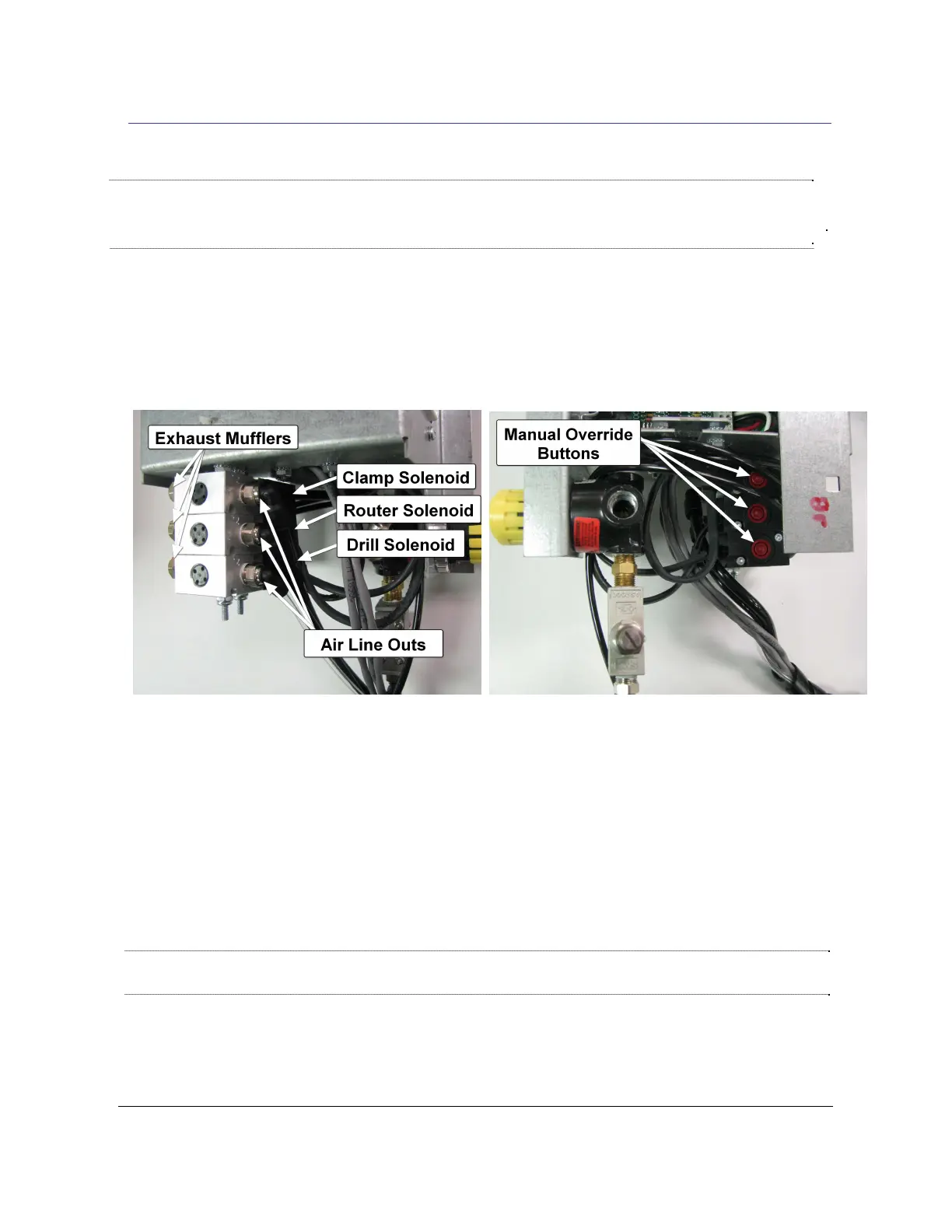
Fig 11a
1. Disconnect power from the machine. Open rear access door.
2. Remove the air out line and the exhaust muffler from the router solenoid and press the override
button for several seconds to flush the solenoid. Air should flow through the solenoid. Gently open
the Router Feed Rate valve (located on the rear of the machine next to the air inlet) fully counter
clockwise. Press the override switch several more times for several seconds to throughly flush the
solenoid.See Fig 11a and 11b.
2. Reinstall the air line on the out port and exhaust muffler on the exhaust port of the
solenoid.ir line on the out port and exhaust muffler on the e solenoid.
3. Reconnect power.
4. Turn the Router Feed Rate valve clockwise while cutting test pockets (typically 2
turns counterclockwise from mechanical stop), until the desired Router Feed
Speed is reached.
Note: If this procedure does not correct the problem, the Router Solenoid will need to be
replaced. Refer to Procedure 21.91, “Replacing Solenoids”
Rule of Thumb: Router feed speed should be as fast as possible while still maintaining
smooth,clean, straight pockets.feepeed should be as fast as possible while still
maintaining smooth, clean, straight pockets.
5.10 Unclogging the Router Solenoid 21.30
Note: All Solenoid Air Fittings are "Push In" connections. To remove an air
line, push in the
plastic or metal rim of the fitting and pull the air line out. To re-install, push the air line in until it
meets resistance and then push in another 1/2".
Fig 11b
TSM-21 Diagnostic Manual Parker/Humphrey Solenoids


 To Next Page