8.2 MSD Connections
The MSD features multiple interface ports for various connections:
▪ COMM LOSS reset switch connects to inputs 1 and 3 (polarity reversible)
▪ INPUTS 2 & 4 are unused (polarity reversible)
▪ RJ45 Ethernet port
▪ Antenna port TNC
▪ 24Vdc power input (9-36Vdc)
▪ E-Stop Safety Relay outputs R1 & R2
▪ COMM Loss Safety Relay outputs R3 & R4
▪ Auxiliary dc output (same as 24Vdc input voltage but protected by a fuse)
The choice of connection will be determined by the safety level required for the target application and machine.
To achieve SIL3 capable safety levels a dual channel connection approach will be required and is
recommended, but single channels are optional for lower safety levels and are also shown below.
Additionally, it must be remembered that the Ethernet port is not safety-critical, only informational, therefore the
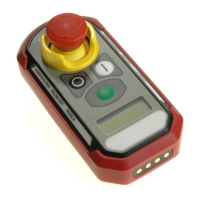
functionality of the green button on the PSD should not be used for safety-critical functionality such as
restarting the machine.
USE OF THE GREEN BUTTON FOR SAFETY-CRITICAL FUNCTIONS COULD RESULT IN UNEXPECTED
ACTUATION OF FUNCTION AND MAY LEAD TO INJURY OR DEATH.


 To Next Page