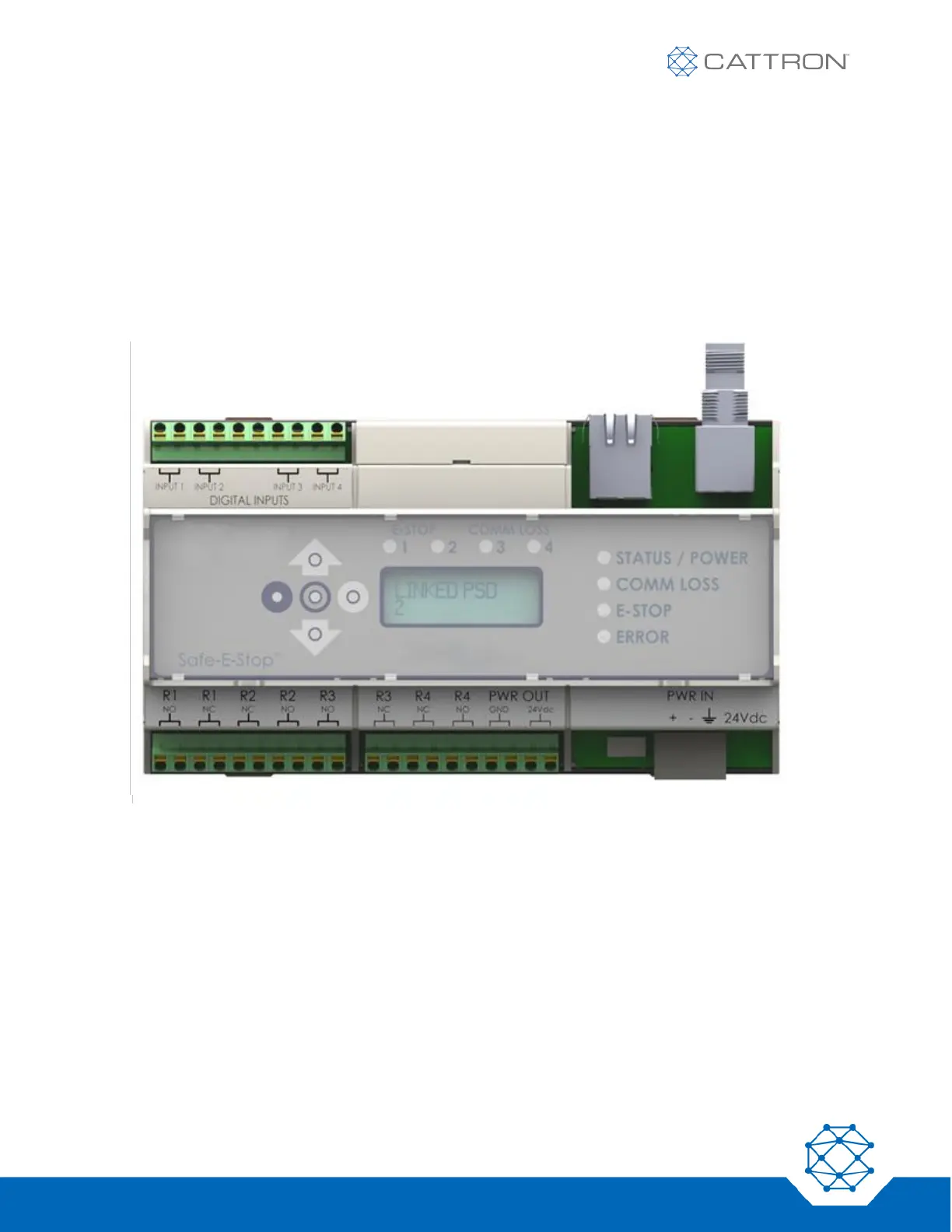
8.3 MSD Status Indicators
The MSD provides an overview of operational status with both LED and LCD.
The Ethernet port can provide detailed operational status of linked wireless E-Stop’s to operations personnel. This
information includes:
▪ The number and identity of linked PSDs
▪ The activation state of each PSD’s green enable button
▪ The state of each PSD’s E-Stop switch
▪ The communication state and RF signal level of each PSD
Figure 16: MSD Status Indicators


 To Next Page