A.3 Installing the Configuration Tool
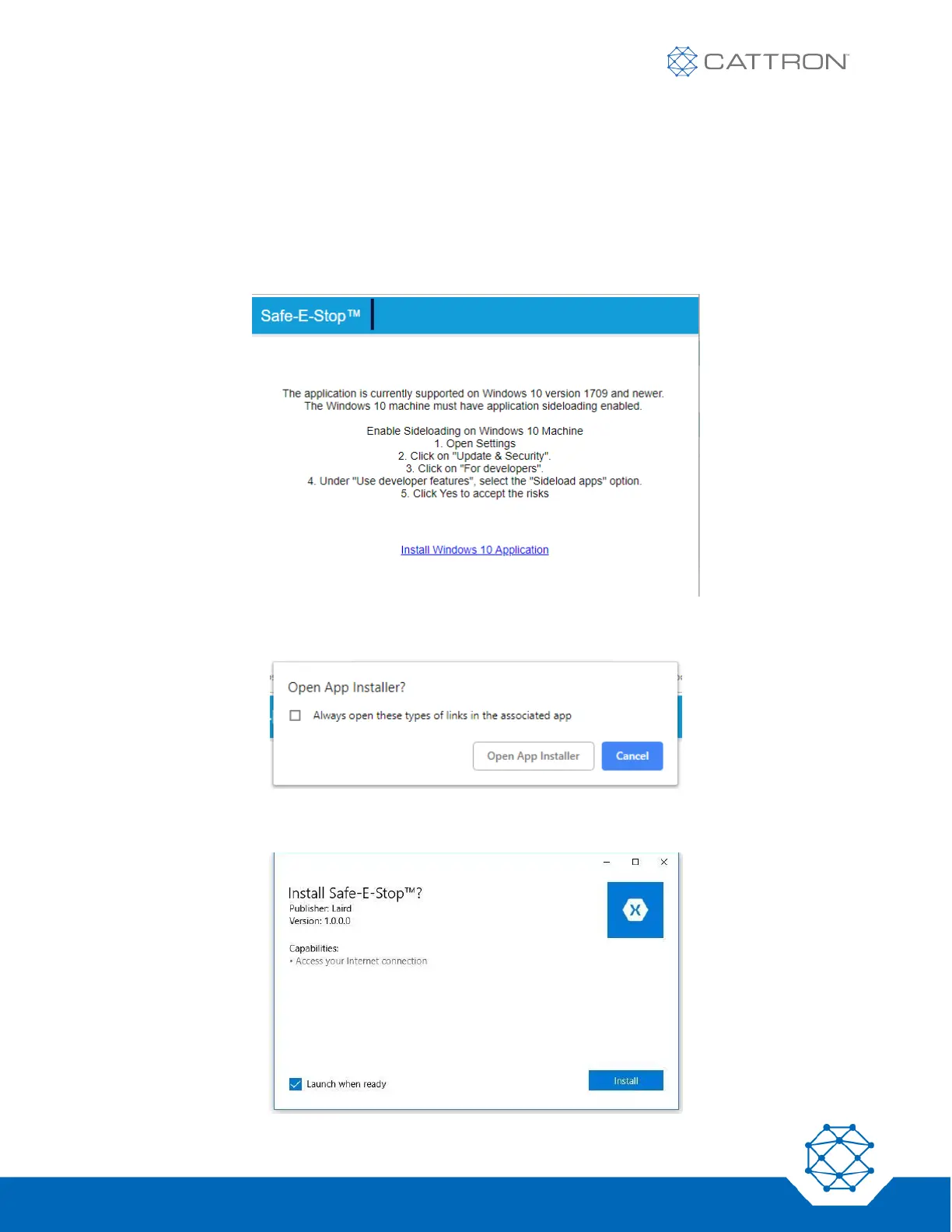
The application should be installed on a PC with a Bluetooth® adapter. The PC must be running Windows 10
version 1709 or newer. The application can be downloaded from this link:
https://www.estopconfig.com/app
In order to install the application, it is necessary to allow side-loaded applications as described on the opening
page.
If prompted, select ‘Open App Installer’.
Follow the installation instructions.


 To Next Page