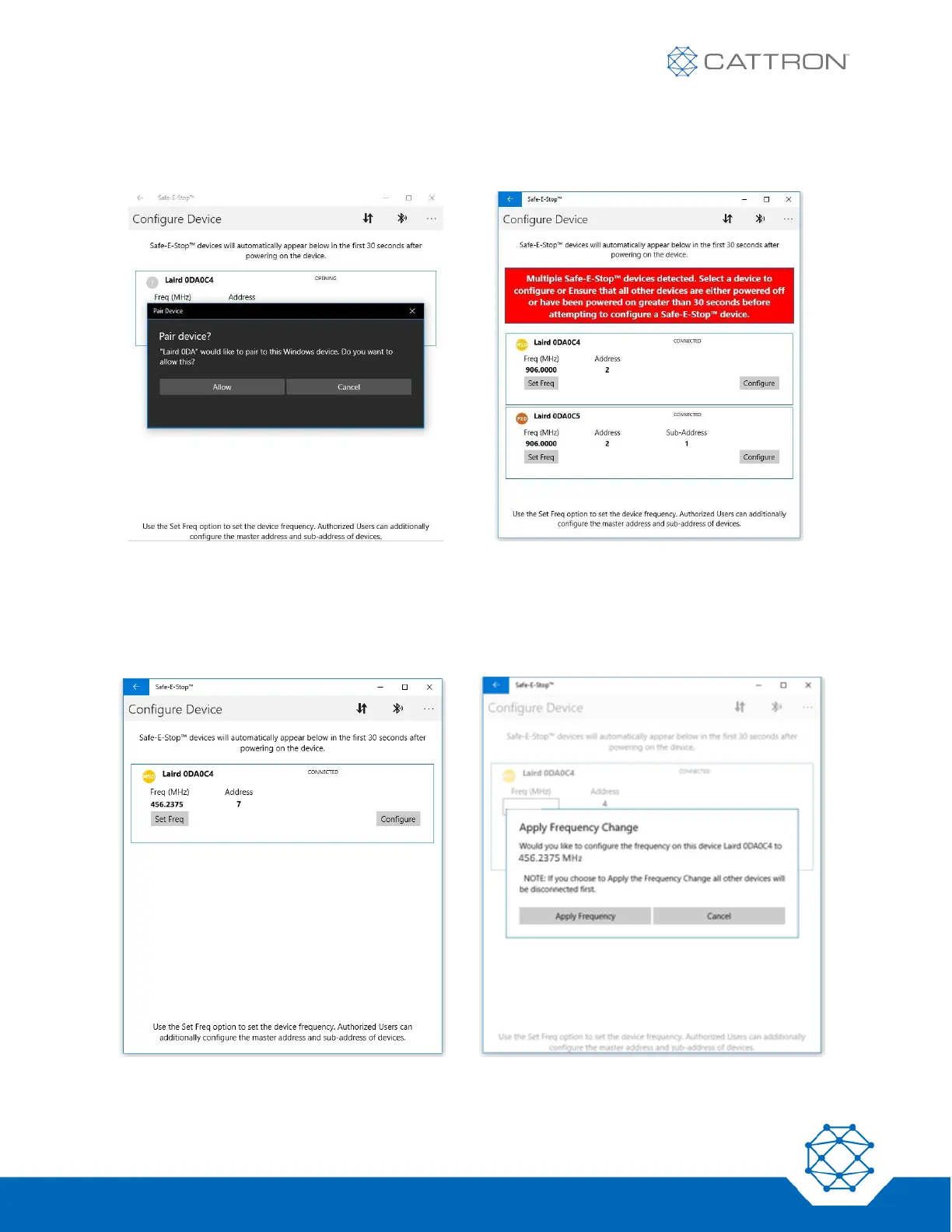
Select the device from the list shown and pair with it.
If multiple devices have been powered on (or have reset) in the last 30 seconds, be sure to select the correct
device.
To set the frequency, click on the ‘Set Freq’ box, enter the new value (compliant with the frequency setting
rules of section 4 of this manual) and click ‘Apply’.
A confirmation box will appear. Click ‘Apply Frequency’ to continue.


 To Next Page