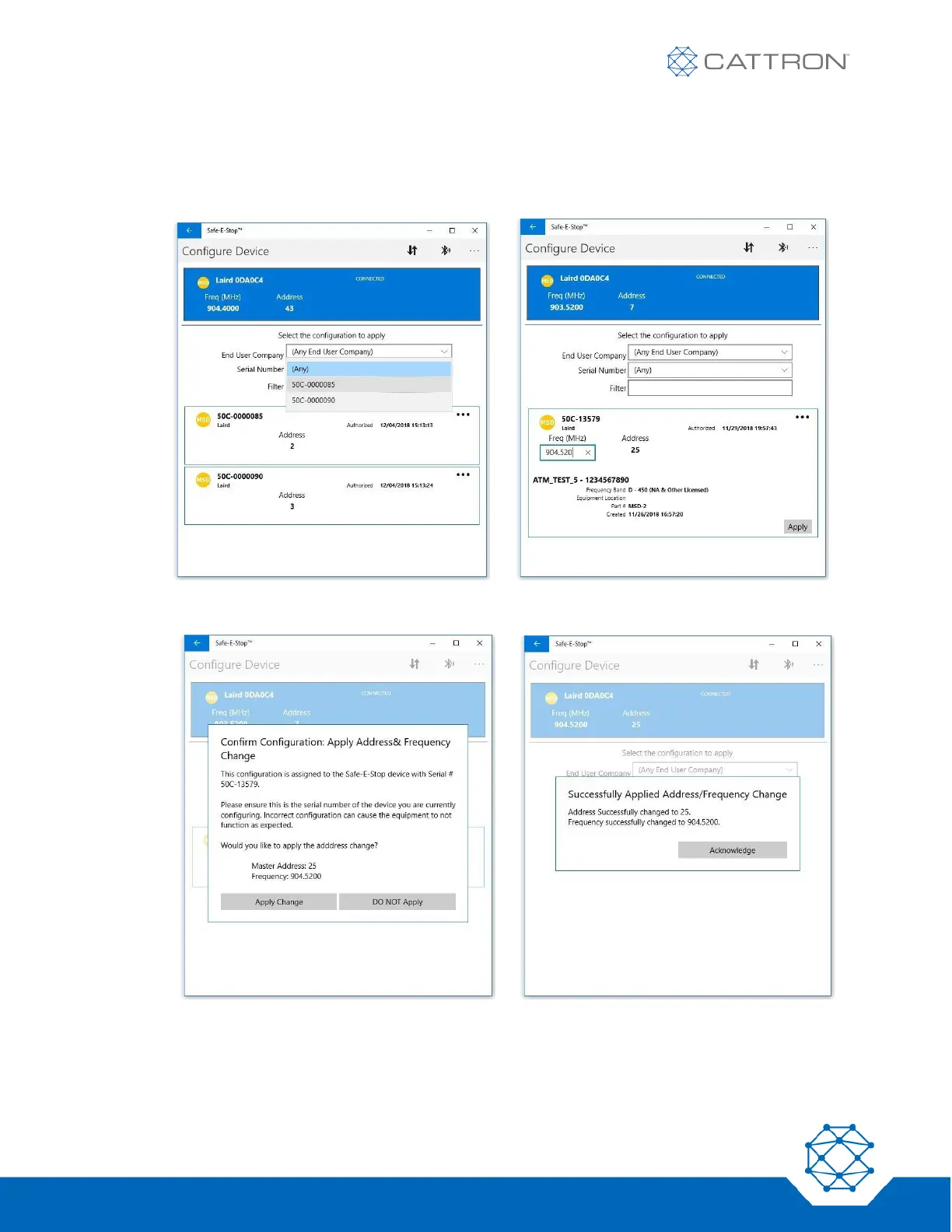
● Select the correct device configuration from the available devices. It is possible to click the ‘End User
Company’ drop-down and choose the correct serial number, or click the ‘Serial Number’ drop-down
and select the correct serial number to match the device to be programmed.
● Enter or correct the operating frequency as required.
● Click ‘Apply’, then approve the requests to confirm and acknowledge when complete.
● Verify that the unit shows the expected configuration when powered on again.


 To Next Page