Page 24 For technical questions, please call 1-888-866-5797. Item 62120
Record Live PID Data
View multiple frames of data
collected over a period of time.
This section contains advanced
functions. Some data may need to be
interpreted by a qualified technician.
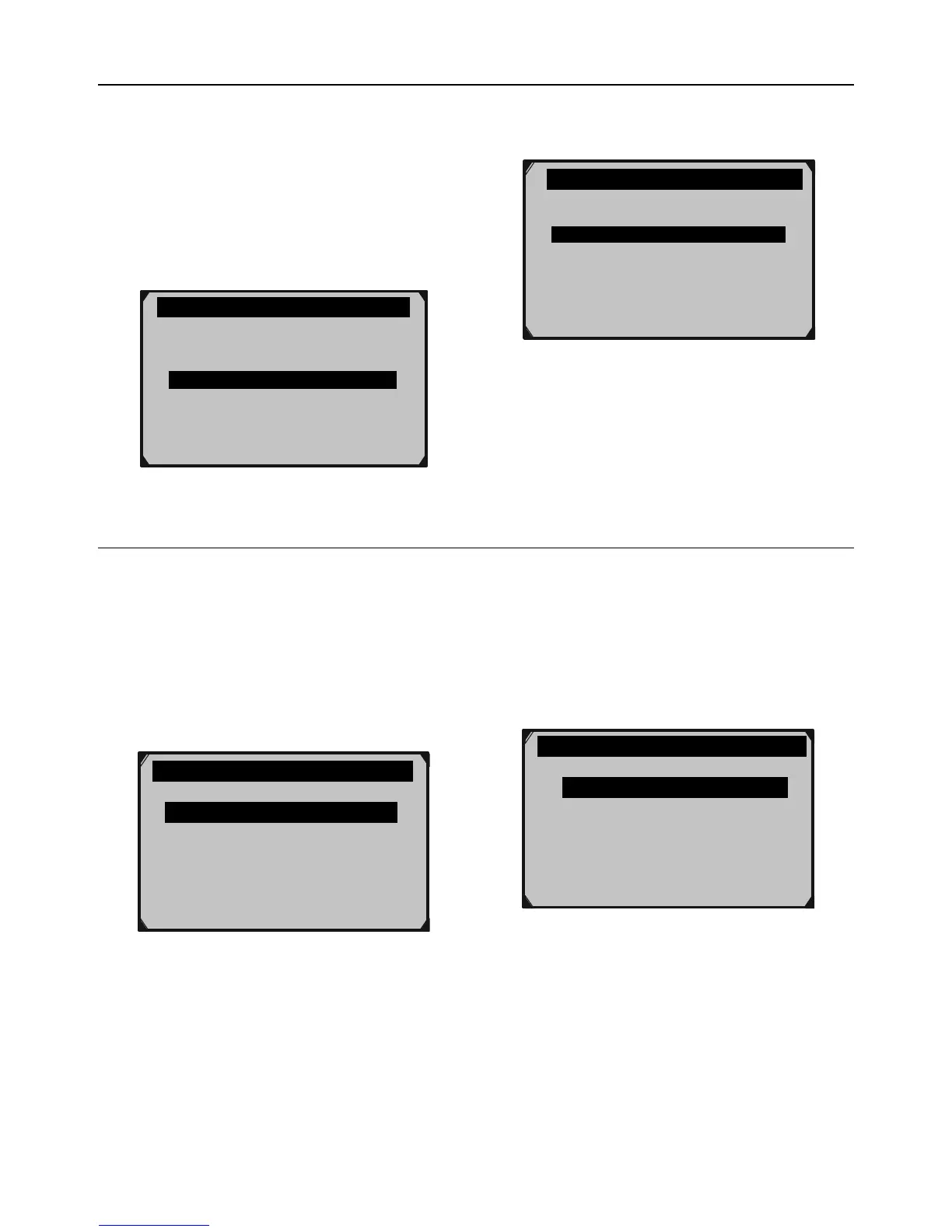
1. From Diagnostic Menu, select
Live Data, then press OK.
Diagnostic Menu 3/11
?
Read Codes
View Freeze Frame
I/M Readiness
02 Monitor Test
On-Board Mon. Test
Erase Codes
Live Data
Figure AK
2. From Live Data, select
Record Data, then press OK.
……………… .Live Data 2/3.
View Data
?
Playback Data
Record Data
Figure AL
Complete Data Set - Record All PIDs
WARNING! DO NOT attempt to operate
the Scan Tool while driving the vehicle.
Have a passenger operate the Scan Tool.
1. Start the vehicle and begin driving.
2. From Record Data, have the
passenger select Complete Data Set,
then press OK.
………………..Record Data 1/3..
Complete Data Set
Custom Data Set
Unit of Measure ?
Figure AM
3. Have the passenger select
a Trigger Mode:
• Manual Trigger - Recording will begin
after memory location is selected.
• DTC Trigger - Recording will
begin when a DTC is detected.


 To Next Page