2. When a single beep is heard, release the button. The network is open for
conguration.
a. ThespecicInputlinkLEDwillashfasttoindicatethatthisInputisinlinking
congurationmode.
b. AllOutput(s)linkLEDswillslowashiftheyarenotcurrentlylinkedtothis
specicInputandallOutputlinkLEDsthatarewillfastash.
3. On the target WiZo, press and hold down the I/O button until a beep is heard.
a. TheLINK:OLEDthatwasashingslowlywillremainon.
b. Release the I/O button. The process will complete with rapid beeping and the
deviceswillexitconguration.
4. To test the setup, actuate the input of the WiZo where the input / trigger will take
place, and the output (relay) will make a clicking sound.
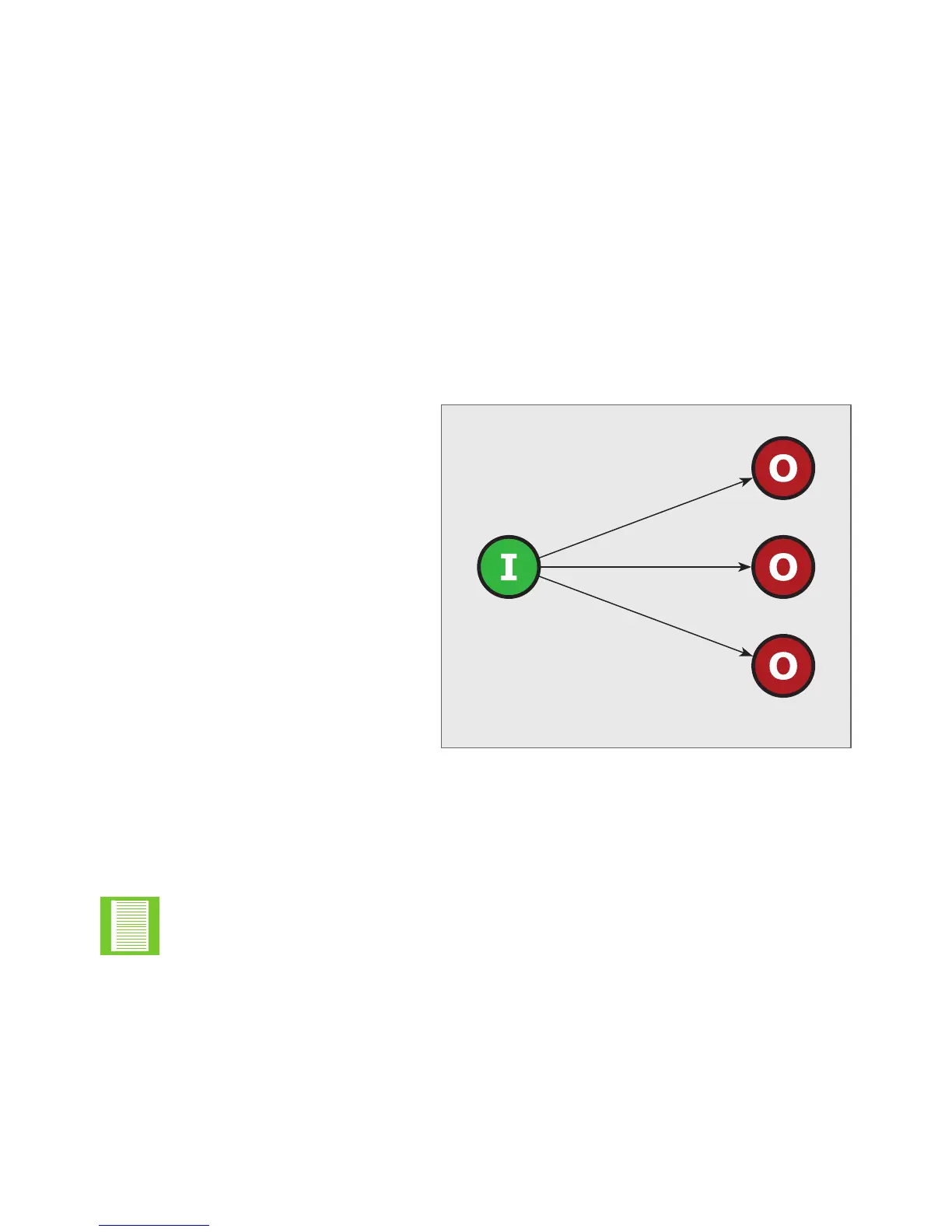
4.6.2. One to Many
The input of the local device can;
1. The input may either actuate
its local output, and the outputs
of other remote devices, or
2. Activate the remote outputs of
other devices.
FIGURE 8. ONE TO ONE
One-to-Many
Pre-step
1. Ensure that the WiZo is on a
network.
2. Ensure that the two WiZos have
power.
FIGURE 8. ONE TO MANY
The I/O link is always created from the Input in relation to the output, since the
input will always trigger the output.
Start
The objective is to connect (wirelessly), the input of one WiZo, to the output of another
WiZo.
Start with the WiZo, which is the device where the input or trigger will take place.
1. Locate the I/O button; press and hold the button for a period exceeding 2 seconds.
2. When a single beep is heard, release the button. The network is now in I/O Linking
Mode.
3. Locate the LINK LEDs, and select the output on the target WiZo.
a. ThespecicInputlinkLEDwillashfasttoindicatethatthisInputisinlinking
congurationmode.
b. AllOutput(s)linkLEDswillslowashiftheyarenotcurrentlylinkedtothis
specicInputandallOutputlinkLEDsthatarewillfastash.
QUICK START SECTIONSECTION 4


 To Next Page