QUICK START SECTIONSECTION 4
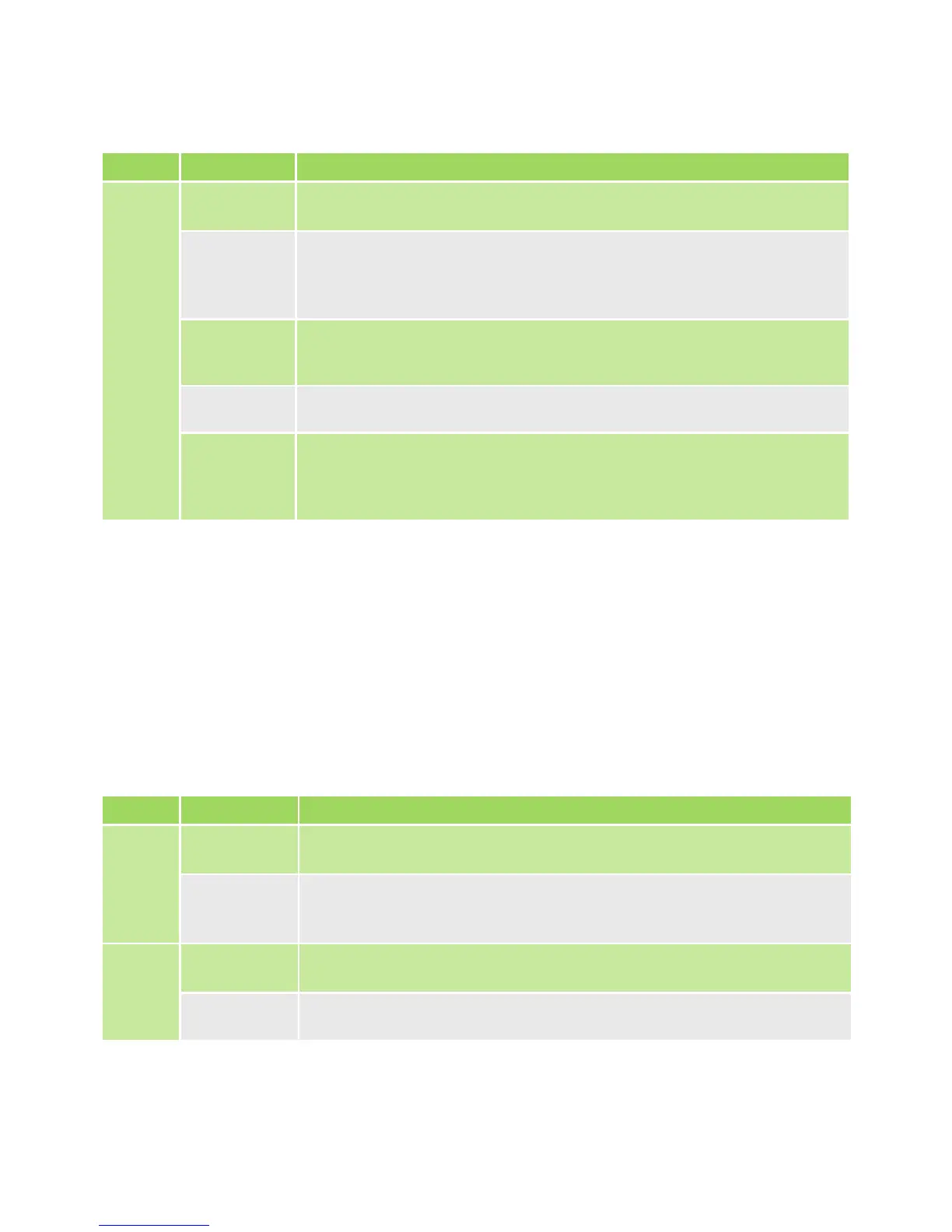
LED LED State Description
NET
LEDs
O The WiZo has not been added to a network
Red The WiZo has been added to a network; however, no other
devices have been detected or signal with its network has
been lost
Orange The WiZo has been added to a network;
however, the signal is weak
1 Green Good signal
2 Green Good signal with the mesh network, and there are more than
three devices in the vicinity to which the device can connect.
This is the ideal state of the mesh network
LED LED State Description
INPUT O Theinputisinactive(highoroating)
On The input is active (connected to ground or brought low when
switched to ground)
HIGH O The output is deactivated
On The output has been activated
TABLE 8
TABLE 9
The NET LEDs are software-controlled and are used to indicate the system status to the
user,specicallyforthecommunicationsnetwork.
The device has one input and one output. The LEDs used to indicate the
stateoftheinputsandoutputswillchangecolour,andrateofashdependingonthe
mode that the has been entered.
The I/O state means the condition that the the I/O is in. The state changes depending on
the interaction with the andhowithasbeencongured.
4.2.2. NET LEDs
4.2.3. I/O
4.2.3.1. I/O State
1. Even with weak signal, message delivery is guaranteed as the system will retry until delivered
and an acknowledgement of delivery is received.
1. For the output to be active, a link must be created from an input on a remote or the local device.


 To Next Page