13
Vu User Manual
+
27
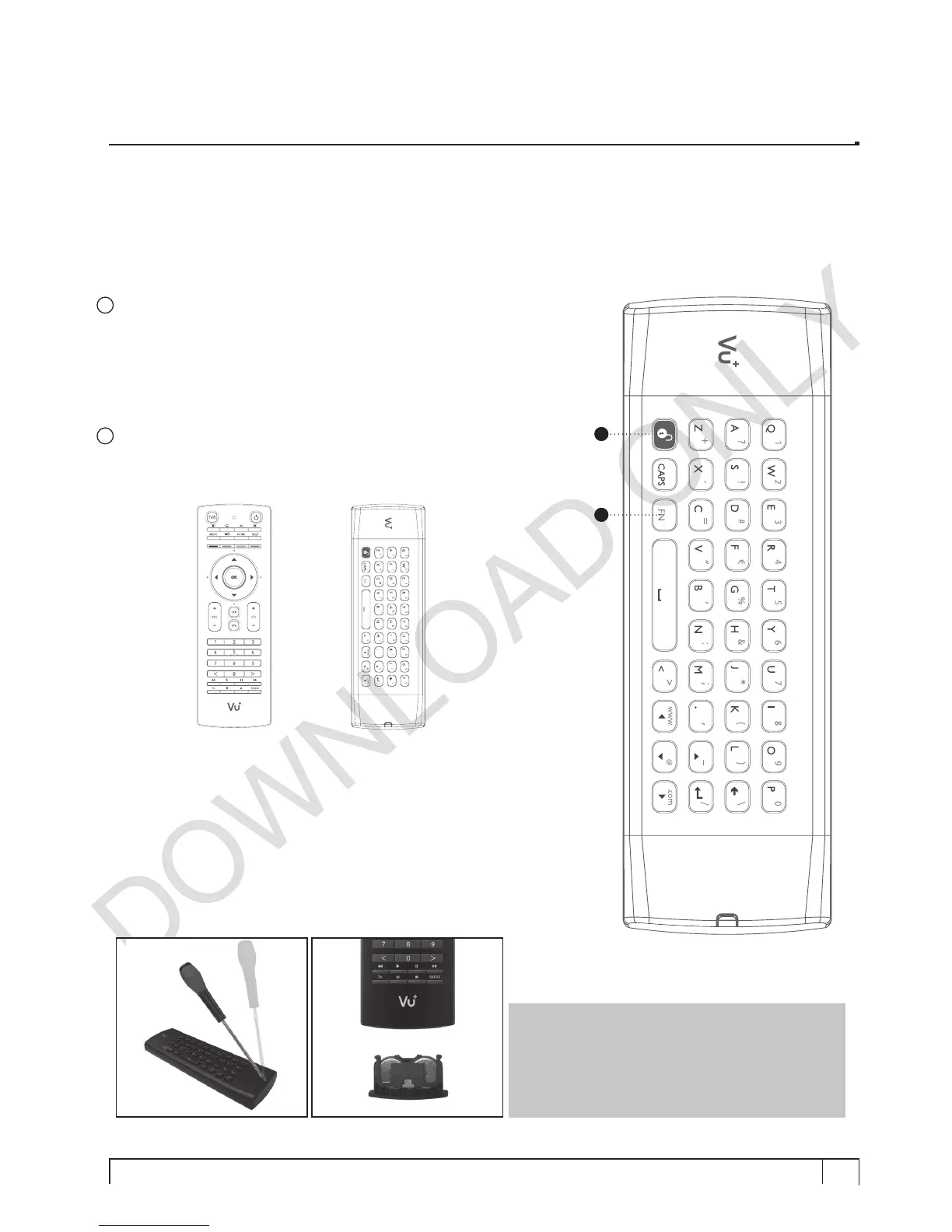
Unlock
This button is used to unlock the operation of keyboard.
Any touch on any of the buttons on the remote control side is to lock
the operation of keyboard.
• To unlock the keyboard - Press the unlock.
• To lock the keyboard - Press any button on the remote control side.
28
FN
Function button to activate function buttons in blue.
(Remote control side) (Keyboard side)
27
28
NOTE :
Two coin batteries (CR2032) are used
in the remote control.
The estimated battery lifetime is around 1year.
To replace batteries use a screwdriver to pry
open the lid.


 To Next Page