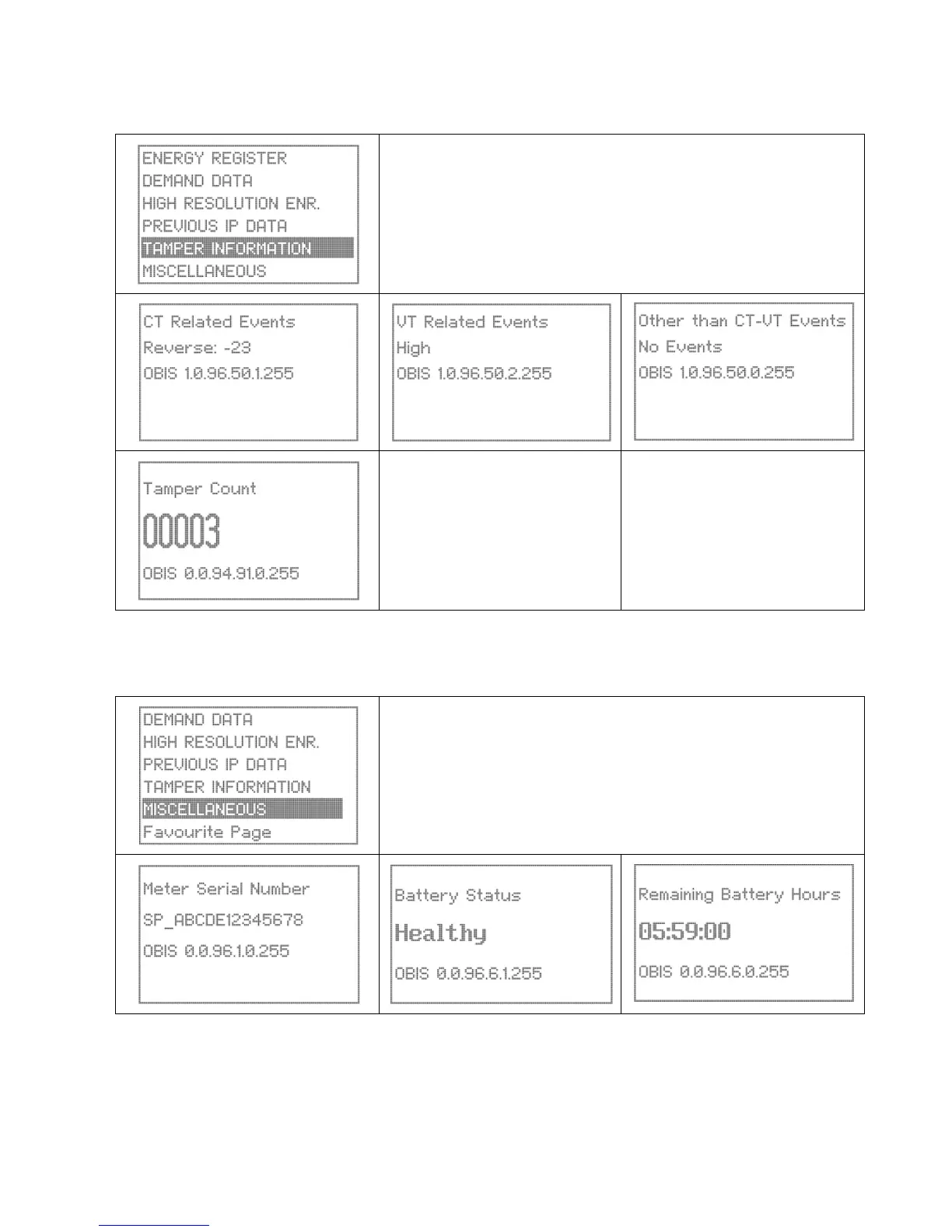
Event Information
This page details tamper events and status. Events are discussed in section 6.5
Use the Up/Down buttons to scroll to the Tamper Information page. The
selection will be highlighted.
Press the Enter button to open the page.
Use the Up/Down buttons to scroll within the page and view the various
screens.
Miscellaneous
This page details miscellaneous displays.
Use the Up/Down buttons to scroll to the Miscellaneous information
page. The selection will be highlighted.
Press the Enter button to open the page.
Use the Up/Down buttons to scroll within the page and view the various
screens.


 To Next Page