BGX501-943-R01 Prometer 100 User Manual Page 29 of 72
Scroll Lock
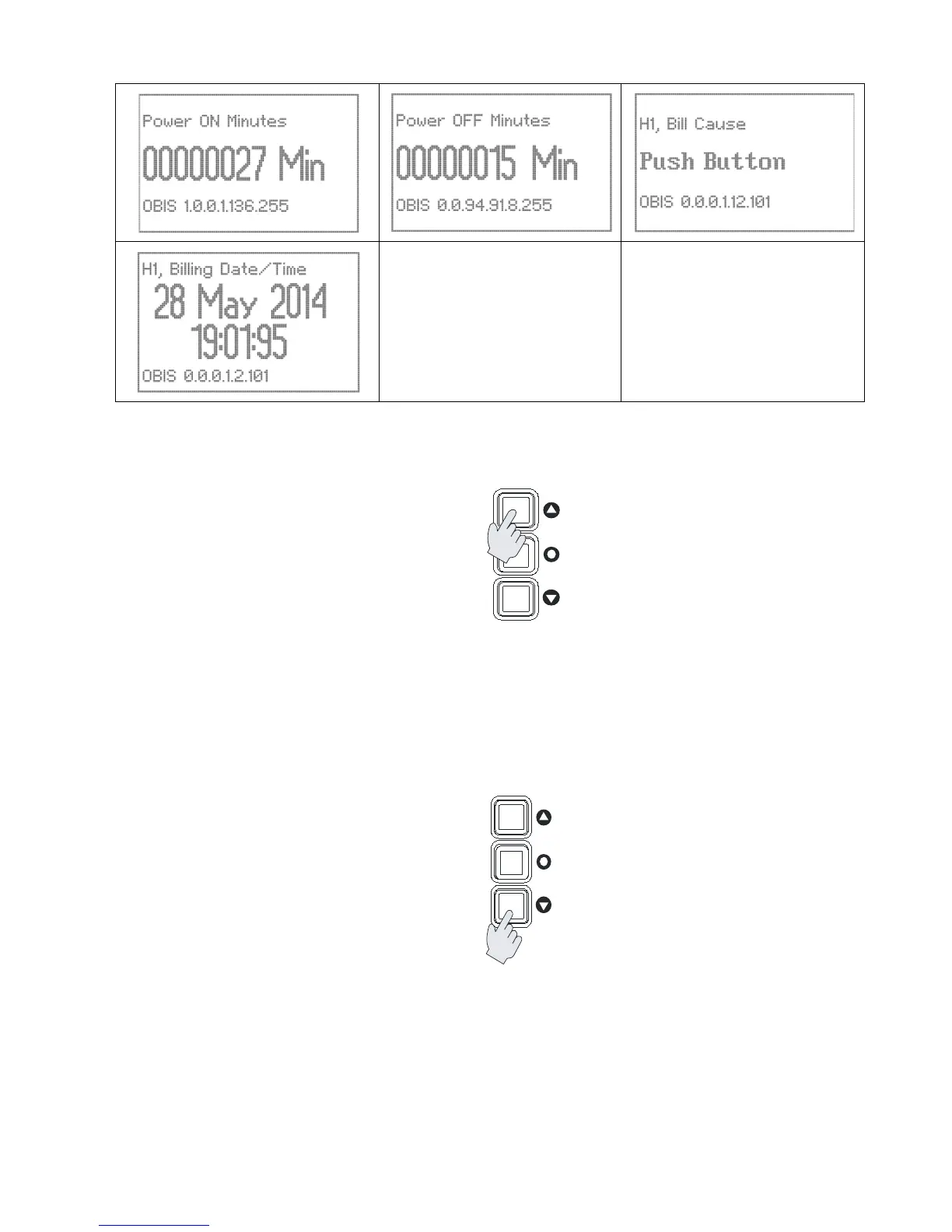
Locking of individual parameter page in user configurable pages (manual pages) –
Figure 21: Locking the manual page parameter
The screen can be locked to show a desired parameter. To screen lock a parameter, select the parameter using
the menu buttons (this is applicable under user configurable pages only). Press the Up key for 5 seconds.
During this process the display will temporarily move to the next parameter, then after 5 seconds will display
your selection.
To unlock the screen (i.e. revert to auto scroll mode) press the Up key for 5 seconds.
Favourite Page
This page is used for your selection of display parameters.
Figure 22: Adding parameter to favourite page
To add a parameter, go to the page containing the parameter that you require. Once the required page is
selected press the down key for 5 seconds, the selected parameter will now be added to your favourite page.
When the favourite page is full, you will need to delete complete list in this page to make space for the new one,
so be sure before selecting parameters as maximum 20 parameters can be selected in favourite display page.
To delete the complete list of Favourite parameters, go to the configuration page and select ‘Del Fav
Parameters’.


 To Next Page