31
MAINTENANCEINSTRUCTION FOR USE
Method 2: Search and download the App in the App Store
1 • In case of Android phones, search google play for WYBOT, and download it
2 • In case of iPhone, searches the app store for WYBOT, and download it
2 • Turn on the machine, the machine light is blue and always on
3 • Connect the App with the machine after the machine starting
4 • After the connection is successful, the App will give a «Success» prompt. At the same
time, the machine indicator light turns purple and stays always on.
5 • After entering the App interface, the parameters of the current machine will be
displayed, and users can set the parameters according to their own cleaning
requests (cleaning zone, duration)
6 • Select the parameters you want
7 • After restarting, the machine will execute the corresponding cleaning program
according to the preset parameters
1. Download the App:
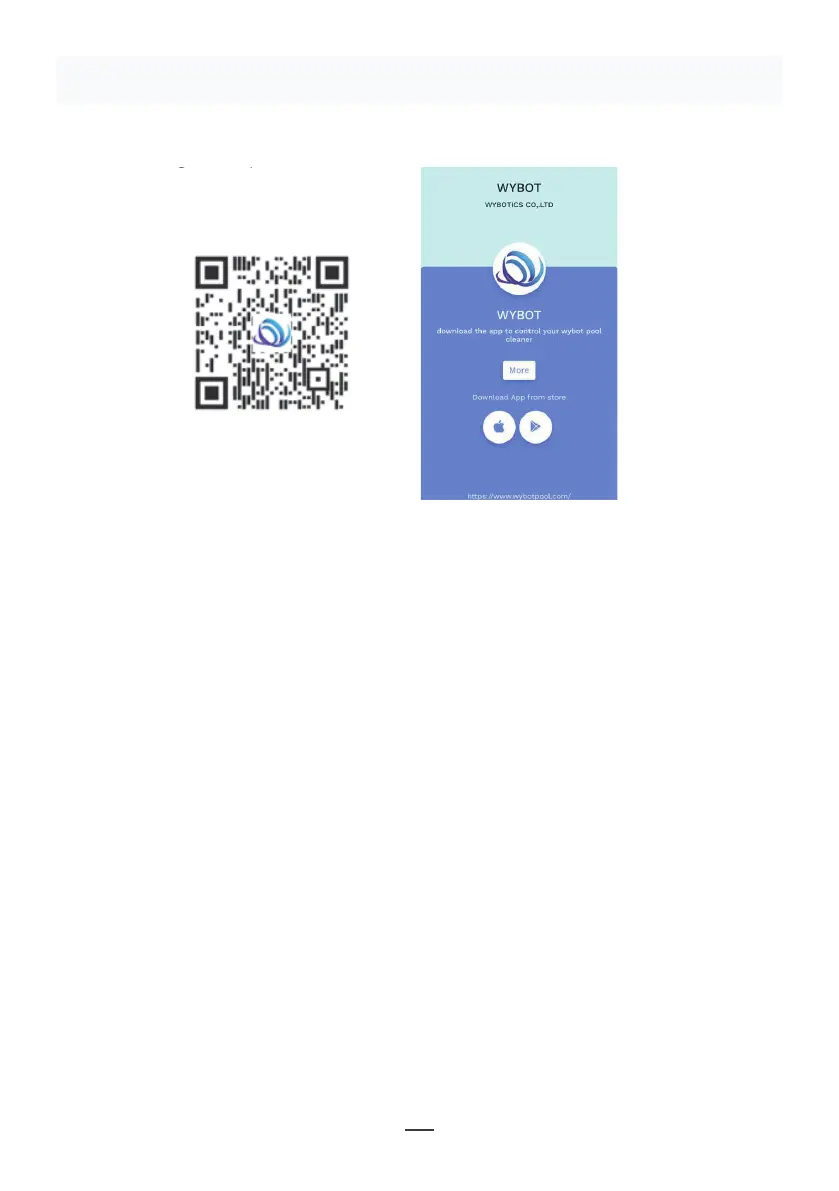
Method 1: Scan the QR code below (Figure 5-1). After scanning, you can
click on the corresponding store (Apple Store, Android Store) to download
the APP (Figure 5-2).
Method 2: Search and download the APP in the App Store
1) In case of Android phones, search google play for WYBOT, and download
it
2) In case of iPhone, searches the app store for WYBOT, download it
2. Turn on the machine, the machine light is blue and always on
3. Connect the APP with the machine after the machine starting.
4. After the connection is successful, the APP will give a "Success" prompt.
At the same time, the machine indicator light turns purple and always on.
5. After entering the APP interface, the parameters of the current machine
will be displayed, and users can set the parameters according to their own
demands in cleaning
6. Select the parameters you want
V. WYBOT APP Connec�on.
(The machine shall be outside the water when connec�ng the APP):
11
Figure 5-2
Figure 5-1
Figure 5-1
Figure 5-2
Note:
1 • When using App, it needs to obtain Bluetooth use permission and location permission
of the mobile phone
2 • App is suitable for IOS 14 and above, and Android 8.0 and above.
3 • To obtain weather information in App, you need to turn on Location service.


 To Next Page
 Loading...