42
USEGEBRUIKSAANWIJZINGEN
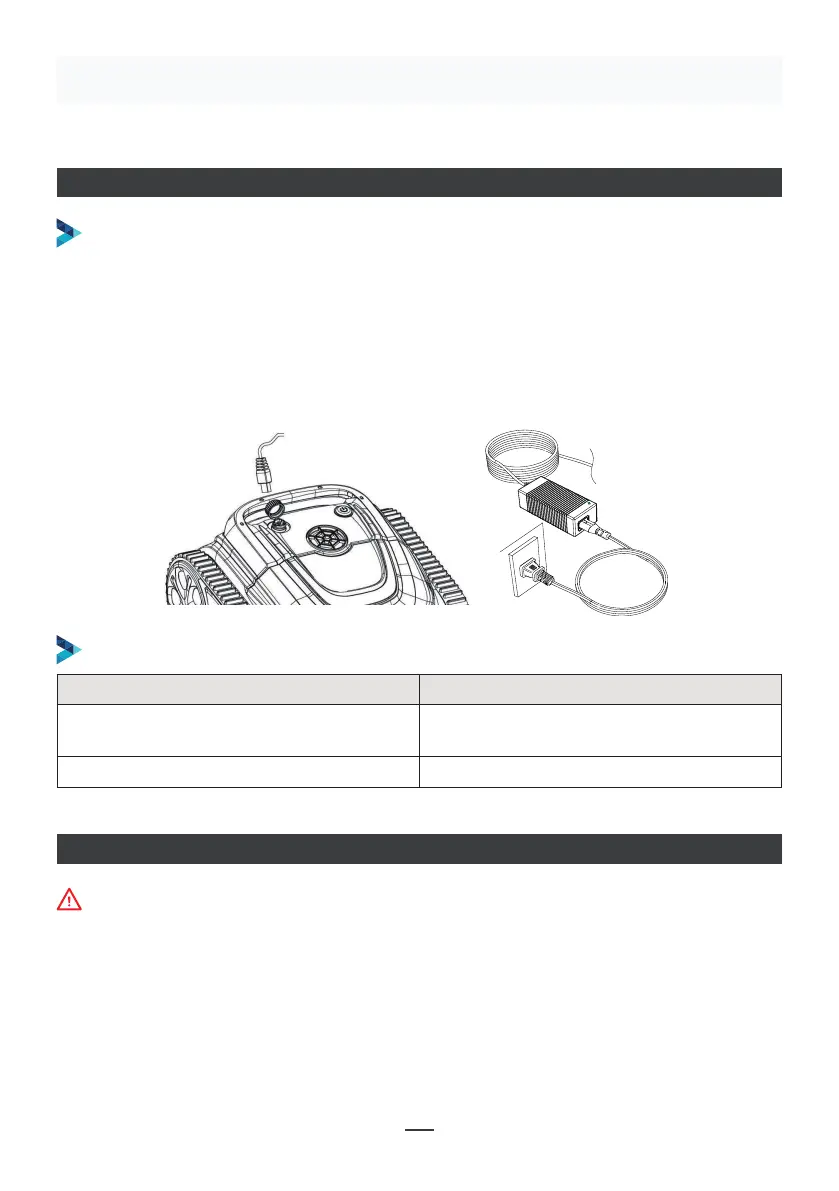
DE ROBOT OPLADEN
De machine moet uitgeschakeld zijn (de controlelampjes volledig uit). De machine
moet uit het zwembad gehaald worden voor het opladen, en in huis geplaatst worden
of op een plaats beschermd tegen waterspatten. Schroef de waterdichte kap van de
machine los (de laadpoort moet droog zijn) en sluit de laadpoort aan op de laadstekker.
Wanneer het lampje van de batterijlader rood is, wordt opgeladen. Na het opladen
wordt het lampje groen.
OPLADEN
LAADLAMPJE
Make sure that the machine is turned off (the indicator lights are
completely off). When charging, please take the machine out of the
swimming pool, and place the machine indoors or in a splash-resistant
facility for charging. Unscrew the waterproof cap on the machine (ensure
that the charging port is dry) and connect the charging port with the
charging connector. When the battery charger light is red, indicating that it
is charging, when it turns green, it means that charging is completed.
4.3.1 Take out the filter basket: Place the cleaner on the shore, open the
cover plate by hand according to the position indicated in the figure (Figure
4-1), and the filter basket is shown in the figure (Figure 4-2).
4.2 Charge the robot
4.3 Clean the filter cartridge
4.2.2 Charger indicator
4.2.1 Charging Operation
LED Indicator Charging state
Green light is always on
Red light is always on Normal charging
plugged or the charging is complete
09
Figure 4-1 Figure 4-2
Ledlampje Laadstaat
Groen lampje altijd aan
Wachten op laden, of de batterij is niet
aangesloten of het opladen is beëindigd
Rood lampje altijd aan Normaal laden
VERBINDING APP
• Download de App:
Methode 1: Scan de onderstaande QR-code (Figuur 5-1). Na het scannen, klik op de
overeenkomstige store (Apple Store, Android Store) om de APP te downloaden
(Figuur 5-2).
De machine moet uit het water zijn om te verbinden met de APP


 To Next Page
 Loading...