68
MAINTENANCEQUESTIONS FRÉQUENTESINSTRUÇÕES DE UTILIZAÇÃO
INDICADOR LUMINOSO
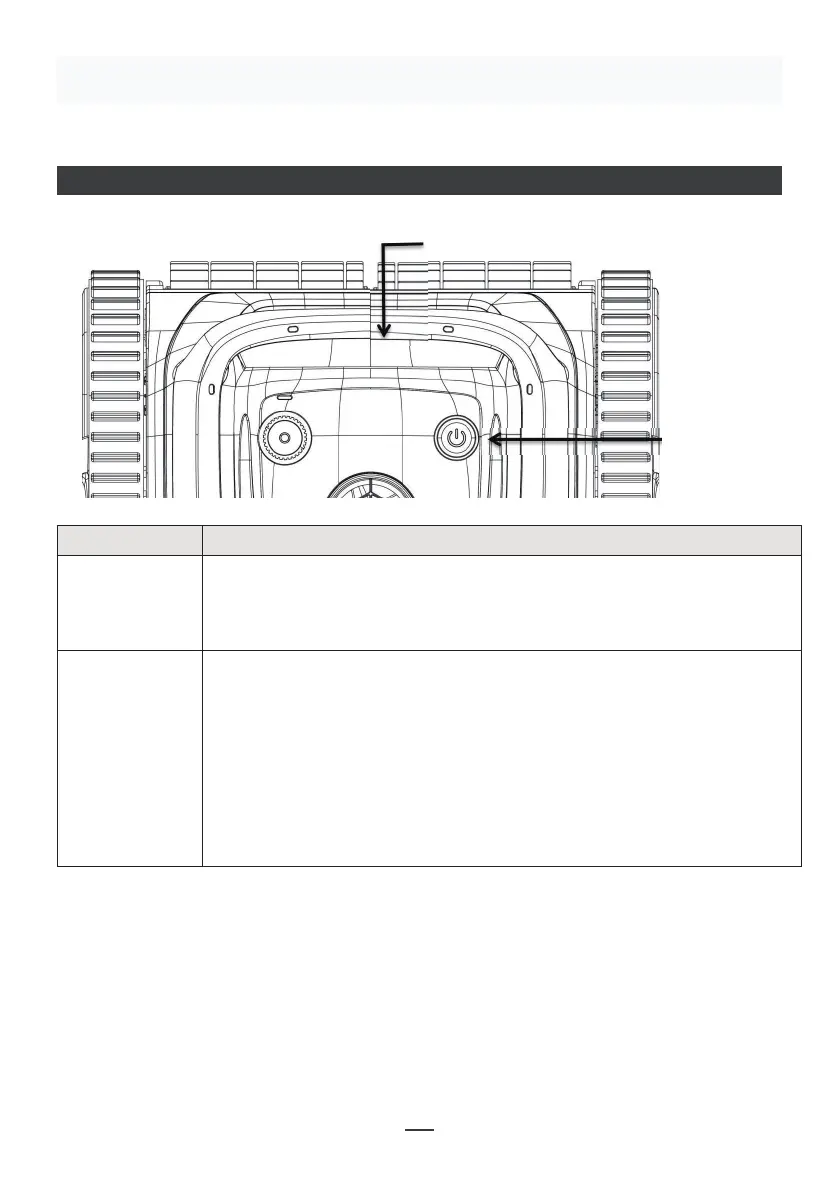
4.1 LED lndicator
08
IV. Instruc�ons
Status indicator lights
Switch button
No. Symbol Descrip�on Descrip�on of func�ons
ON/OFF
Status Indicator
Press the ON/OFF : the blue light goes on, it
1. Blue light is always on: startup
it leans against the wall
4. Yellow light is always on: the machine has low
power, it leans against the wall and stops running
machine has failure
1:
personnel.
Luzes indicadoras de estado
Botão de
comutação
Descrição Descrição das funções
LIGADO /
DESLIGADO
Premir o botão ON/OFF: a luz azul acende-se, o que indica o
arranque. Prima novamente o botão, a luz vermelha acende-se, o que
indica o encerramento. Após o encerramento, a luz vermelha apaga-
se.
Indicador de
estado
1. A luz azul está sempre ligada: arranque
2. Luz azul intermitente: funcionamento normal
3. Luz amarela intermitente: a máquina tem pouca bateria, está
encostada à parede
4. Luz amarela sempre acesa: a máquina tem pouca bateria,
encosta-se à parede e deixa de funcionar
5. Luz vermelha intermitente e sempre acesa: a máquina tem uma
avaria
Resolução de problemas:
Quando a luz vermelha da máquina piscar e estiver sempre acesa, desligue e reinicie
a máquina. Se não conseguir voltar ao funcionamento normal, contacte o pessoal do
serviço pós-venda.


 To Next Page
 Loading...