SR209 Plus Series
│ 17
2-3 5.25” Device Installation
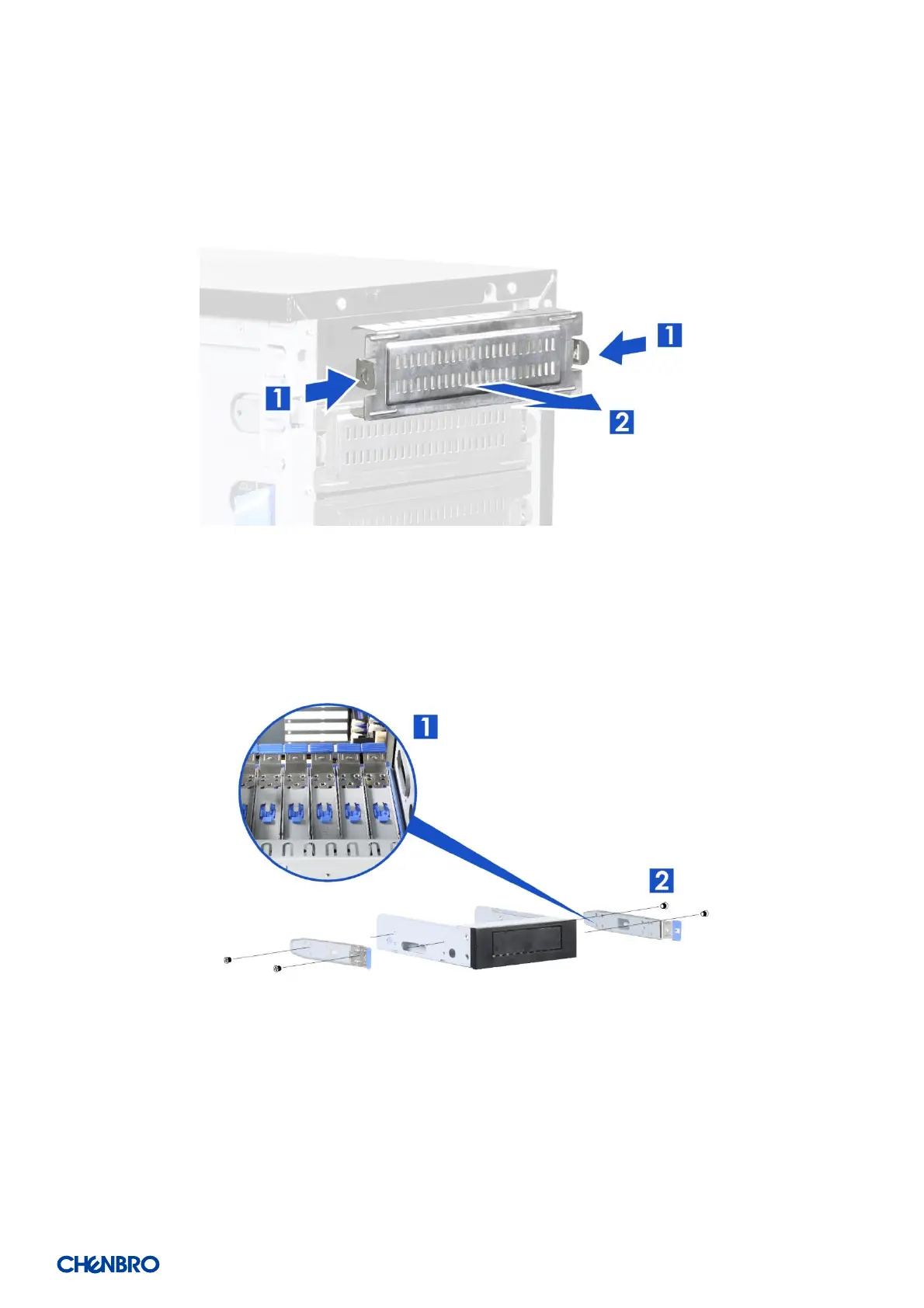
Figure 13 5.25” device blank removal
1. Press two sides of the latch of the blank to release the blank as shown.
2. Pull the blank out.
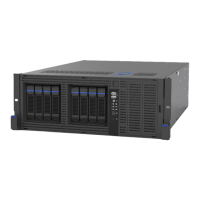
Figure 14 5.25” device side rail installation
1. Take the reserved side rails located inside the drive slot.
2. Attach and secure the side rail on both sides of the 5.25” device.


 To Next Page