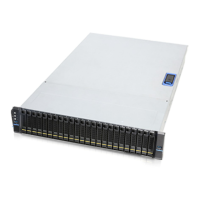
SR209 Plus Series
│ 25
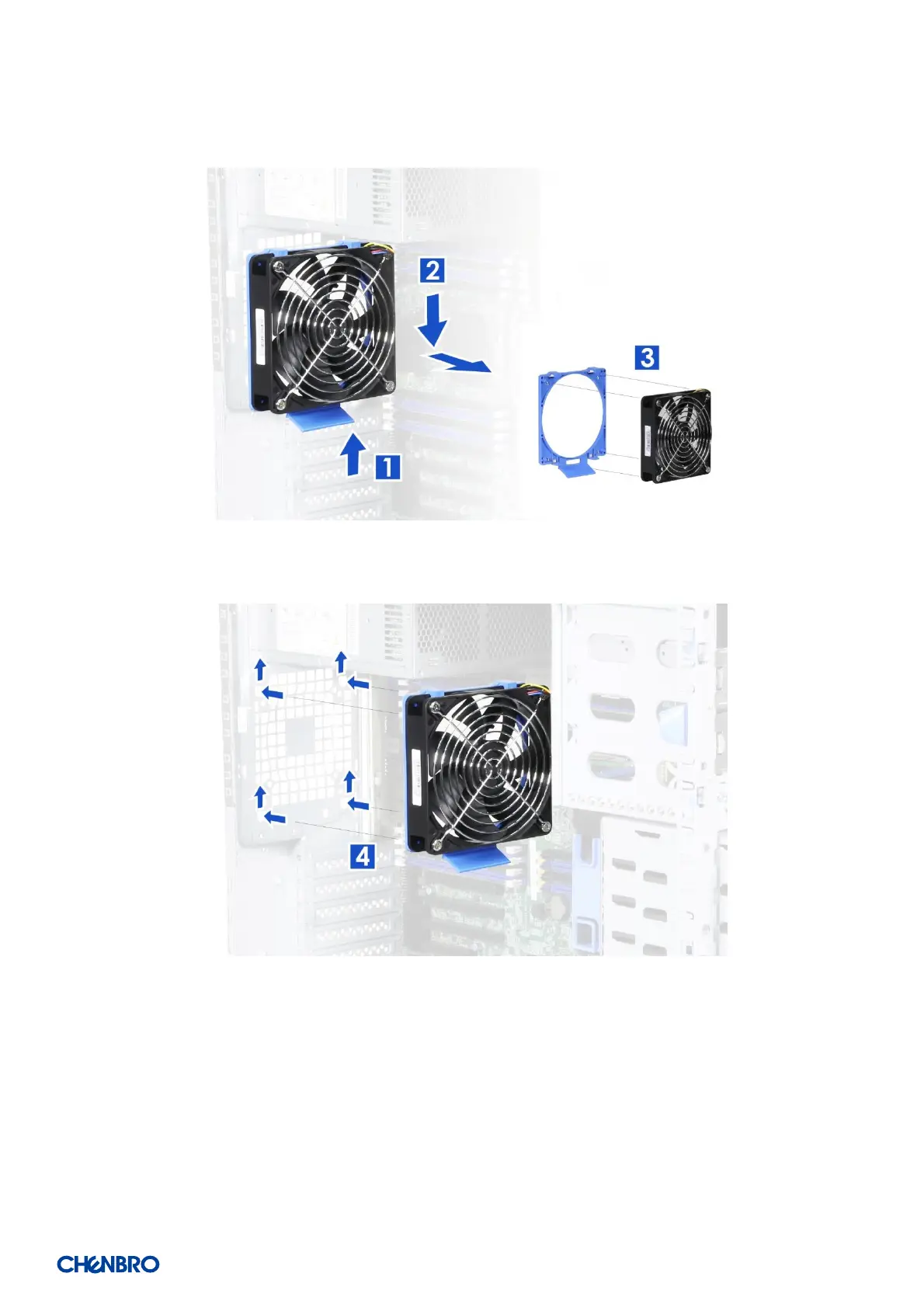
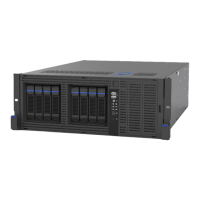
2-6 Rear Fan Maintenance
Figure 27 Rear fan maintenance step-1
Figure 28 Rear fan maintenance step-2
1. Lift up the fan latch at the bottom of the fan module without release.
2. Push the fan module down to remove it from the chassis.
3. Remove the fan from the tool-less fan holder as shown and replace the fan.
4. Secure the fan module by aligning four embossed pins with four holes on the chassis, and pushing it upwards as shown.


 To Next Page