SR209 Plus Series
│ 20
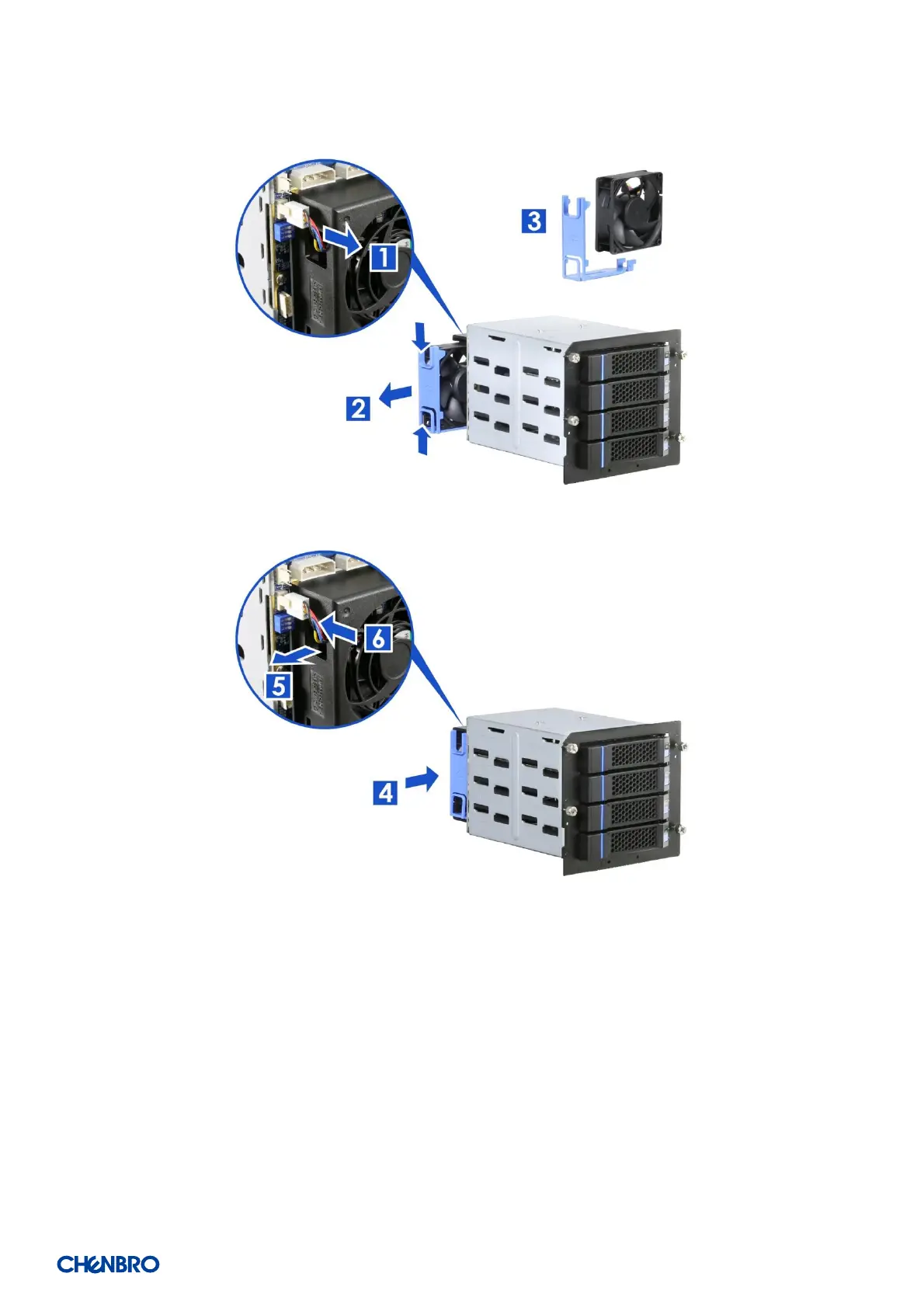
Figure 18 3.5” hot-swap HDD cage fan maintenance step-1
Figure 19 3.5” hot-swap HDD cage fan maintenance step-2
1. Unplug the power connector from the backplane.
2. Release the fan latch and pull the fan out of the fan cage.
3. Remove the tool-less fan holder as shown and replace with a new fan.
4. Insert the fan into the fan cage.
5. Make sure the power connector go through the hole on the other side of the fan cage.
6. Plug the power connector into the backplane.


 To Next Page