Description of Panel
4-1
4. Description of Panel
4.1 Front Panel
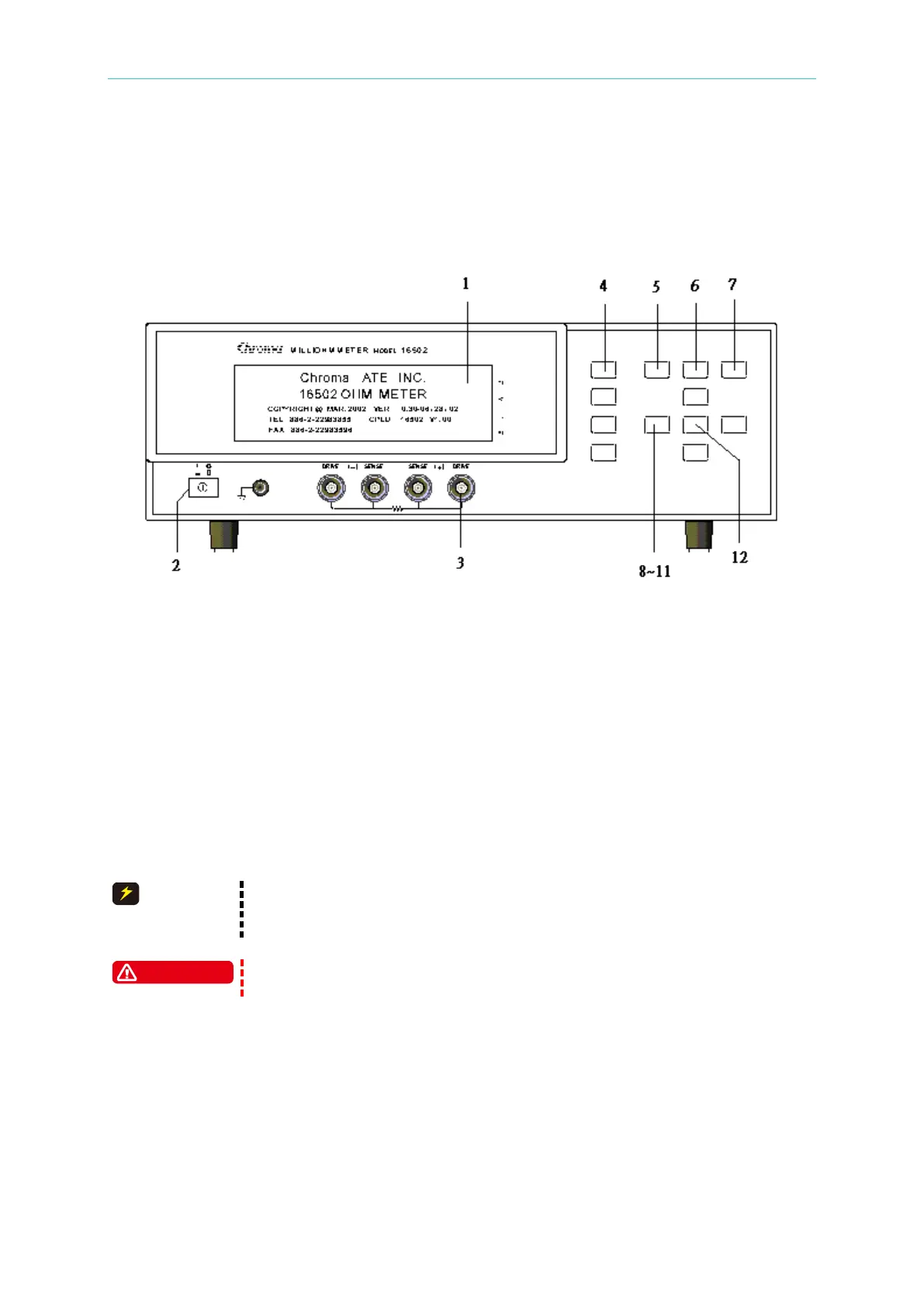
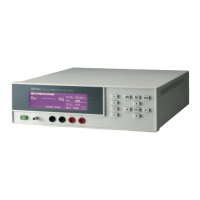
(1) LCD Display
The resolution of this instrument display is 240 x 64 dot-matrix LCD display, so all the
measuring and setting values can be shown clearly.
(2) Power Switch
On-off switch
(3) Unknown DUT Sockets
Four individual BNC sockets connect an external test device or wire for unknown testing.
DRIVE(+): Current drive terminal, high potential terminal
SENSE(+): Potential detect terminal, high potential terminal
SENSE(–): Potential detect terminal, low potential terminal
DRIVE(–): Current drive terminal, low potential terminal
When the polarity component is under test, "high potential terminal"
connects to (+) and "low potential terminal" connects to (-) which are
To avoid damaging the instrument, please discharge before measuring
the polarity components.
(4) Function Keys
There are four function keys, the major function of these keys are to show different
conditions of each keys or other options which may need to be selected depending on the
user’s requirements.
(5) MEAS DISPLAY KEY
Upon pressing this key, the instrument is under component basic measurement analysis
mode. Under this screen, each test parameter can be changed directly and the value can
be read. For example, test mode, test speed and ZERO etc.


 To Next Page