Milliohm Meter 16502 User’s Manual
4-2
If the user wants to reserve test mode setting parameter after powered-off. The
user can press System Setup Key on front panel under test screen as well as
press Meas Display Key then returns to test screen. After the above steps are
completed, please turn off the unit.
(6) MAIN INDEX Key
Pressing this key allows entry to the main index screen. In this screen you may select what
you want to test, DUT test result binning and compare function.
(7) SYSTEM SETUP Key
Pressing this key gives access to the main system parameters setup, allowing each
system parameter to be changed directly, e.g., the calibration of this instrument, memory
management, selection and setting of each system and measurement parameter. (The
functions of calibration and memory-management require a password for entry).
(8) ~( 11 ) Cursor Keys
There are [], [], [], [] four direction keys. These keys are for display in different
conditions and control cursor, which can be useful when inputting each parameter. The
keys can also be selection keys, e.g., selecting range by [], [] keys.
(12) TRIGGER Key
This key is for trigger instrument to start measurement. When the instrument is in
manual trigger mode, press this key for measuring.
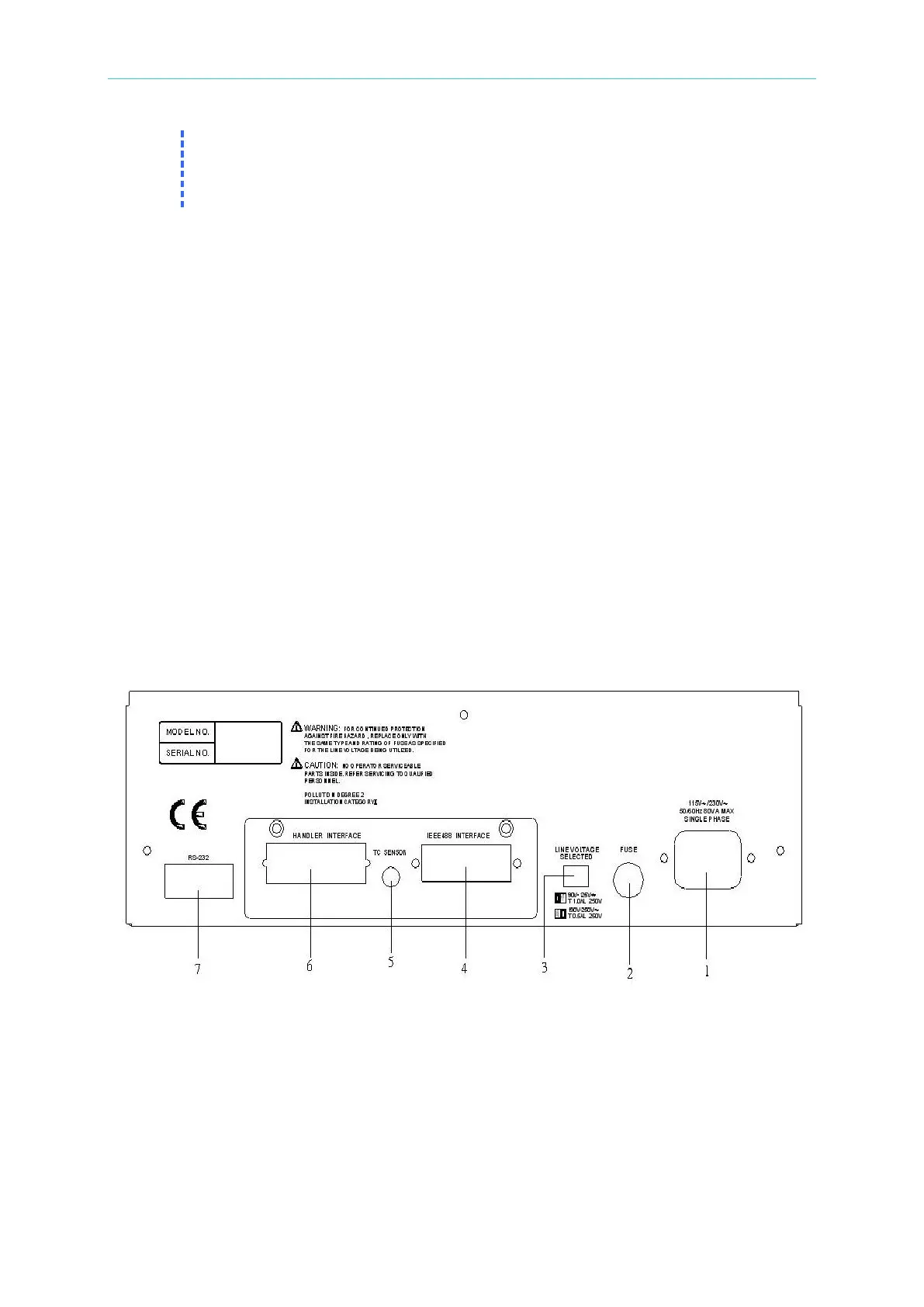
4.2 Rear Panel
(1) AC Line Socket
This socket is an approved (by the International Electrotechnial Commission) three-wire
socket 320. Please use the correct wire, such as Beeline SPH-386 or similar power cord
(W12 010130).
(2) Fuse
1.0A or 0.5A slow blow fuse to prevent the instrument being affected by excess current in
90 ~ 125V or 190 ~ 250V.



 To Next Page