Test
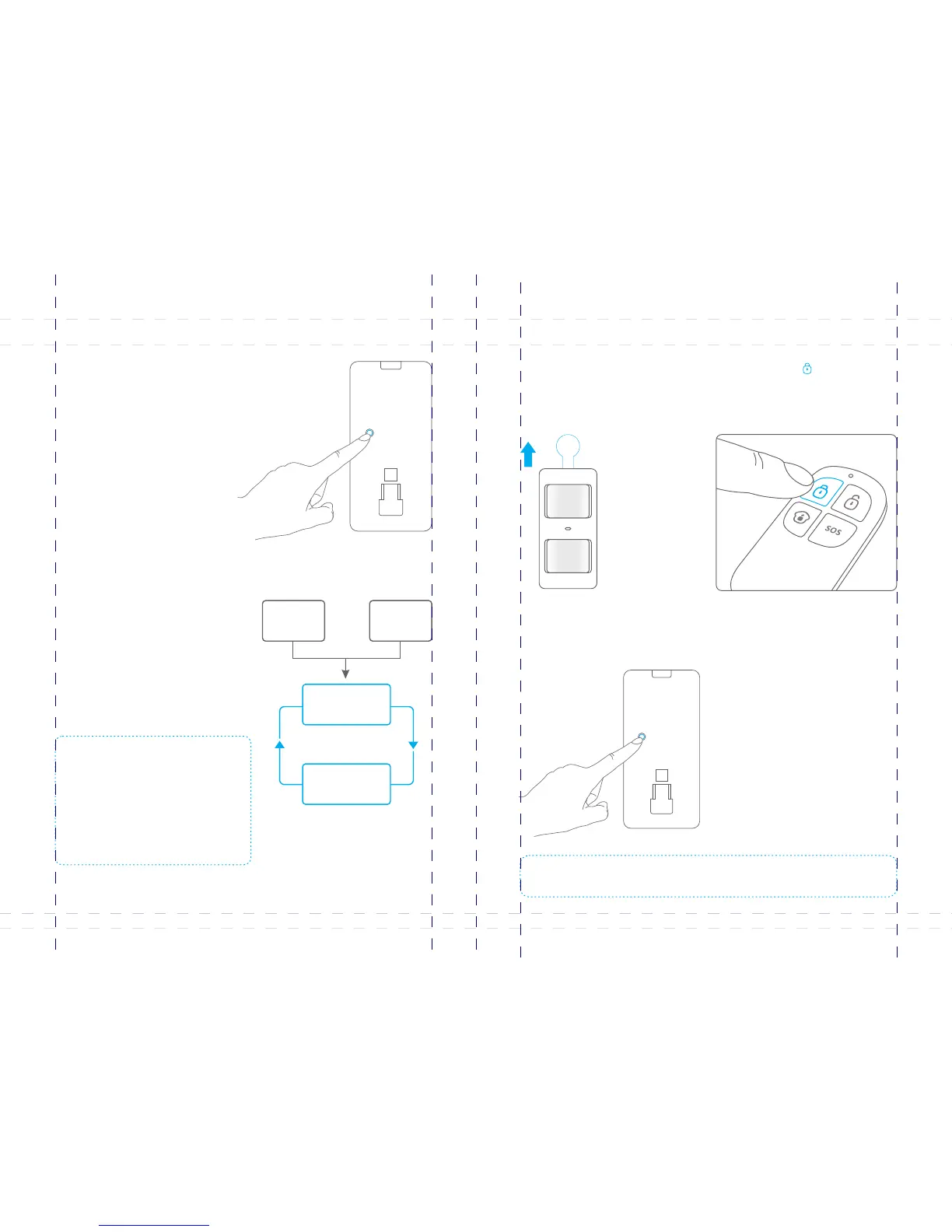
3. Trigger the alarm
Working Mode
Testing mode
After self-testing, the detector enters
testing mode, and detects once
every 10 seconds. After 3 minutes,
the LED blinks twice, and the
detector enters power saving mode.
Hold the test button and load the
battery, then release the test button,
the detector stands in testing mode,
it keeps detecting once every 10
seconds. Exits this status by
reloading the battery without
holding the test button.
Power saving mode
Press the buckle to open the back
cover. Remove the insulating strip.
After 30-second self-testing, the
detector switches to the testing mode.
1. Remove the insulating strip
Press the button on the [Arm ]
remote control. The system is in the
armed state.
2. Arm
Keep pressing the test button at the back until the siren sounds.
Note: The testing mode sustains for 3 minutes. Then, the LED blinks twice, indicating the
detector is in the power saving mode.
The product features power-saving
design. If the detector detects human
movement twice in 3 minutes, it will switch
to the sleeping state to save power. At this
time, the LED will not blink and no alarm.
After no movement within the next 3
minutes, the detector switches back to the
working state automatically.
Sleep after
detecting human
movement twice
Note: After the detector is in the sleeping state,
ensure no human movement within 3 minutes;
otherwise, the detector remains sleeping.
In the sleeping state, it is recommended that
you leave the room after arming the system.
Ensure no human movement in 3 minutes.
Then, go into the room, the system alarms
immediately.
Case 2: Press
the test button
and then arm.
Case 1:
Initial start
and then arm.
3 minutes later
No human movement
within 3 minutes
Switch from
sleep to arm.
17
18



 To Next Page