EL DC Instalation and operation manual v13.docx
36 / 56
The emergency stop unpowers all the electromechanical devices in the cabinet so the converter
is stopped by hardware assuring a full stop. The internal contactors will be open so no power
will be present at the DC link or at the output of the converter. Only the control boards, the
embedded PC and the local touchscreen remain powered.
4.5.4. Accidental shut down
When the converter is suddenly disconnected from the mains special care must be taken for
restarting it. When the converter is shut down with a charged DC link, some thermal protections
of the internal power supplies will prevent its start-up.
When an accidental shutdown happens disconnect the mains and wait for at least 2 minutes for
powering the cabinet again.
4.5.5. Alarms
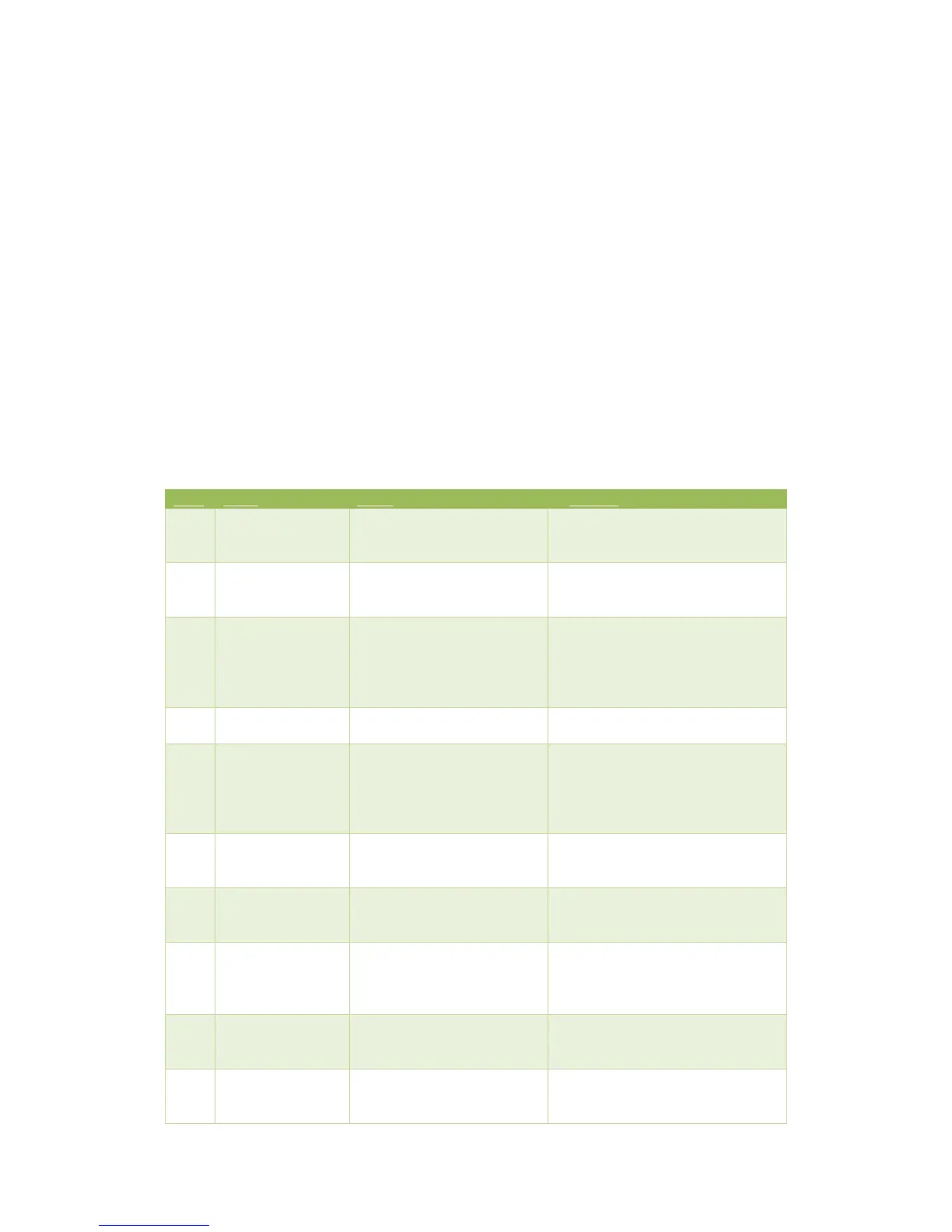
There are different sources of alarm in the converter. The following table describes them and
offers possible causes and solutions to the user.
Internal microcontroller error.
If this alarm persists and is the only
alarm triggered, contact Cinergia’s
technical support.
The emergency stop button is
activated or the EPO wire is no
longer connected.
Unpress the emergency stop
button or reconnect the EPO wire.
IGBTs saturation protection
has been activated. This alarm
is triggered when there is a
sudden overcurrent in the
power supply output.
Contact Cinergia for technical
support if this alarm persists. Check
the equipment under test before
restarting the power supply.
Internal error caused by a low
voltage in mains.
Internal alarm caused by a
shortcircuit. It may also be
triggered if there is not enough
time between the EPO release
and the enable signal.
Repeat the Enable action 5 seconds
after the EPO release.
Contact Cinergia for technical
support if this alarm persists.
Overvoltage in the
DC link
The DC link voltage has
exceeded its maximum value.
Reduce the output step transition
time. Contact Cinergia for technical
support if this alarm persists.
Undervoltage in the
DC link
Undervoltage in the DC link
caused by a fast output
transient.
Reduce the output step transition
time. Contact Cinergia for technical
support if this alarm persists.
The voltage in the emulated
grid is too high. Also in DC
indicates overvoltage.
Check the emulated grid voltage. It
can be triggered due to
connection/disconnection load
transition.
The output current has
exceeded the configured
limitation.
Overtemperature in the
heatsink.
Check if there is enough space
between the power supply and the
wall. There is insufficient air flow


 To Next Page