12 REMOTE CONTROL INPUT
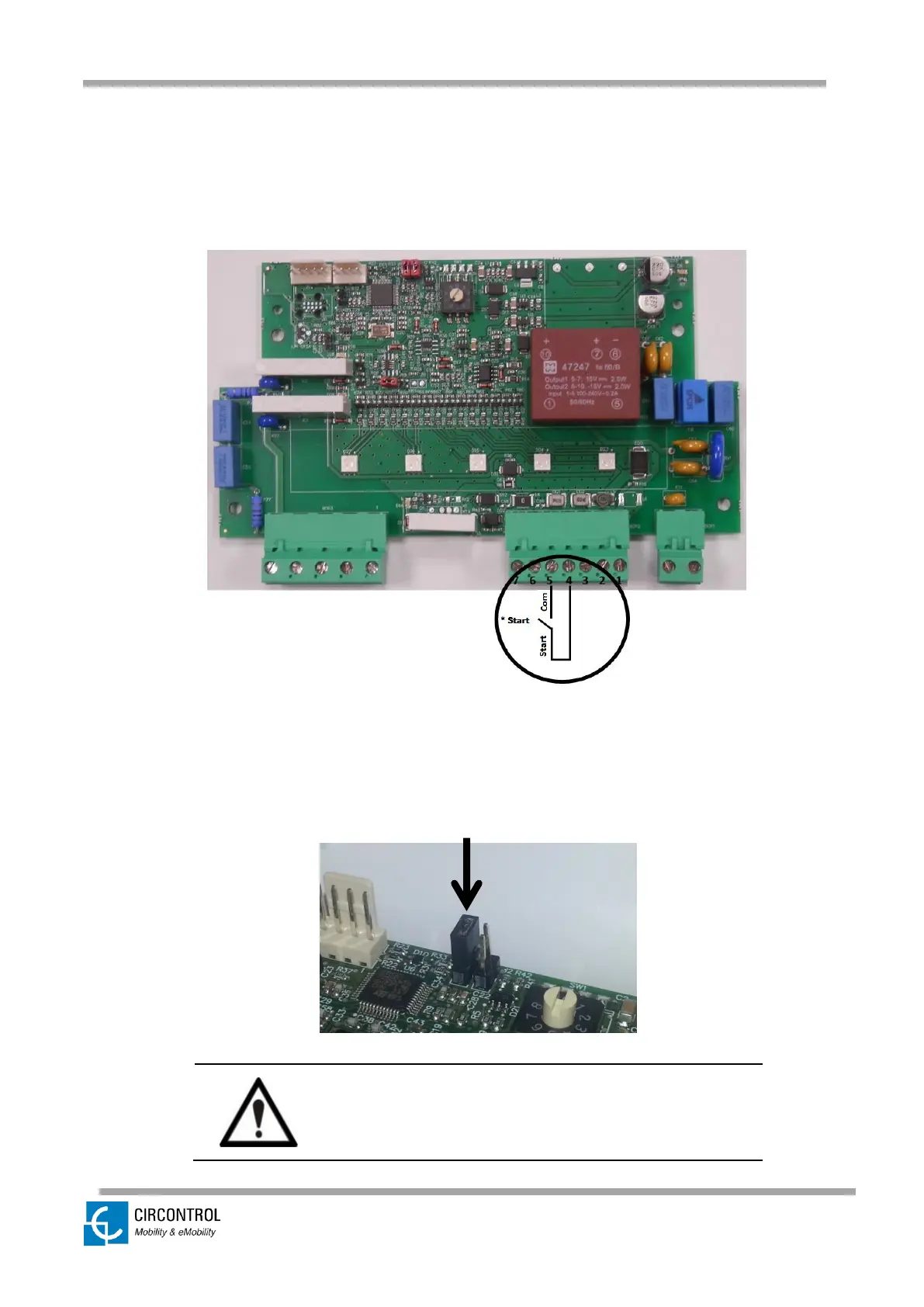
The Wallbox eHOME offer the possibility of enabling the charging process by connecting
an external free-of-potential contact to a dedicated on-board input (pins 4 & 5).
When the contact START is closed, if the EV is connected to the unit, it will start the
recharge straight away.
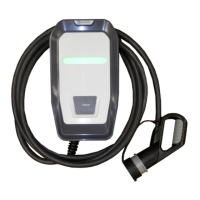
This remote control input is enabled by default, by means of a jumper (as shown in the
picture below). You must remove the jumper to use the input 4-5.
Be sure that the jumper is connected by default,
otherwise the charging process cannot start.



 To Next Page