© CIRCONTROL
www.circontrol.com
Wallbox eHOME INSTRUCTION & INSTALLATION MANUAL
10 CHECKING THE UNIT STATUS
Once all installation procedure has been performed, check the following points:
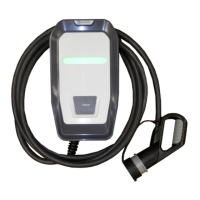
1. Check that the EV tethered cable and its connector are in proper conditions before
starting the charging operation.
2. Check that no abnormal noise appears while the unit is charging.
3. Check the status LED bar to know the present operating status of the unit. Below
you can see the table with the four possible LED bar operating colors:
NOTE: For further information about the different status led bar sequences, please refer to
OPERATING INSTRUCTIONS section.
11 CURRENT LIMIT SELECTOR
As commented at the beginning of this document, there is an onboard rotative dipswitch to
configure the limit current of the unit, which has to be set up according to the model of
Wallbox eHOME we are going to install.
Be sure that the position of the current limit selector is
setup according to the output current of your unit.



 To Next Page