D15330.06 SX10 Administrator Guide CE9.1, JUNE 2017. www.cisco.com — Copyright © 2017 Cisco Systems, Inc. All rights reserved.
22
Cisco TelePresence SX10 Quick Set Administrator Guide
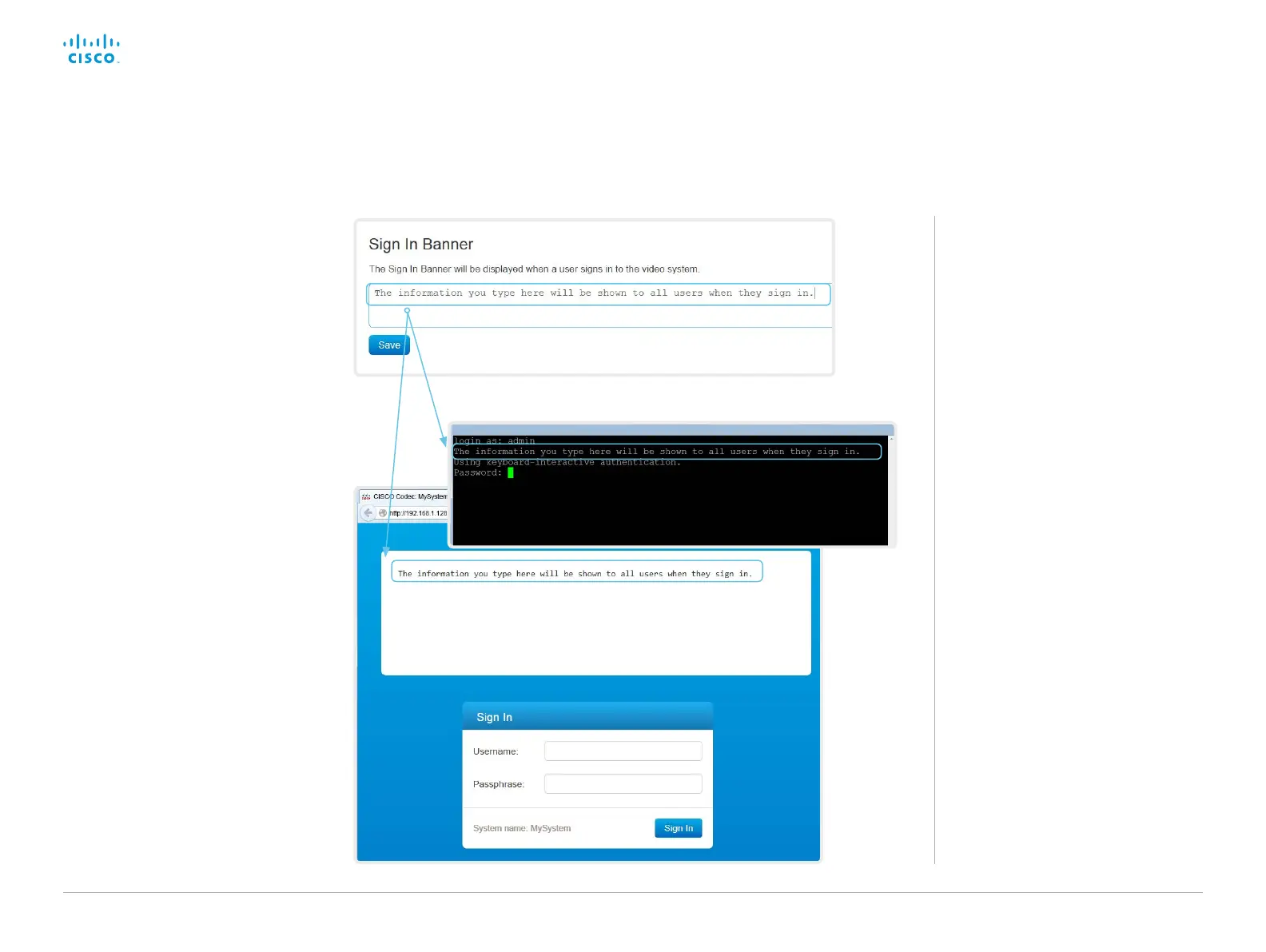
About sign in banner
If a system administrator wants to provide
initial information to all users, he can
create a sign in banner. The message is
shown when the user signs in to the web
interface or the command line interface.
Add a sign in banner
Sign in to the web interface, and navigate
to Security > Sign In Banner.
1. Enter the message that you want to
present to the user when he signs in.
2. Click Save to activate the banner.














 To Next Page