D15330.06 SX10 Administrator Guide CE9.1, JUNE 2017. www.cisco.com — Copyright © 2017 Cisco Systems, Inc. All rights reserved.
138
Cisco TelePresence SX10 Quick Set Administrator Guide
Share content using the web interface
Sign in to the web interface and navigate to Call Control.
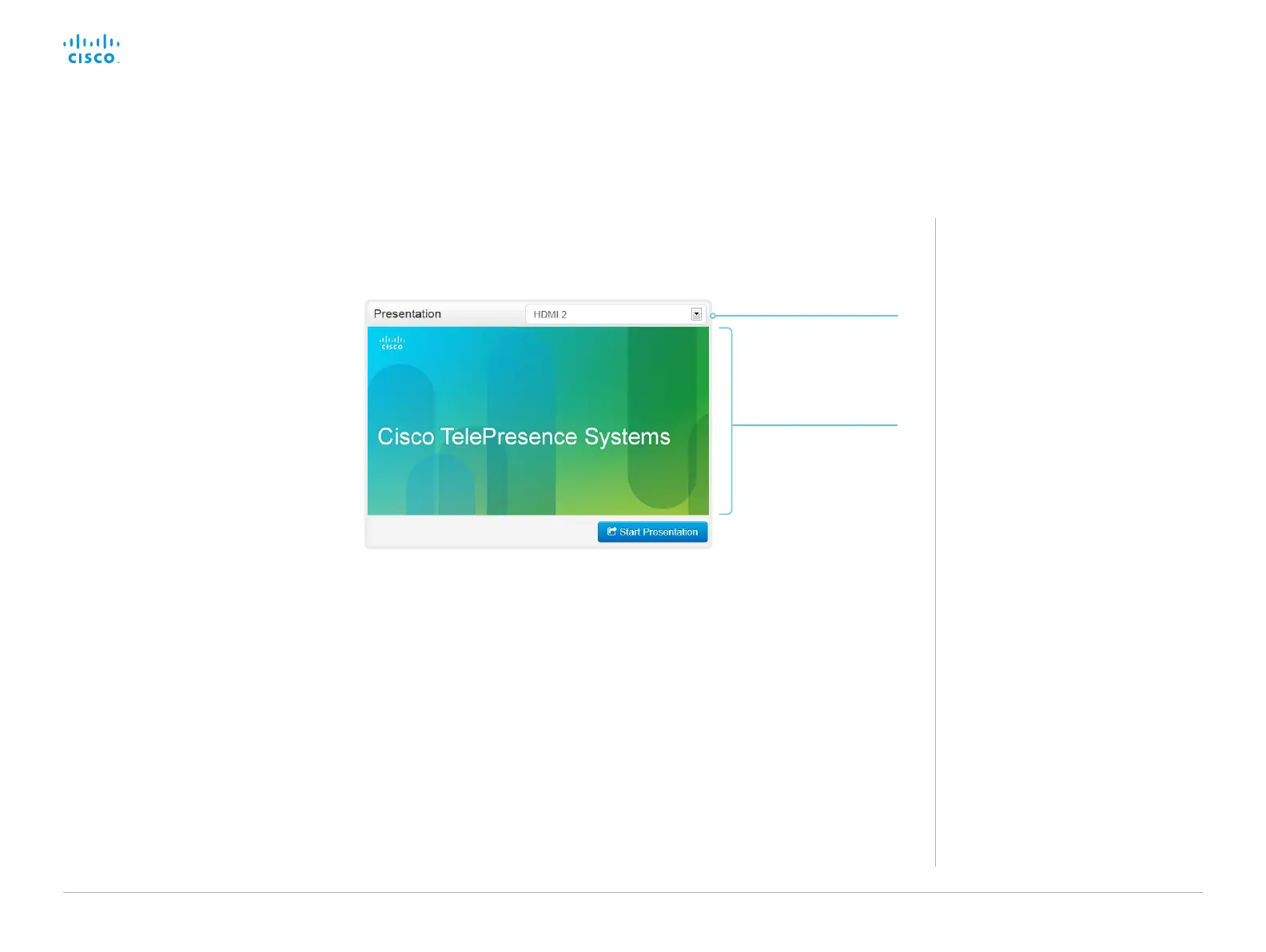
Snapshot area
Shows snapshots of the
selected presentation
source.
Only available on video
systems that have the
Remote Monitoring
option.
Presentation source
drop down list
Choose which input
source to share, from the
drop down list.
About content sharing
You can connect a presentation source
to one of the video inputs of your video
system. Most often a PC is used as
presentation source, but other options
may be available depending on your
system setup.
While in a call you can share content with
the other participant in the call (far end).
If you are not in a call, the content is
shared locally.
Share content
1. Choose which content source to share in
the Presentation source drop down list.
2. Click Start Presentation. Then the text
changes to Stop Presentation.
Stop content sharing:
Click the Stop Presentation button that is
present while sharing.














 To Next Page