D15330.06 SX10 Administrator Guide CE9.1, JUNE 2017. www.cisco.com — Copyright © 2017 Cisco Systems, Inc. All rights reserved.
37
Cisco TelePresence SX10 Quick Set Administrator Guide
Choose wallpaper
About a custom wallpaper
If you want the company logo or another
custom picture as background on the
main display, you may upload and use a
custom wallpaper.
You can only store one custom wallpaper
on the video system at a time; a new
custom wallpaper overwrites the old one.
When you use a custom wallpaper, these
items are removed from the main display:
• The large clock
• The list of upcoming meetings
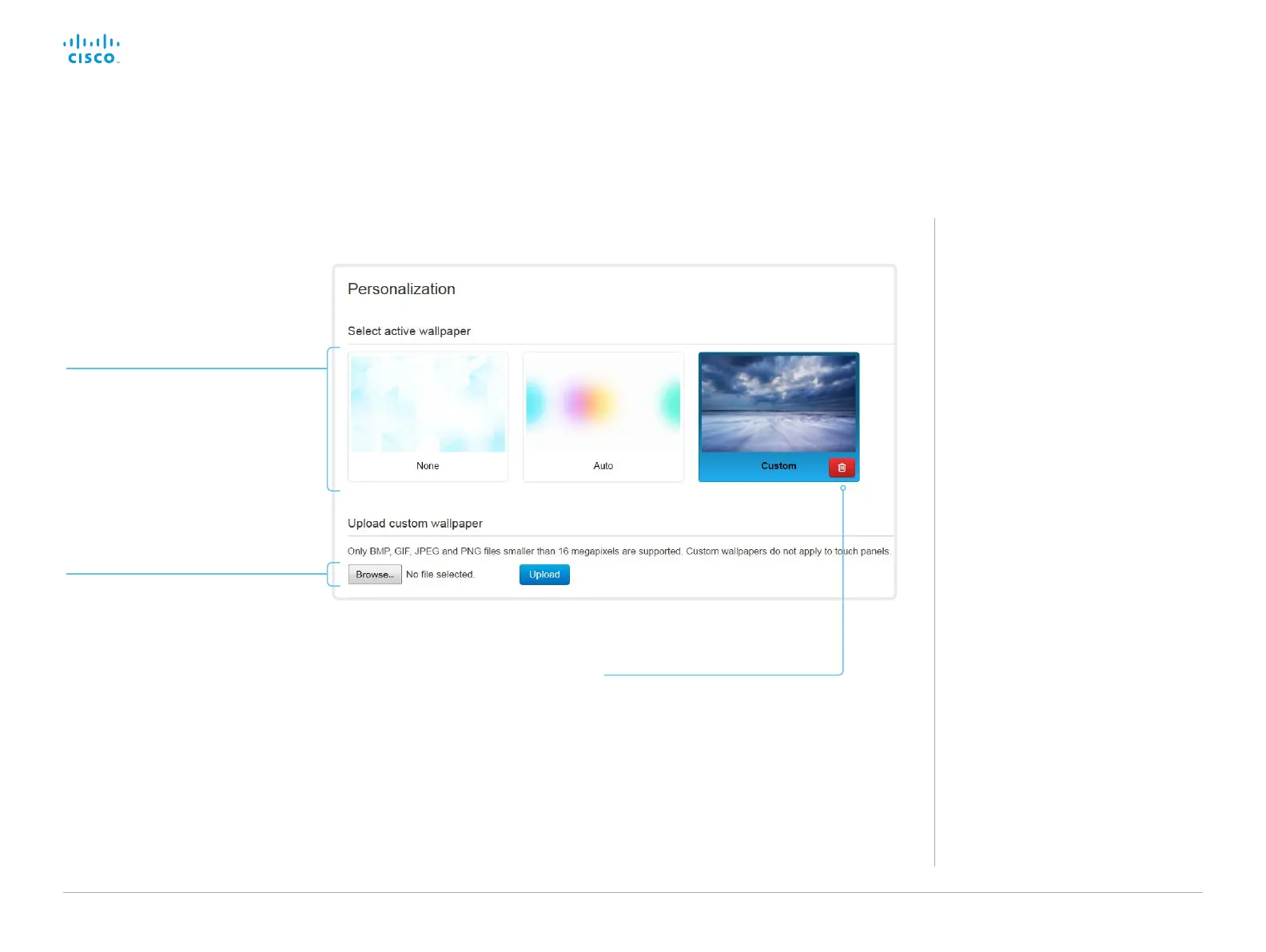
Sign in to the web interface, and navigate to Setup >
Personalization.
Upload a custom wallpaper
Overwrites any old custom wallpaper.
1. Browse to find the custom wallpaper
image file.
2. Click Upload to save the file on the
video system.
Supported file formats: BMP, GIF,
JPEG, PNG
Maximum file size: 16 megapixels
The custom wallpaper is automatically
activated once uploaded.
Choose wallpaper
Choose a wallpaper from the list.
The active wallpaper is highlighted.
Delete the custom wallpaper
Delete fully removes the custom
wallpaper from the video system.
You have to upload it anew if you want
use it again.














 To Next Page