D15330.06 SX10 Administrator Guide CE9.1, JUNE 2017. www.cisco.com — Copyright © 2017 Cisco Systems, Inc. All rights reserved.
38
Cisco TelePresence SX10 Quick Set Administrator Guide
Choose a ringtone and set the ringtone volume
About ringtones
A set of ringtones are installed on the
video system. Use the web interface to
choose a ringtone, and set the ringtone
volume.
You can play back the choosen ringtone
from the web interface. Note that the
ringtone will be played back on the video
system itself, and not on the computer
running the web interface.
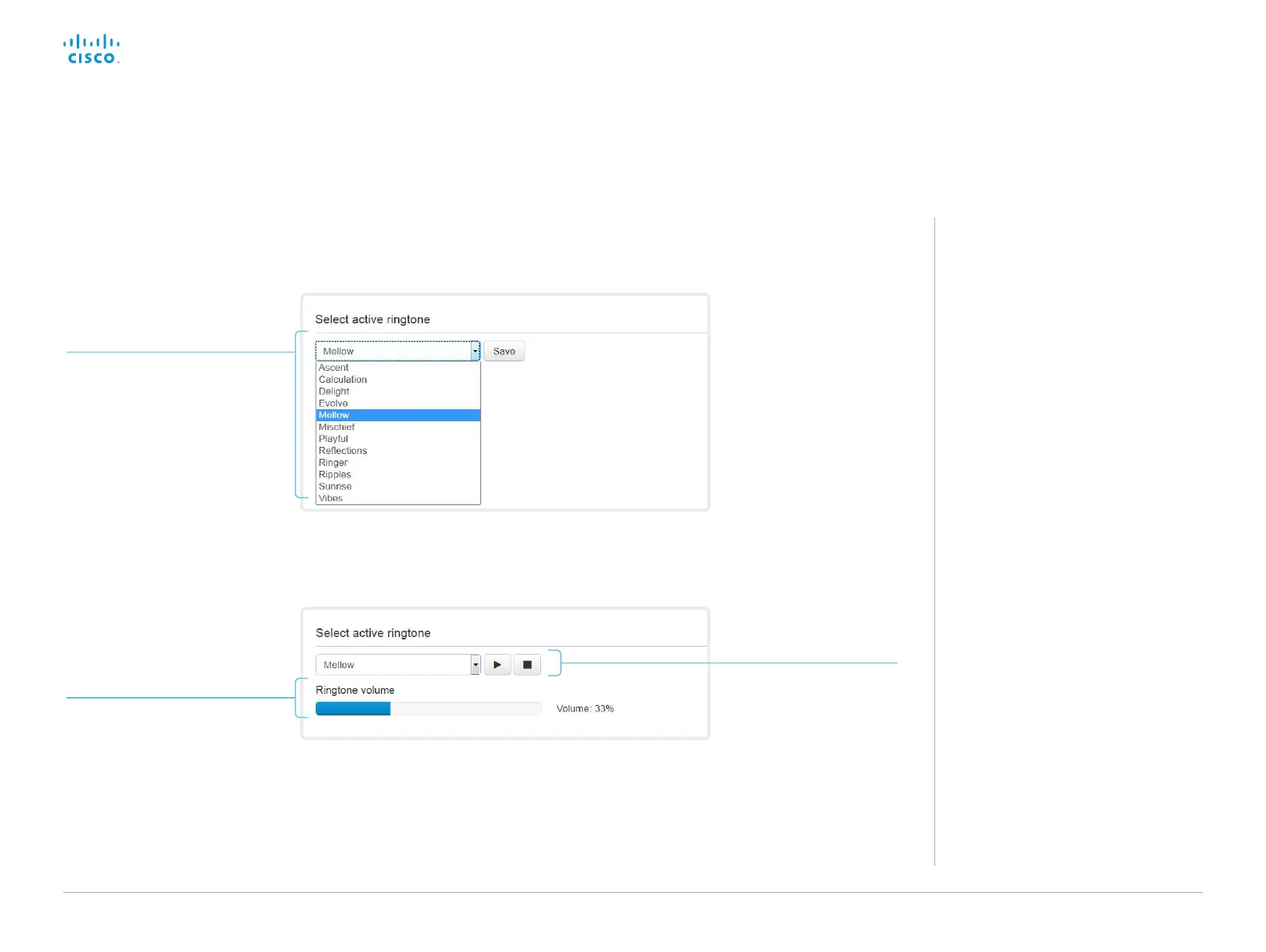
Sign in to the web interface, and navigate to Setup >
Personalization.
Change the ringtone
1. Choose a ringtone from the
drop-down list.
2. Click Save to make it the
active ringtone.
Play back the ringtone
Click the play button ( ► ) to
play back the ringtone.
Use the stop button ( ) to
end the playback.
Set the ringtone volume
Use the slide bar to adjust the
ringtone volume.














 To Next Page